01
Find the creative
Open a supported ecommerce ad research page. Viral Radar detects video creatives and nearby product signals.
Vibbit Viral Radar · Chrome extension
Spot ecommerce video creatives as you browse supported research pages. Review the creative, its product clues and related assets in one side panel, then send your picks to Vibbit.
Opens Viral Radar in Vibbit
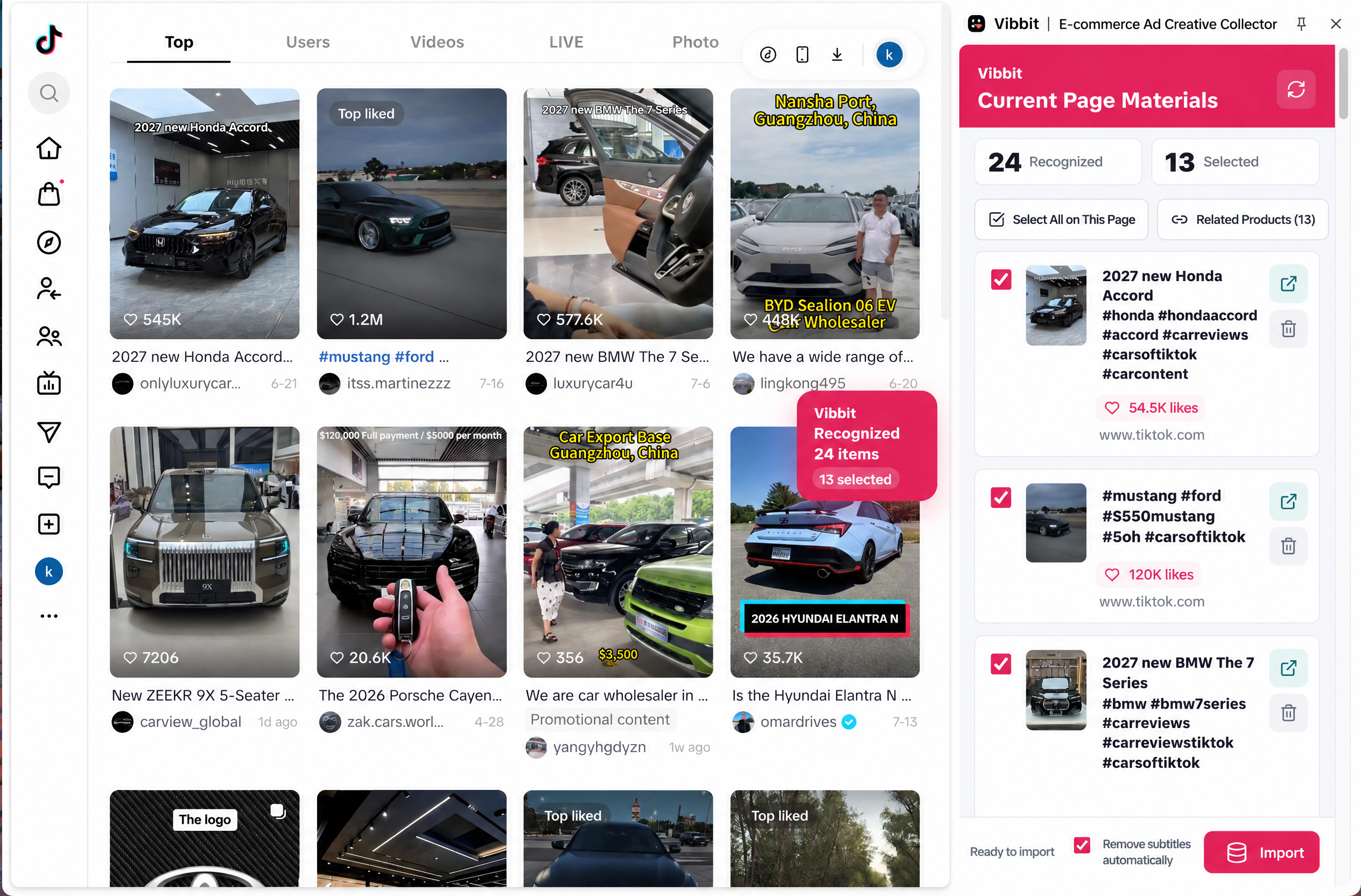
Select the creatives you want to keep and send them to your Vibbit workspace.
Find creatives on supported pages
Check products, assets and duplicates
Keep the ideas worth a closer look
Move them into Vibbit for the next step
What happens next
The extension turns ad research into a short, deliberate workflow. You see what it found, remove what you do not need, and choose what reaches your workspace.
Open a supported ecommerce ad research page. Viral Radar detects video creatives and nearby product signals.
Use the side panel to check linked assets, product clues and repeated material. Remove entries that are not useful.
Sync the creatives you picked to Vibbit, where your team can analyze the idea and plan the next video.
What makes a saved ad useful
Keep the creative connected to the clues you found with it. The next person opening your library should know what caught your eye and which product was involved.
Made for ad research
The panel helps you sort promising material while it is still in front of you, so your research does not end as a pile of unrelated files.
Surface video creatives on supported pages while you browse.
Keep useful product clues and related assets with the creative.
Spot repeated or similar material before filling your library.
Choose what to send to Vibbit for analysis and video production.
Before you install
Viral Radar reads website content on supported pages to identify creatives. It uses your Vibbit login status when you submit selected content to your workspace.
The extension works where its current version supports ad research. Check the Chrome listing for the latest scope.
Review detected items in the side panel and choose which creatives to sync.
Read the Chrome Web Store permissions and privacy details before installing.
Practical questions
Yes. Ad Hunter is the website name for this tool. The Chrome Web Store listing is named Vibbit Viral Radar | Ad Creative Collector.
No. The extension works on supported ad research pages. The current Chrome Web Store listing is the best place to check the latest scope.
You can review detected items, remove unwanted entries and select which creatives to sync to Vibbit.
The selected material goes to your Vibbit workspace for creative analysis and video production workflows.
Use collected ads for research. Get the appropriate rights before using another creator’s footage in your own campaign.
Open Viral Radar in Vibbit to explore promising products and creatives.
Open Viral RadarOpens Viral Radar in Vibbit