Vibbit's Script Template Library: How to Batch-Generate E-commerce Voiceover Videos, with a Case Study
Voiceover video is the bread and butter of e-commerce content.
Voiceover video is the bread and butter of e-commerce content. Livestream warm-ups, product explainers, feed placements, real-person recommendations on a detail page — all of them need a lot of voiceover. But the throughput bottleneck here is more hidden than it is for visual-led video: scripts get written one at a time, voiceovers recorded line by line, footage matched clip by clip, post-production cut frame by frame. A mature e-commerce team might need over a hundred voiceover videos a week, and if every one starts from zero the team collapses under it. Vibbit's script template library is built for exactly that pain: it packages the script structure, the persuasion logic, the asset matching, the voice style and the caption treatment into reusable templates, moving batch voiceover production from craft to assembly line. This article breaks down the method and a real case.
I. The hard part is the break between script, assets and finished cut
The production chain for e-commerce voiceover video usually has four stages: write the script, record the voiceover, match the visuals, apply the packaging. In a traditional workflow those four are disconnected.
Operations writes the script, the editor finds footage, a voice talent records, post adds captions. Everyone uses different tools, files get passed around, versions go out of sync.
Once a winning voiceover structure is validated, it is hard to replicate onto the next product quickly, because product name, selling points and price all have to be swapped by hand and the footage has to be found again.
The same voiceover content, destined for several platforms, usually has to be re-exported at different sizes with different caption styles — a huge amount of duplicated work.
Vibbit's script template library closes that break: it settles both the content logic and the production logic of a voiceover video inside the system, drives batch generation from variable fields, and links script, voice, visuals and packaging together automatically in one hub.
II. The library turns voiceover creative into a reusable asset
Vibbit's script template library is not a simple copy template. It is a structured system bound tightly to the video production chain, built from several core elements.
Script structure templates. The paragraph frame of the voiceover is preset — for example "pain point → product reveal → core selling points → trust proof → call to action" — with a fixed duration and emotional pace for each section.
Variable fields. Everything in the script that changes with the product — name, price, specification, promotion, core selling points, target audience — is defined as a fillable variable. At production time you fill in a table or connect product data, and the system swaps them in.
Asset matching rules. Each script section can be bound to asset tags. The "product reveal" section automatically pulls the hero video or white-background shot; the "selling-point demo" section pulls footage or function demos carrying the matching tag.
Smart voice and lip timing. Vibbit generates the voiceover audio with AI and adjusts shot durations or caption timing to the pace of that voice. If you use real on-camera footage, speech recognition aligns lip movement and captions automatically.
Caption style and brand packaging. Caption typeface, colour, position, corner marks and background music are preset in the template, so everything produced in bulk looks consistent.
In other words, the library standardises how a voiceover video talks, what it says, what visuals it carries and what style it wears. All that remains is swapping the product information.
III. Four steps to build a high-converting script template library
To get real value from the library, start by building a template system suited to your own categories. Four steps work well.
Step one: break down the winning voiceover structures you already have.
Pull the voiceover videos with the best click-through, completion and conversion rates from your historical data and find what they share structurally. Common e-commerce voiceover structures fall into a few types:
Pain-point: open on the pain → introduce the product → offer the solution → show the result → limited-time offer.
Review: unboxing or trial → honest experience → data comparison → why it is recommended.
Promotion: price anchor → size of the discount → stacked gifts → urgency to buy.
Write the sections, durations and persuasion logic of each type into a standard script frame to serve as the template base.
Step two: group templates by category or scenario.
One structure will not suit every product. Beauty, food, home goods and consumer electronics differ a lot in pacing and in how selling points are expressed. Create groups in Vibbit such as "beauty — pain point," "food — review," "electronics — promotion," each with its own copy templates and asset matching rules.
Step three: define the variable fields and bind asset tags.
Mark which content varies in each template: product name, core ingredient, price, discount, suitable skin type, use scenario. At the same time, specify the asset type and tag each section needs — "product close-up," "before and after," "ingredient explainer animation." The system can then pull the right content from the library automatically during batch generation.
Step four: lock brand tone with Vibbit's voice and caption styles.
Choose an AI voice that matches the brand's tone and set speed, pause and emphasis rules. Standardise caption typeface, size, outline and background so every voiceover video is instantly recognisable as yours. All of it is saved in the template, so nothing needs adjusting again.
IV. The batch method: from product data to finished voiceover, end to end
With the library built, batch production becomes straightforward. The core flow is: import data → generate script → match assets → generate voice → batch render → review and publish.
Import data. Upload product information in bulk from a spreadsheet, or connect the product hub or ERP by API to sync new products in real time. Each product is one row holding name, price, selling points, promotion information and asset links or tags.
Generate the script. With a template group selected, Vibbit fills the product data into the script variables and produces the complete voiceover copy. Where a variable is missing, the system prompts you to complete it or falls back to default wording.
Match the assets. Using the section tags, Vibbit searches the cloud asset library and matches the most suitable footage to each part of the script. Where material is short, it flags the gap so the team can shoot more or use a placeholder.
Voice and captions. The AI generates the voiceover audio from the script, adds captions and adjusts shot changes to the voice's pacing. Multiple voices are available, and you can upload a human recording to align against instead.
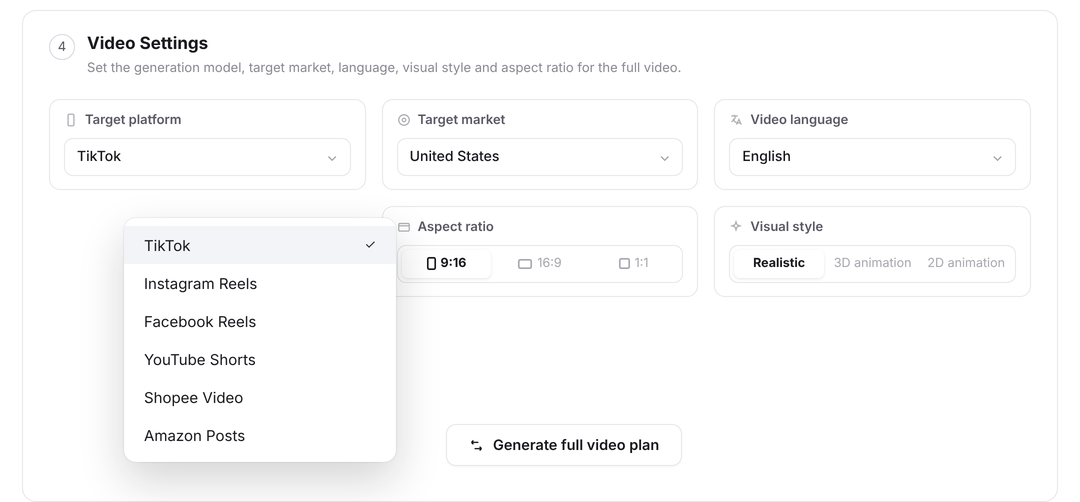
Batch render and multi-format output. The same script and visuals generate 9:16, 16:9 and 1:1 simultaneously for different platforms. Render tasks run in parallel in the cloud, so dozens of videos finish together.
Human review and fine-tuning. Generated videos land in a review queue, where operations or an editor previews them online and adjusts anything that does not fit — swapping a shot, moving a caption — before publishing or downloading with one click.
With this method, one operator plus one template set can produce dozens of voiceover videos a day without an editor cutting them one at a time.
V. Case study: a home goods brand's batch voiceover production
A home and daily goods brand launches 30 new SKUs a week, and each SKU needs at least four voiceover videos across short-video platforms, marketplace hero slots and the store detail page — more than 120 a week. The team previously had three editors and two operators working full time on voiceover content and still fell behind.
They did three things with Vibbit's script template library:
Built three core script templates. Pain-point (for cleaning and storage scenarios), review (product footage plus use plus before-and-after) and promotion (price anchor plus gift plus time limit). Each template broke down into five sections with variable fields and asset tags.
Connected the product hub API. When a product goes live, price, selling points, images and clips sync into Vibbit automatically and fill the template variables.
Set a smart voice and brand captions. One warm, approachable female AI voice throughout, captions outlined in the brand's orange, background music fixed to an upbeat tempo.
Results:
Daily voiceover output rose from 20 videos to more than 100, with only one operator kept on review and fine-tuning while the editors moved to higher-value creative remixing.
Asset reuse rose 40%, as footage got matched automatically into voiceover videos for different products and cut down on reshoots.
The 3-second completion rate on feed placements rose 18%, because the script structure standardised the opening hook — previously the openings varied widely between editors.
Time from a product going live to its voiceover video being published fell from an average of two days to four hours.
The difficulty in batch-producing e-commerce voiceover video was never "we can't edit." It was "we can't replicate a validated method quickly." The value of Vibbit's script template library is that it moves voiceover creative out of individual heads and scattered documents and settles it as a structured asset the whole team shares. Once script structure, persuasion logic, asset matching and voice packaging all become templates, generating voiceover video in bulk stops being labour-intensive repetition and becomes predictable, optimisable, scalable content engineering. That is the content hub capability e-commerce teams actually need.