How to Make a Short Drama with AI: From Script to Finished Video
Make a short drama with an AI drama generator: import your story, build consistent shots, generate scenes, edit and export multilingual versions in Vibbit.
Making a short drama with an AI drama generator comes down to four steps: script, storyboard, generate, edit. Vibbit puts all four in one workflow. Import a story, and you can go all the way to a video ready for YouTube, TikTok or Instagram. Here's how each step works and what I learned along the way.
What's hardest about making a short drama without a team?
Turning words into consistent visuals, and then making versions in other languages.
Sellers who want to tell product stories on Amazon or Shopify, teachers promoting courses and creators running story channels all have ideas. Actually producing them means hiring an editor, learning editing software, or outsourcing translation and voiceover. Every extra language version (English, Portuguese, Spanish) costs more time and money.
How does an AI drama generator turn a script into a video?
The flow is script → storyboard → generate → edit, and each step builds on the last inside one project.
- Script: import your story text, or write it in Vibbit. It's organized into a script with characters, scenes and props.
- Storyboard: the script is split into shots. Shots reference each character's look and props, so they stay consistent.
- Generate: arrange avatar scenes, audio and B-roll on a canvas and generate the visuals.
- Edit: trim, reorder and package the video, then use Video Translation for subtitles and dubbing in other languages.
| Before | With Vibbit | |
|---|---|---|
| Visuals and storyboard | Hire an editor or learn software, shot by shot | Import the story; shots reuse the same characters and props |
| Language versions | Outsource translation and voiceover, sync lips by hand | Edit line by line, re-dub, optional lip sync, 20+ languages |
| Tools | Writing app + editor + translator + voice talent | One Vibbit workflow |
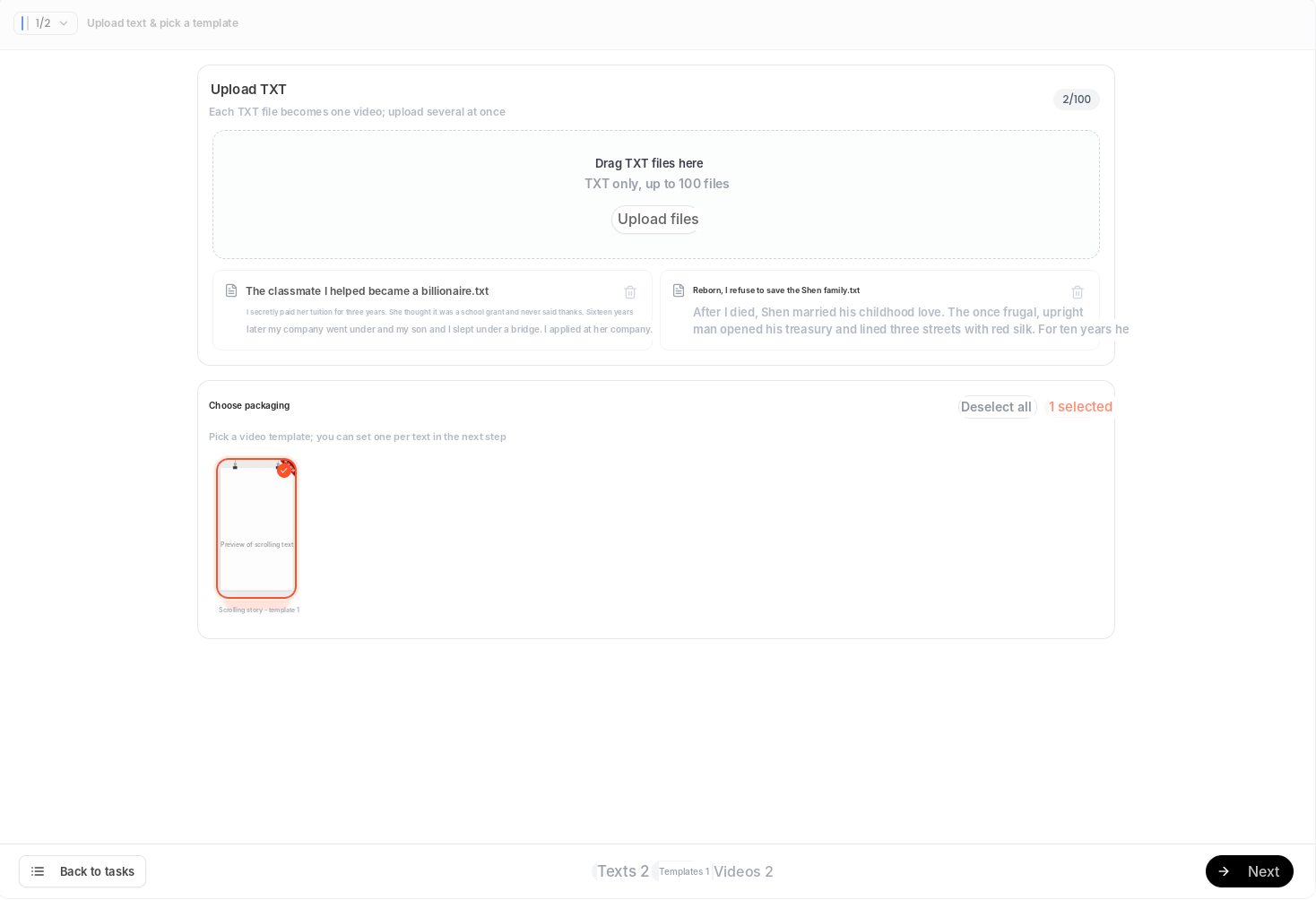
Script and storyboard: how a story becomes consistent visuals
Import the text first, then let the storyboard reuse the same characters and props. No more new faces in every scene.
In Vibbit's story video flow, you can upload several TXT files at once, and each becomes its own video. Then pick a template. When you continue a series, your script, characters, scenes and props are kept as drafts, so you don't overwrite what's already settled. Shots can reference a character's specific look (for example, "red dress, long hair") and props, and later generations reuse them, so you don't have to describe them again in every scene.
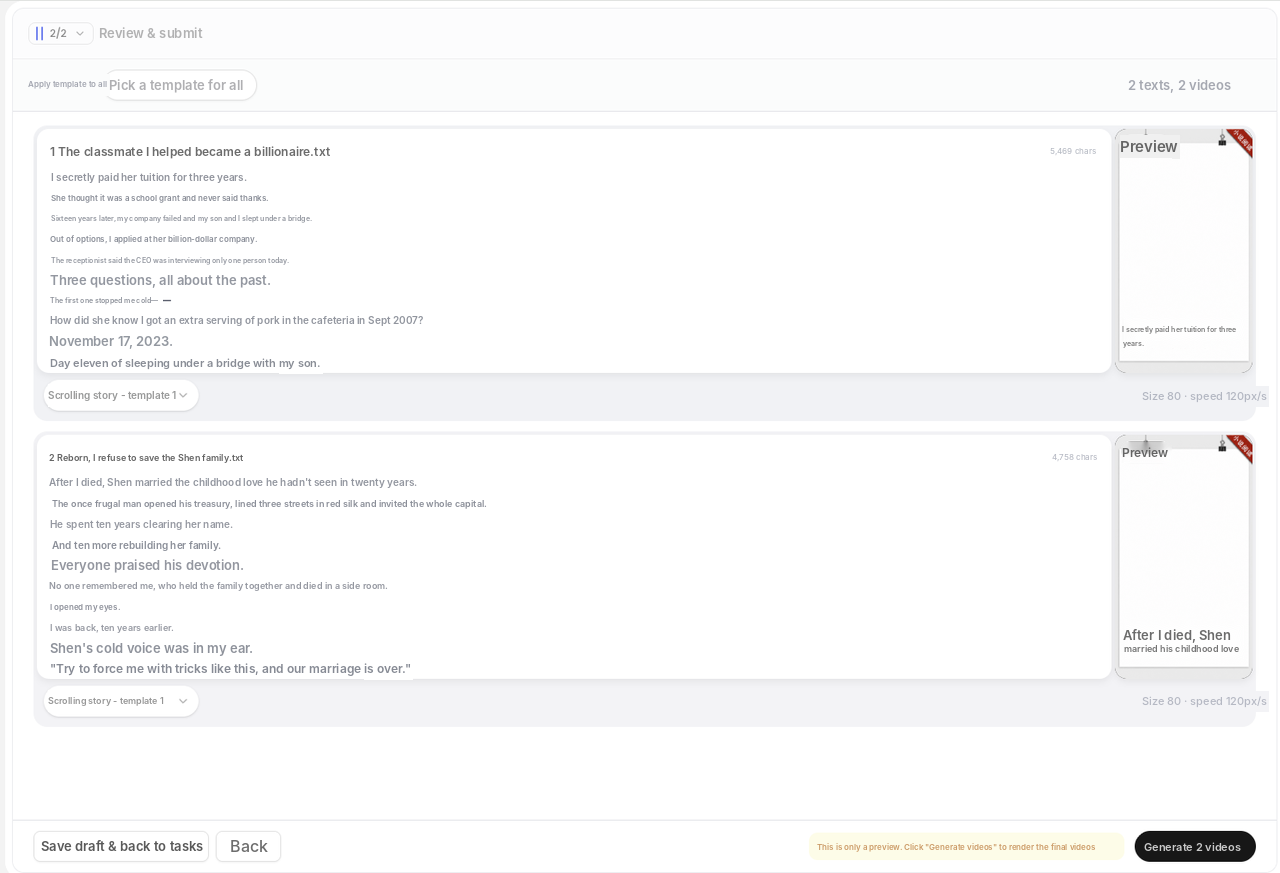
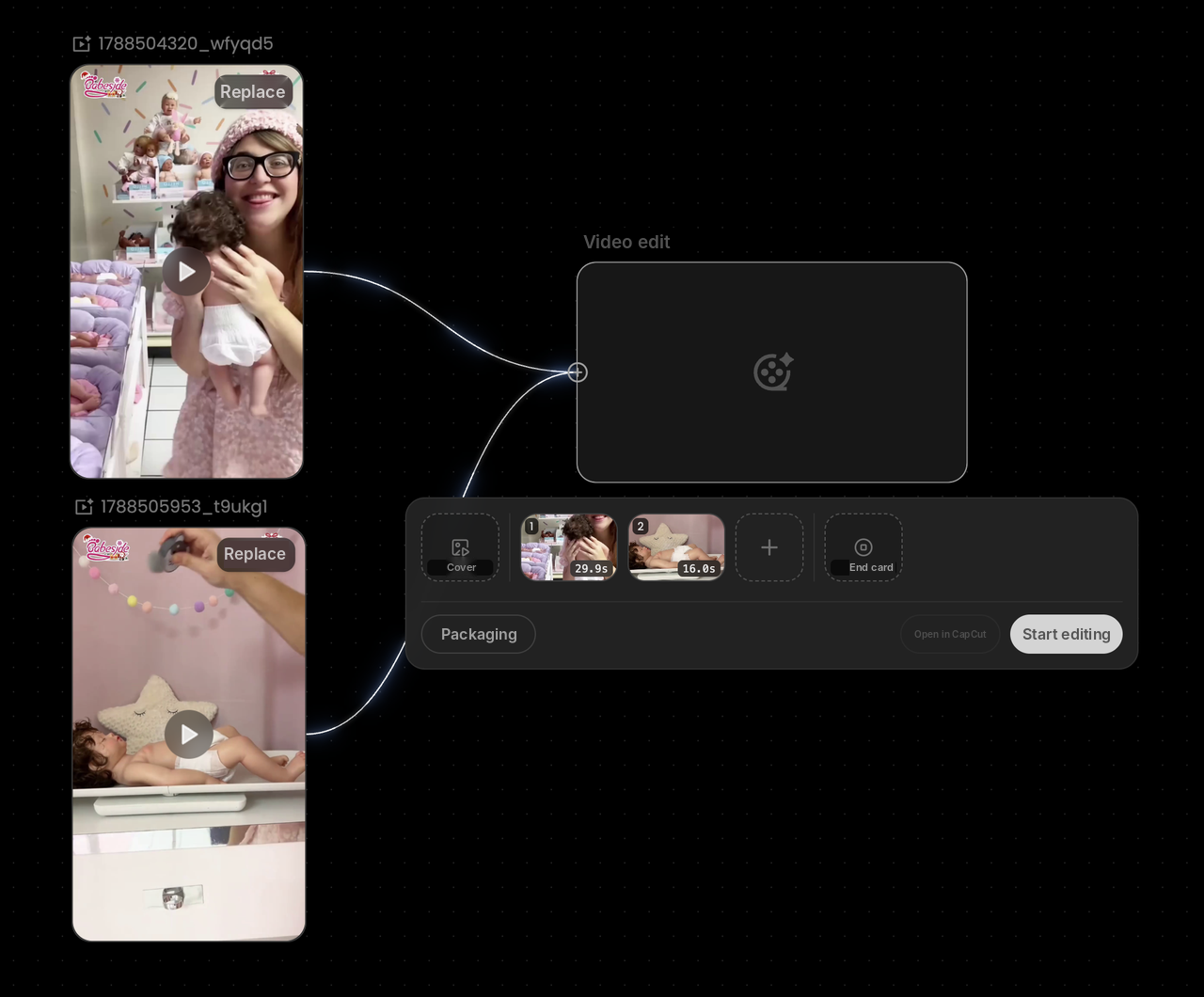
Generate and edit: visuals, avatars and subtitles
Generate on the canvas, then edit and package the result.
- Generate: drag avatar nodes, audio and B-roll around on the canvas. New images and videos are grouped on the canvas automatically so you can reuse them.
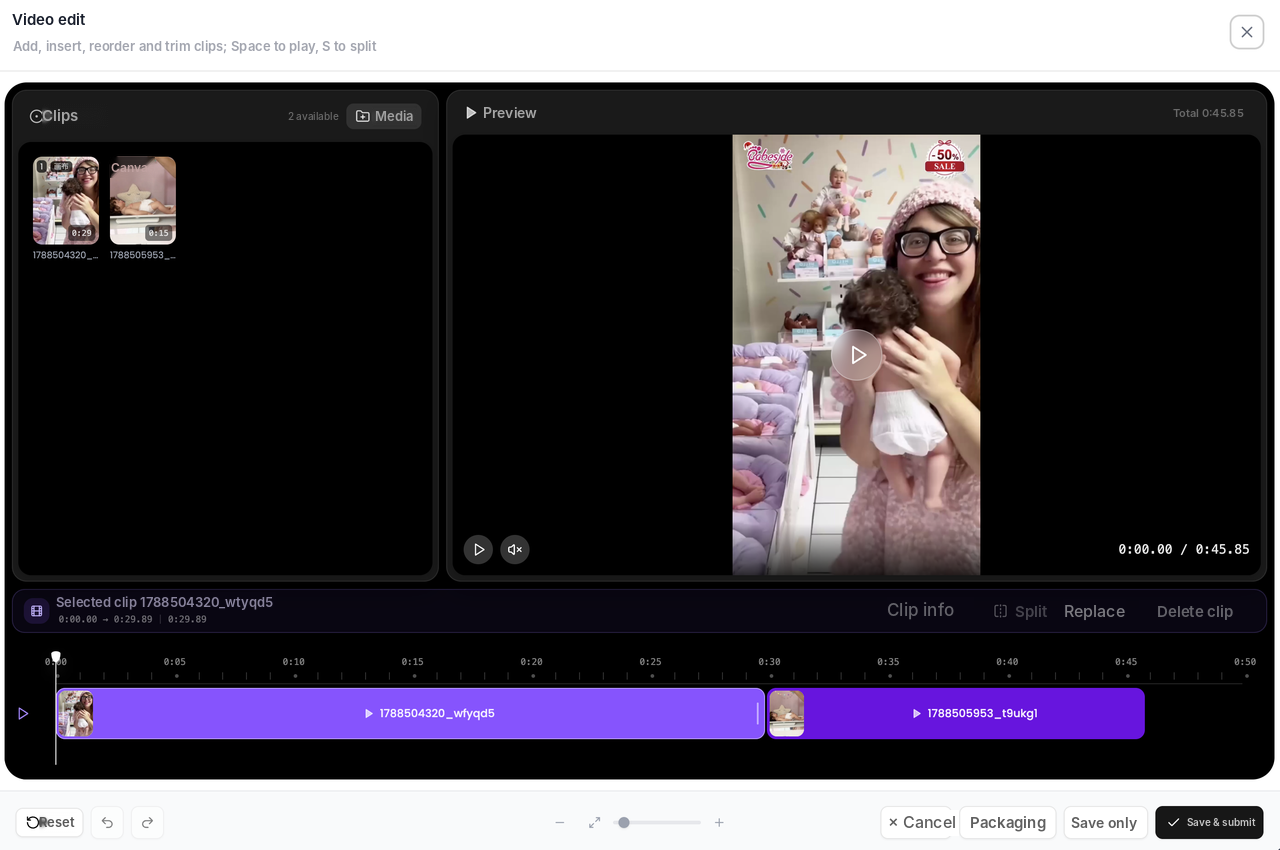
- Edit: add, insert, reorder and trim clips on the timeline, and add a cover and end card.
- Translate: with Video Translation, edit any line on the timeline, re-dub it and turn on lip sync if you need it. Download the SRT file to proofread first, then export with or without subtitles.
Real example: how long does a product story drama take?
For a video of about 60 seconds, plan on an hour or so, mostly spent checking shots and fixing subtitles.
I tried it with a pet store scenario. I imported a story of about 5,000 words and picked a warm, orange-toned template. The shots reused the same shop owner and store props, so the visuals stayed consistent. I added an avatar scene and B-roll on the canvas. Then I translated it into English and Portuguese, fixed a few lines, re-dubbed them, and exported a subtitled version for TikTok and a clean version for Instagram Reels. No outsourcing, no extra software.
FAQ
Which languages are supported for voiceover and subtitles?
Vibbit supports 20+ target languages with natural, localized voices. You can download SRT subtitles and re-dub with lip sync.
Can I post the videos straight to TikTok or YouTube?
Yes. You export a standard video file, with or without subtitles.
Will characters and scenes stay consistent?
Shots can reference each character's look and props, and drafts are kept when you continue a series, which keeps faces from changing between scenes.
How much does it cost?
Vibbit uses credits. You'll see the estimate before you generate. Check vibbit.ai/pricing for current plans.
Can I use any story?
Use stories you wrote or have the rights to adapt.
Try it
Want to make your first short drama? Import a story into Vibbit and see your first cut: vibbit.ai