Where to Find Ad Inspiration: How to See Your Competitors' Winning Ads
Where to find ad inspiration: browse public ad libraries, save competitors' winning ads to Vibbit with a Chrome extension, and filter the best.
The fastest way to find ad inspiration is to look where ads are listed by performance, not by your personal feed, and save the best ones as you go. With the Vibbit Chrome extension, you can save ads from TikTok, Reels and ad library pages straight into Vibbit, then filter by source, product and performance. It takes three steps: install the extension, select ads on the page, and save them. What's left after filtering is worth breaking down.
Why can't you find winning ads in your feed?
Because your feed is sorted by your interests, not by ad performance. What you see on TikTok or Instagram depends on your watch history and location, not on whether an ad sells. You might never see the ads your competitors are spending on.
Ad libraries and ad intelligence platforms solve that. They list ads running in a country or category, often with run dates and engagement. Examples include Meta Ad Library, TikTok Creative Center and paid ad-analytics tools. The catch: you can browse, but you can't take the ads with you except by screenshotting and copying links one by one. The Vibbit extension fills that gap. It moves what you've already found into your own library.
What is the Vibbit Chrome extension?
It's a Chrome extension that detects the ads on the page you're viewing. Select them and save them to Vibbit in one go, with no downloading and re-uploading.
| Where | What you can save |
|---|---|
| TikTok and TikTok Shop | Videos, plus product info from search, category and product pages |
| Meta Ad Library | Video ads |
| Instagram and Facebook Reels | Videos |
| Ad analytics platforms | Videos and products from list pages, detected in bulk |
| Amazon | Product and creative leads |
In short: wherever you're browsing ads, it helps you take them with you.
How to save your first batch of competitor ads
Three steps, one job each.
Step 1: Install the extension
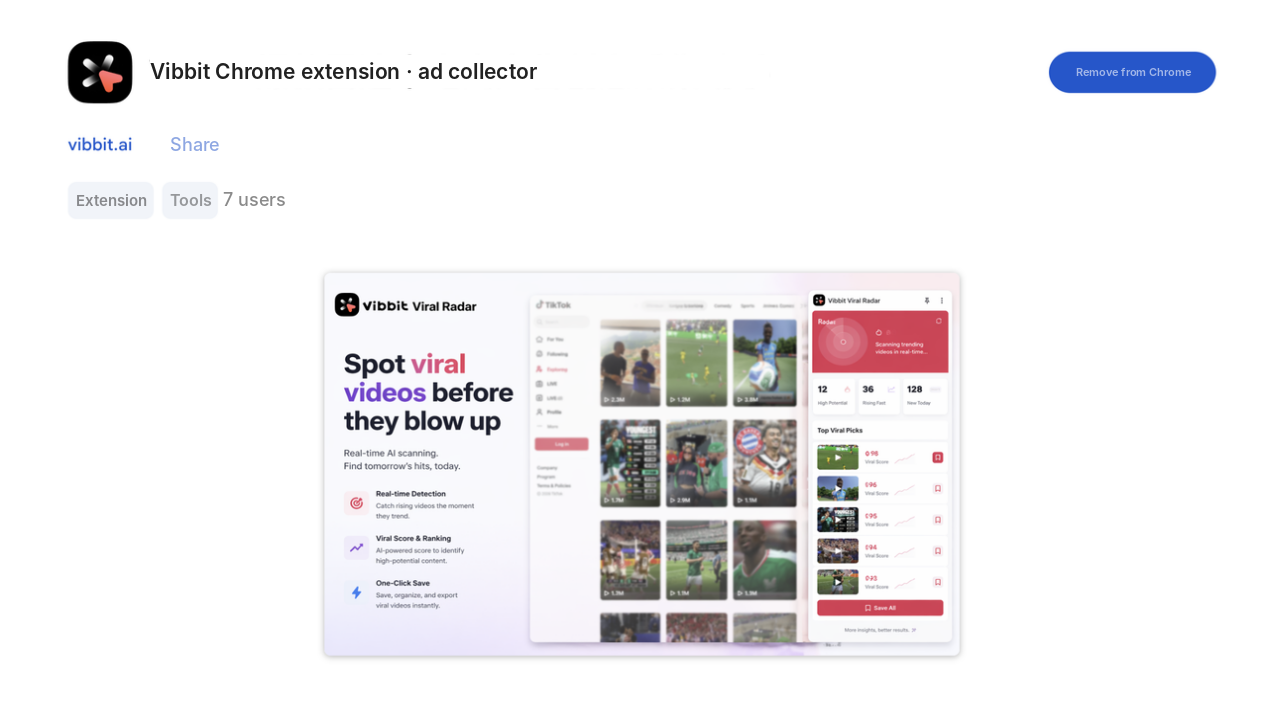
Install the Vibbit extension from the Chrome Web Store, or click Install extension on the Saved Ads page in Vibbit.
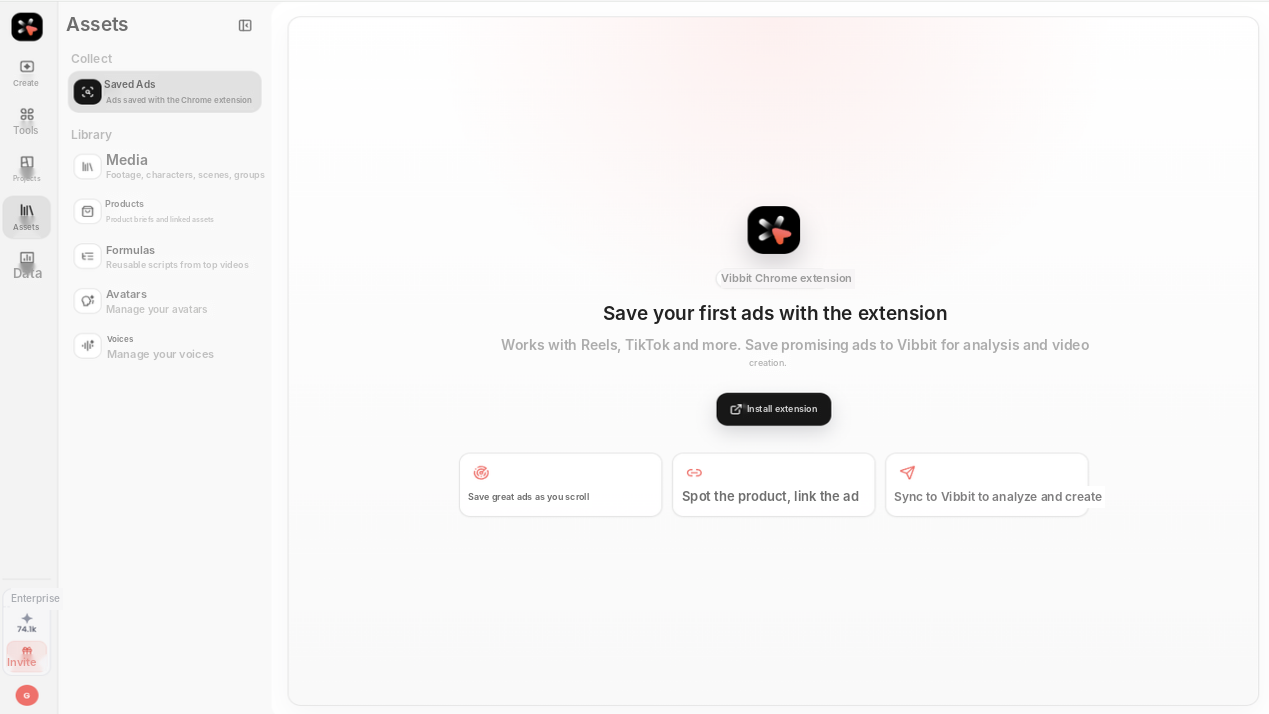
The setup page in Vibbit lays out the flow: save great ads as you scroll → spot the product and link the ad → sync to Vibbit to analyze and create. It works with Reels, TikTok and more. Start here the first time so you don't miss the authorization step.
Step 2: Filter the list first, then let the extension detect the page
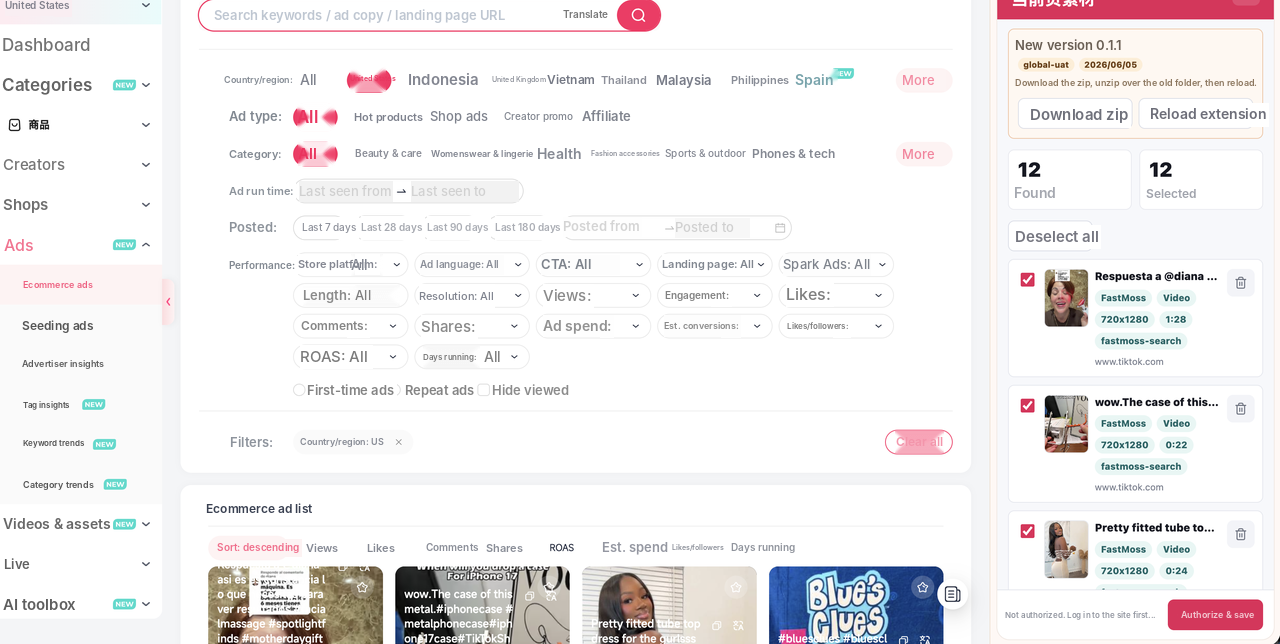
On the ad library or analytics site, set your filters first: country, category, date range. The extension detects whatever is on the filtered page.
This is the key step: filter first, save second. Ad platforms offer far more detailed filters (country, category, run time, engagement, days running) than any extension. The better you filter, the less you'll delete later.
Step 3: Select and save
In the extension panel, uncheck anything irrelevant, then click Authorize & save. The ads start syncing to Vibbit.
Each item shows its title, size, length and source (for example 720×1280, 0:22, from tiktok.com), so you can decide without opening it.
After saving: what's worth breaking down?
Check the source and product first, then the numbers, and keep about 10.
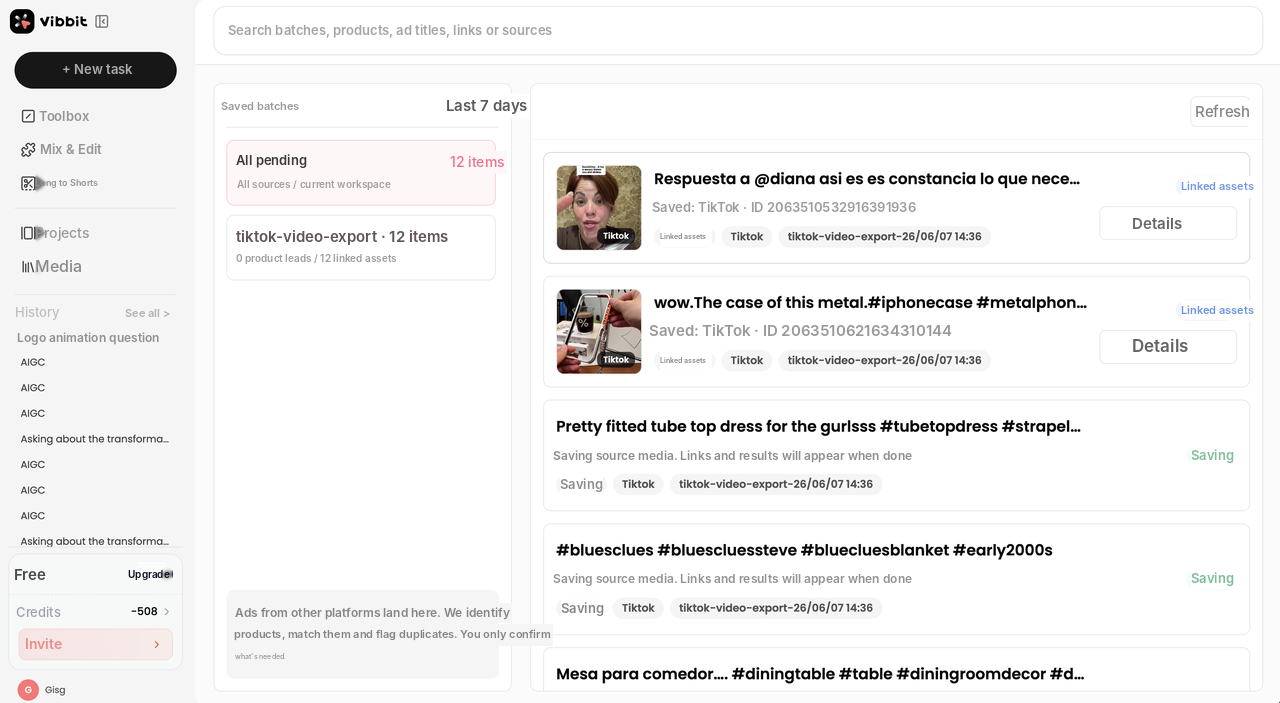
Everything you save from other platforms goes to Saved Ads in Vibbit. Vibbit identifies products, matches them and flags duplicates, so you only confirm what it asks about. In my batch, 12 linked assets came in with 0 product leads: I had the ads, but the products still needed matching. That's the next thing to fix.
Ask yourself three questions:
| Check | Keep | Drop |
|---|---|---|
| Platform | Where you'll actually advertise, e.g. TikTok Shop or Reels | Ads that only run in other markets |
| Product | The product and selling point are clear | Pure entertainment with no product |
| Performance | Views and engagement clearly above the rest | Average numbers you just like the look of |
Why only 10? Breaking down one ad means studying the hook, the order of selling points and the shot rhythm. More than 10 is hard to get through, and 10 is enough to spot the patterns that keep repeating.
Common mistakes
- Saving before logging in. The panel warns you if you're not authorized. Log in to your account and the target site first.
- Grabbing the whole page unfiltered. Hundreds of ads come in and you end up deleting them by hand.
- Ignoring product leads. If no product is detected, the ad can't flow into creation later.
- Mixing markets. A winning US ad won't necessarily work in Brazil. Selling points, language and price anchors differ. Set the region when you collect.
Two tips:
- For one category, collect one batch by category keyword and one by competitor brand. Accounts that show up in both are worth watching.
- Keep the platform's own sorting (by views or days running). The extension's order becomes your priority list.
FAQ
Which sites can the extension save ads from?
It saves what you see on the page, including TikTok, Reels, Meta Ad Library and TikTok Shop.
How many ads should I save at once?
10 to 20 is usually enough to break down in a week. Save too many and they end up unwatched.
Can I turn saved ads into my own creatives?
Break them down first in Vibbit (hook, shots, script and music) to see why they work. Then use your own product in Ad Remake or Product Video. Learn the structure; don't copy the footage or the copy.
My niche is small. Will I find anything?
Widen the country and category, and stretch the date range to 90 or 180 days. Niche categories have fewer candidates, so filter broadly and pick by hand.
Wrapping up
The time-consuming part of finding ad inspiration isn't looking. It's filtering. Let the extension handle collecting, and spend your energy on deciding which ads are worth breaking down.
Install the Vibbit extension and save your first batch of competitor ads: vibbit.ai