Product Short Video Script Template Library: One Template to Batch Produce 100 Videos
Competition in short video e-commerce has entered the stage of "industrialized production." A single store needs dozens or even hundreds of product videos every day to feed the algorithms of different channels.
Competition in short video e-commerce has entered the stage of "industrialized production." A single store needs dozens or even hundreds of product videos every day to feed the algorithms of different channels. Relying on manually conceiving scripts, writing copy, and editing one by one, the speed can never keep up with consumption. Truly efficient teams don't rely on flashes of inspiration—they rely on a reusable "script template library."
This is like the central kitchen of a chain restaurant: the dishes may vary endlessly, but the core recipes and operating procedures are standardized. A product short video script template library breaks down "how to shoot, what to say, how to edit" into structured modules, allowing teams to use one template to batch produce 100 or even more videos. The value of batch editing tools like Vibbit is to transform this template library from a paper document into a "digital engine" that directly drives production.
The core of a script template library is not "copying content," but breaking creativity into combinable standardized units, and then using Vibbit to realize an automated pipeline from script to finished video
Many people worry that using templates will make videos look identical. In fact, it's the opposite—a template library fixes the repetitive skeleton, which actually leaves more room for creativity. Teams that truly know how to use it will turn product selling points, usage scenarios, and audience pain points into replaceable modules, and then let Vibbit automatically combine them to generate a large number of differentiated videos. In this way, one template can produce 100 videos—not through mindless duplication, but through structured recombination.
1. First, Deconstruct the Structure of Viral Scripts: Turn "Creativity" into "Building Blocks"
Any product short video script, no matter how complex, can be broken down into several fixed modules: opening hook, pain point/scenario, product entrance, core selling point, trust endorsement, call to action. A 15-second snack video might be "3 seconds of mouth-watering visuals + 5 seconds of pain point (hungry in the afternoon with nothing to eat) + 4 seconds of product display + 3 seconds of limited-time offer." A 30-second home goods video might be "5 seconds of messy scene + 8 seconds of before-and-after comparison + 10 seconds of function demo + 7 seconds of user reviews + 5 seconds of purchase guidance."
A so-called script template library means standardizing these modules and preparing multiple replaceable versions for each. For example, the "opening hook" module can have 10 different sentence patterns: question-style, counterintuitive-style, scene-immersion-style, number-impact-style... The "core selling point" module can call up different copy depending on the product. This gives one template the ability to "transform."
The role of Vibbit is to make these modules truly operational. You don't need to write a hundred scripts in a document; instead, you organize the module copy into a spreadsheet by fields, and Vibbit automatically recognizes and maps them to the corresponding positions in the video template. The script template library thus changes from a "reference document" into "production parameters."
2. Build a Data Foundation of "Script + Assets" with a Spreadsheet
Batch producing 100 videos doesn't rely on editing 100 times—it relies on "one spreadsheet driving 100 videos." This spreadsheet is the digital form of the script template library.
In Vibbit, you can create a CSV spreadsheet where each row corresponds to a product or a video version. The fields include: product name, main image link, detail image link, opening hook copy, pain point description, selling point copy, price, promotional information, call-to-action copy, and so on. These fields are the instantiation of the script modules. For example, if you make videos for 20 snack products and prepare 5 different opening hooks for each product, you can theoretically combine 100 differentiated videos.
Vibbit supports CSV batch import and can also connect directly to a product library to pull SKU information. Once the spreadsheet is maintained, you only need to modify copy fields or add/delete rows to quickly generate a new batch of videos. For example, if you want to change "limited-time offer" to "second item half price," you just replace the corresponding field in the spreadsheet, and Vibbit will regenerate 100 new videos within minutes. The value of a script template library lies in this leverage effect of "change one line of text, replace one hundred videos."
3. One Template, Multiple Aspect Ratio Output: Turn 100 Videos into 300
Another power of the script template library is that the same script content can adapt to different platforms. A snack video script might be fast-paced vertical on Douyin, slower square on Taobao main image, and horizontal with some explanation on Bilibili. If you had to re-edit for each platform, you'd triple the workload.
Vibbit's multi-aspect-ratio adaptation solves this problem. The same video template can simultaneously output 9:16 vertical, 1:1 square, and 16:9 horizontal versions. The system intelligently crops based on the main subject, ensuring the product always stays within the safe area and key information is never cut off when switching aspect ratios. You only need to prepare one script template and one set of assets to get all versions covering Douyin, Kuaishou, Taobao, Bilibili, YouTube, and other channels.
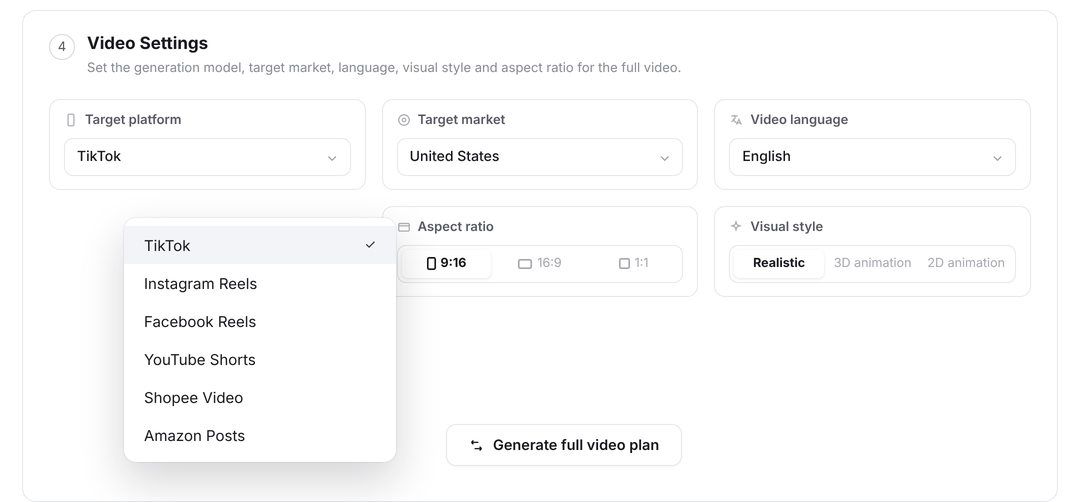
This means that 100 videos batch produced from one script template, multiplied by 3 aspect ratios, actually deliver 300 publishable pieces of content. The efficiency of the script template library is amplified again, while the manual workload hardly increases.
4. Automatic Subtitles and Voiceover: Let the Script Template Library "Speak"
The copy written in the script template library ultimately needs to become subtitles and voiceovers in the final video. Manually adding subtitles and recording audio one by one is the most time-consuming bottleneck in batch production. Vibbit's automation capabilities play a critical role here.
You can write a voiceover script or selling point phrases for each video in the spreadsheet, and Vibbit will automatically generate dynamic subtitles and match them with AI text-to-speech. Multiple voice options are available, and it can automatically adjust subtitle timing based on script length to keep visuals, subtitles, and audio essentially synchronized. If you're doing cross-border e-commerce, it also supports multilingual subtitles and voiceovers—the same script template can batch generate both Chinese and English versions.
In this way, the script template library is not only "written out" but can also "speak." Changes and replacements to the copy are directly reflected in the final video, without additional editing. This makes the script template library a true automated channel connecting creativity to finished videos.
5. Data Feedback Nourishes the Template Library: Make 100 Videos More Accurate Over Time
Batch producing 100 videos is not the end; data feedback is the driving force for the continuous evolution of the template library. After publishing, you can judge which opening hooks grab attention better, which selling point copy drives more sales, and which voiceover is more appealing based on views, click-through rates, and conversion rates from each channel. Then go back to the spreadsheet, keep the modules that perform well, replace the ones that perform poorly, and use Vibbit to generate another batch of videos.
For example, if the first round of testing reveals that "number-impact-style openings" (like "Solve your 3-year pain point in 3 seconds") have a 25% higher click-through rate than "question-style openings," in the next round of production you simply replace all the opening hook fields in the CSV with number-impact sentence patterns, and Vibbit will batch produce 100 optimized new videos within minutes. This closed loop of "production—feedback—optimization—reproduction" makes the script template library smarter the more it is used, and the team's content capability continues to accumulate with data.
Summary: The Script Template Library Is the Lever, Vibbit Is the Fulcrum
The significance of a product short video script template library is not about "saving effort," but about transforming content production from "relying on individual performance" into a systematic capability that is "replicable, optimizable, and accumulative." Producing 100 videos from one template relies on structured decomposition, spreadsheet-based management, and automated production.
The role Vibbit plays in this is to turn the script template library from a static document into a dynamic engine. It turns every row in the spreadsheet into a video, every copy field into a subtitle, and every round of data feedback into the starting point for the next optimization. When creativity is broken into building blocks and production becomes an assembly line, teams can focus their energy on the places that truly need humans—studying users, polishing selling points, and designing more attractive script modules. That is the real power behind "one template batch producing 100 videos."