How to Turn One Winning Ad Into 10 Versions with AI Video Remake
Use AI video remake to turn one winning ad into 10 versions: break down the hook and pacing, set your market, choose what changes and batch-generate.
AI video remake takes three steps: drop a winning ad into Vibbit so it can break down the structure, pacing, hook and conversion logic; choose your platform, market and language; then pick what should change (product, model, color, shot type) and how many versions you want. I ran one round and got 10 versions built on the same proven structure with different variables, without editing anything by hand.
What is AI video remake, and how is it different from reshooting?
It doesn't re-cut the original. It pulls out what made the ad work and rebuilds a new video around your product.
The valuable parts of a winning ad are the first 3-second hook, the shot rhythm and the path from pain point to purchase. Those can be reused. The model, the product and the language are exactly what you want to replace. Vibbit's Winning ad step tells you what it extracts: structure, pacing, hook and conversion logic.
In Vibbit you have two ways to remake:
- Ad Remake keeps the hook, pacing and structure and creates a new ad around your product.
- 1:1 Remake keeps the original shots, camera moves and framing, and swaps the person, product, scene or music precisely.
How to remake a winning ad, step by step
Step 1: Add the original and let the AI break it down
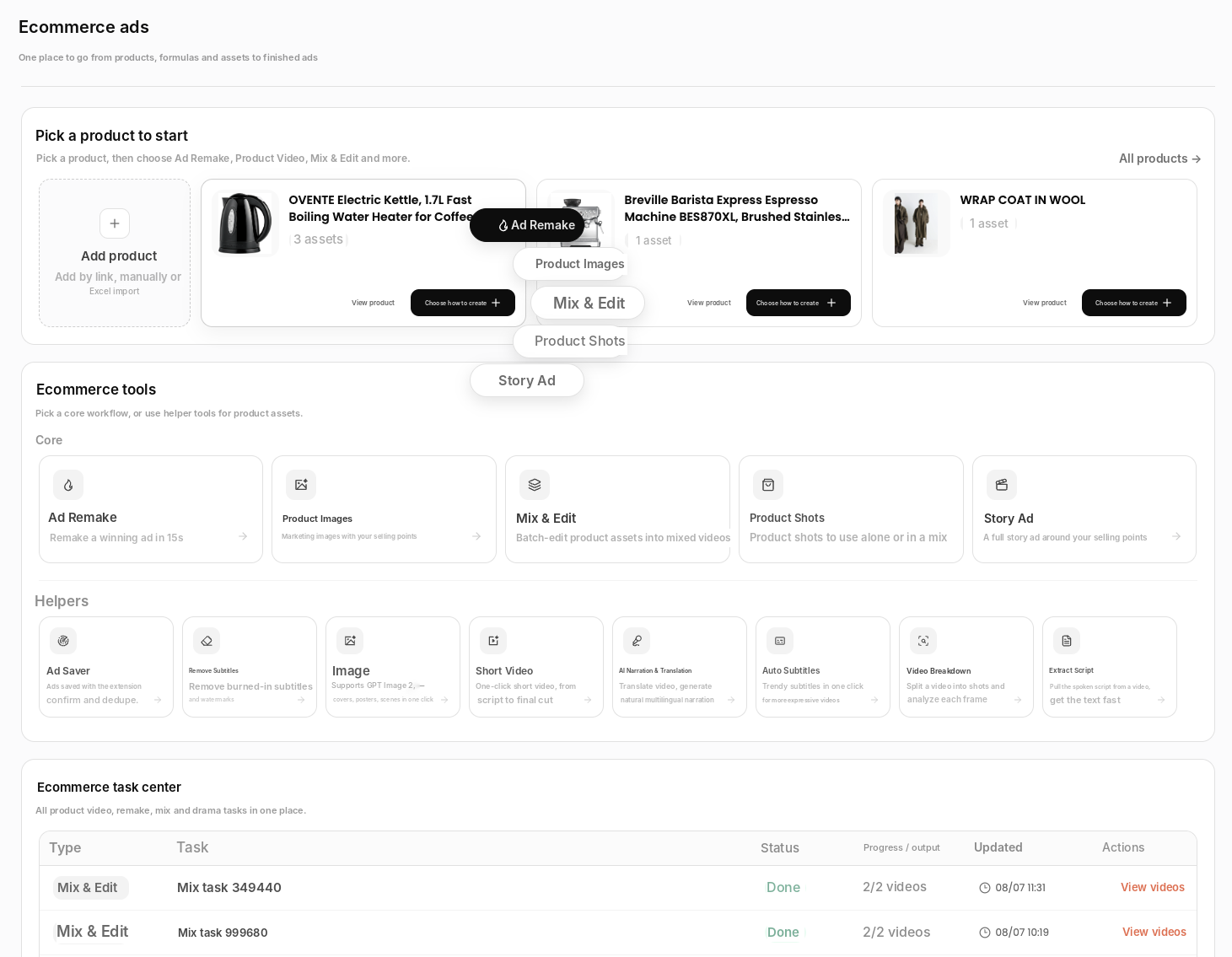
Open Ecommerce, pick your product and choose Ad Remake. You can paste a link, upload a file (MP4 or MOV) or pick a video from your library.
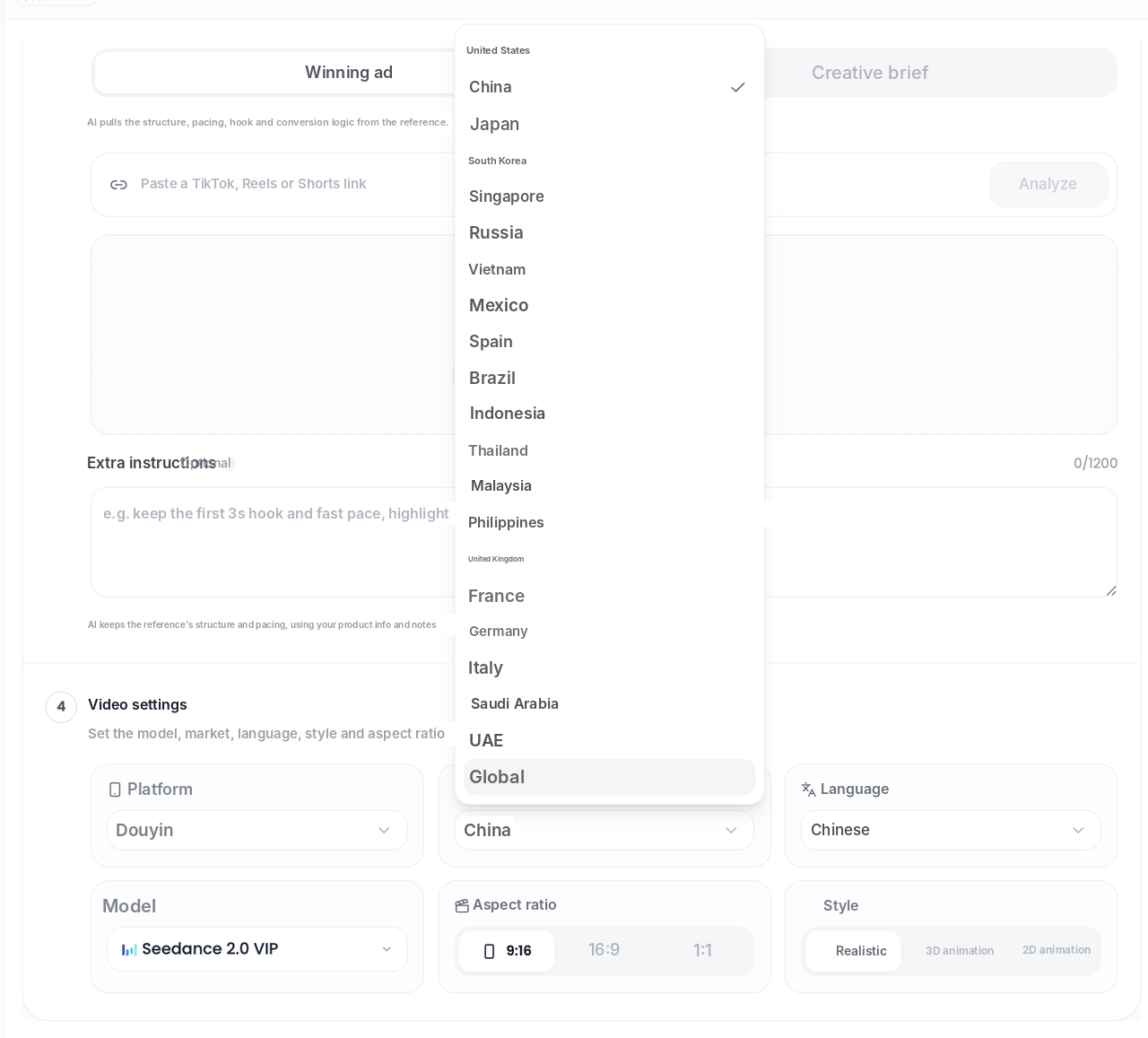
Paste the link and click Analyze. The AI pulls out the structure, pacing, hook and conversion logic. In Extra instructions you can be specific, for example: "Keep the first 3-second hook. Highlight portable and quiet."
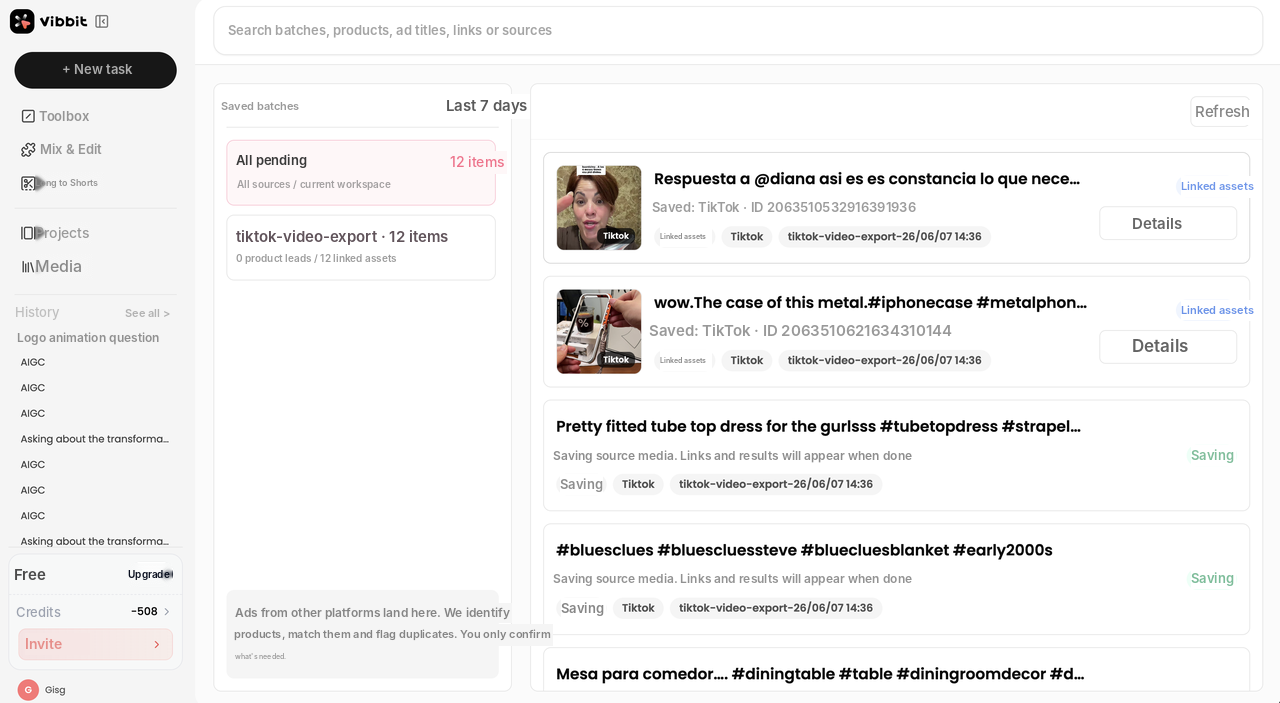
If you collect ads with the Vibbit Chrome extension, they land in Saved Ads already linked to a product. You only need to confirm the ones it flags.
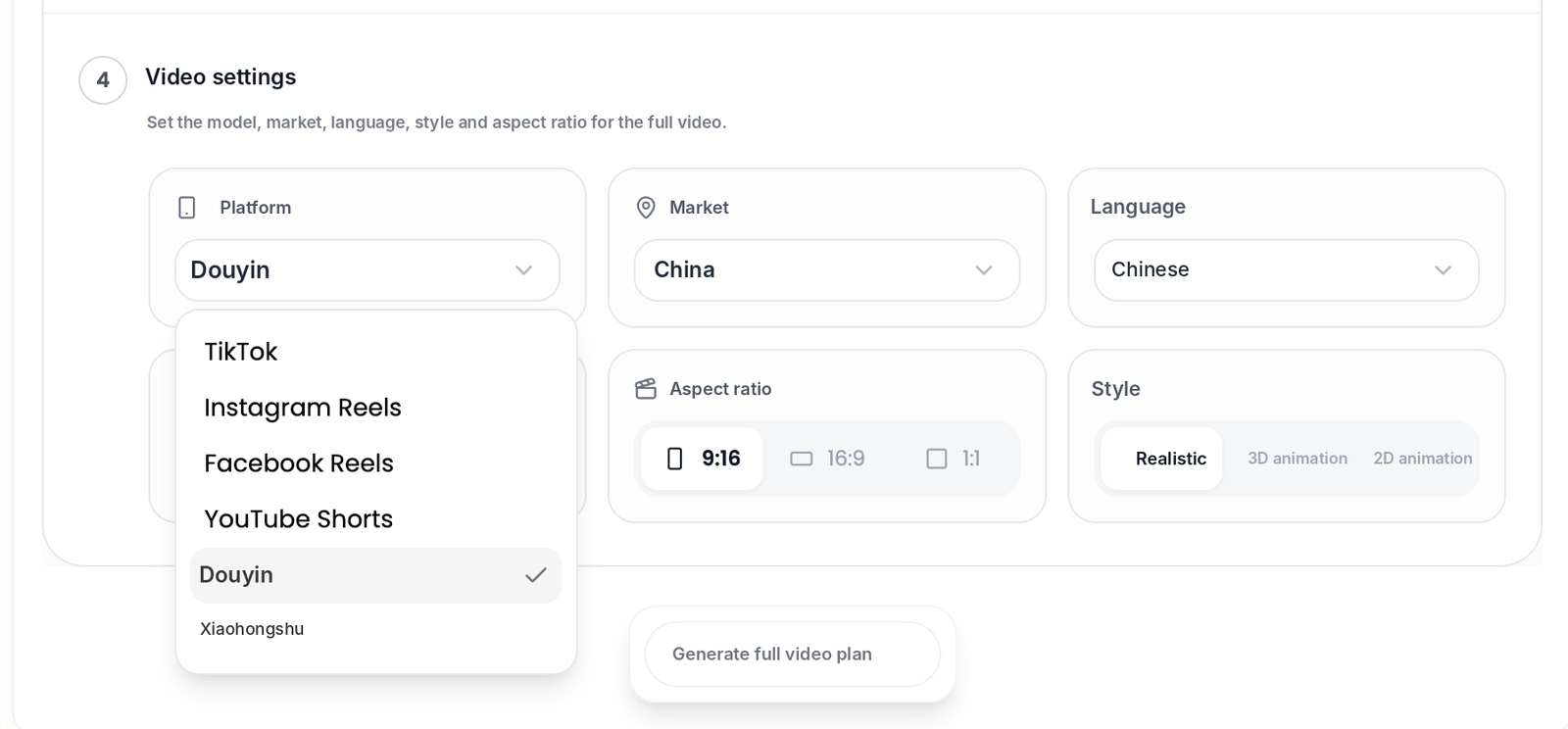
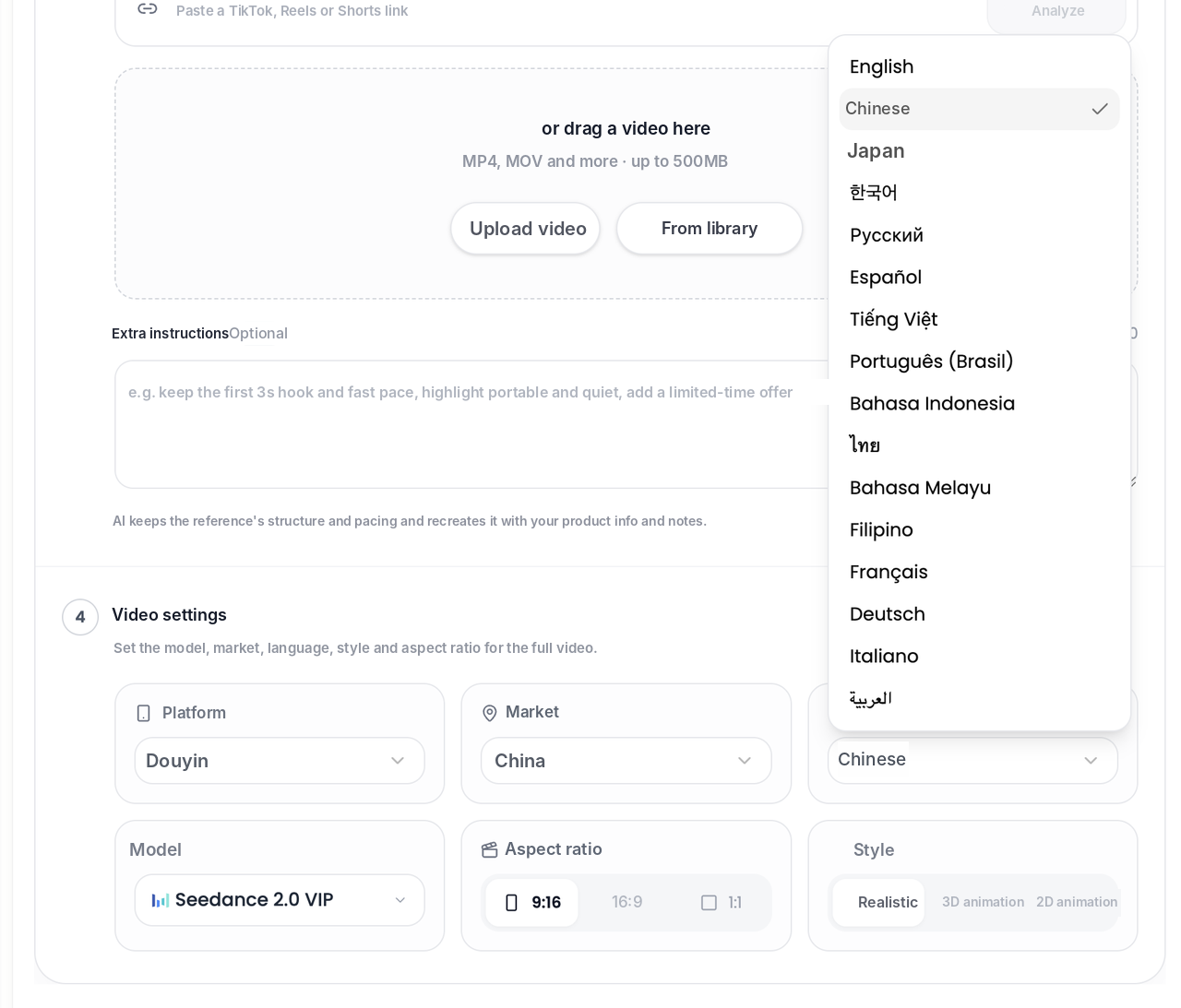
Step 2: Choose platform, market and language
This decides where the 10 versions will run and who they speak to.
| Setting | Options |
|---|---|
| Platform | TikTok, Instagram Reels, Facebook Reels, YouTube Shorts |
| Market | United States, Mexico, Brazil, Spain, UK, France, Germany, Japan, Indonesia and more, or Global |
| Language | English, Português (Brasil), Español and more |
| Aspect ratio | 9:16, 16:9, 1:1 |
When you switch markets, the default language updates to match. Pick Brazil, for example, and the language switches to Brazilian Portuguese.
Step 3: Choose what changes and how many versions
This is where one ad becomes ten. You're defining the variables:
- Swap the product: use your own product images.
- Swap the model or outfit: 1:1 Remake detects the person, product and scene so you can replace each one.
- Change color or style: generate different combinations.
- Change the shot type: in Product Shots, choose from types like UGC review, hand-held, unboxing, close-up, hook, pain point and comparison, or switch to the Formulas tab to follow a saved formula.
- Set the count: choose how many of each type, until you have about 10.
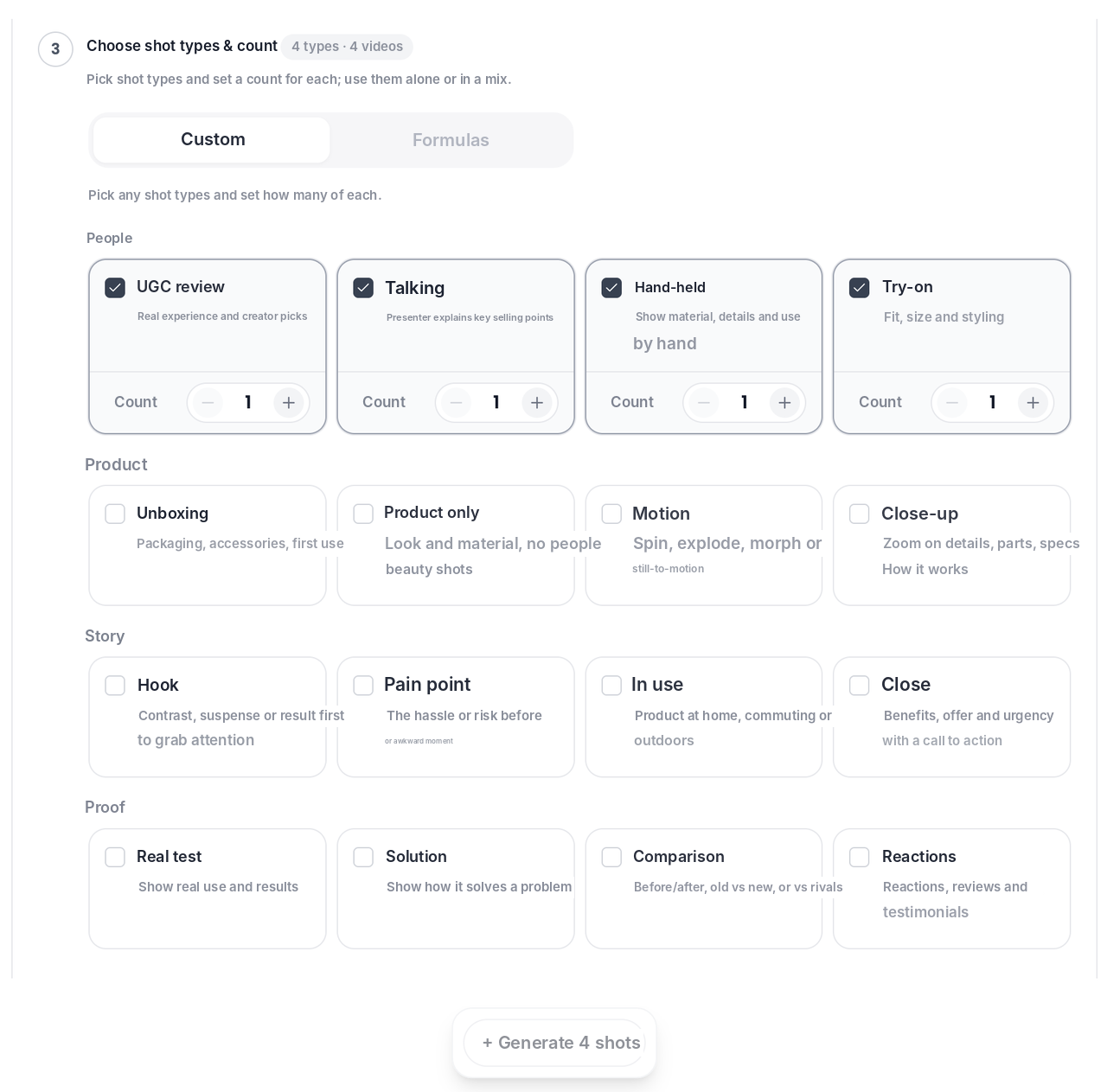
Click Generate. All versions go to the task center, and you can review them in Projects.
What changes and what stays
The structure stays and the variables change. The original tells you why it worked. The remake applies the same logic to your product.
- Kept: structure, pacing, hook.
- Replaced: person, product, language, aspect ratio.
- Length: remakes are short-form, designed for TikTok, Reels and Shorts.
Can I run the remakes as ads right away?
Usually, yes, for TikTok, Reels and Shorts. A few checks first:
- Length: a short remake is enough for hook, selling point and call to action. If the original is longer, remake only the part that performs best.
- Aspect ratio: 9:16 for TikTok and Reels, 16:9 for YouTube.
- Safe zones: preview the subtitles and selling points to make sure the platform's interface doesn't cover them.
Common mistakes to avoid
- Regenerating the whole video for one bad shot. Use partial regeneration to redo only the problem section and save credits.
- Ignoring the cost estimate. Vibbit shows estimated credits before you generate. Check it, especially for big batches.
- Starting from the wrong original. Pick an ad with real traction (views, comments, shares), not one you just like the look of.
- Copying instead of remaking. Borrow the structure, not someone else's footage or copy.
FAQ
What do I need to start?
At minimum: one winning reference video (link or file), product images and your selling points. Add a model reference image if you want a different person on screen. No script or footage needed.
Does the remake keep the original audio and music?
If you only swap the person or the product, the original audio can be kept. If you change the language, the voiceover is regenerated in the new language.
How many versions can I make from one ad?
There's no fixed number. It depends on how many variables you combine. A batch of about 10 is a good size for testing.
How many credits does a batch of 10 use?
It depends on length, model, references and the number of languages. The estimate is shown before you generate. Run one version first to confirm the structure and swaps, then scale to 10.
Can I post the remakes on Meta and TikTok?
Yes. Choose the target platform in Video settings, and the output matches its aspect ratio.
Try it
A winning ad's real value is its proven pacing and conversion logic. Apply it to your product and test 10 versions at once: vibbit.ai