Voice cloning translation: your own voice, speaking another language
Clone the original speaker’s voice so they speak another language and still sound like themselves. How video translation voice cloning works in Vibbit.
Video translation voice cloning means cloning the voice of the person speaking in your video so they carry on in another language and still sound like themselves. When Vibbit translates a video it reproduces each speaker’s voice, erases the original subtitles automatically, keeps the background music and handles lip sync — so the person in the finished video still has their own voice, just in a different language. That’s the thing I most wanted solved when I started making content for other countries: letting viewers everywhere hear the same me.
What is video translation voice cloning, and how is it different from ordinary AI dubbing?
The difference is whose voice it is. Voice cloning keeps the original speaker’s own vocal character; ordinary AI dubbing swaps it for a preset voice belonging to nobody.
Vibbit reproduces each speaker’s voice separately — the product calls this cloning the voices of different speakers. If you want the video to keep its original character, keep the original voice. If you’d rather change it, turn on Swap voice and pick from the general and categorized voices. Ordinary AI dubbing usually gives you one fixed, mechanical read where you can’t tell who’s talking, which makes it harder for viewers to trust what they’re hearing.
Vibbit also has a built-in voice library where you can clone a voice and preview it, which keeps the sound consistent across multiple shots. Here’s the difference:
Voice cloning (original voice) | Ordinary AI dubbing | |
|---|---|---|
Where the voice comes from | Reproduces the actual person in the video | A preset general or categorized voice |
How it reads to viewers | Still “that same person” speaking | A stranger’s voice |
How to turn it on | On by default — the original voice is kept | Turn on Swap voice and pick another |
Best for | Personal brands, teachers, founders on camera | Fast bulk output where the voice doesn’t matter |
How much difference does cloning actually make?
The difference is whether it sounds like you, and whether viewers believe what you’re telling them.
Before: a Spanish-language unboxing video that only Spanish speakers could follow, with the original subtitles sitting over the picture. After: the same person says the same thing in English, the original subtitles are erased automatically, the background music is intact, the mouth matches the new language — and English-speaking viewers take it as a local creator making a recommendation.
In my own test I uploaded a clip under two minutes and picked a target language with localized pronunciation built in. In the finished video the voice really was the original speaker’s, not the obviously-fake robot read, and the lip sync lined up.
Three steps in Vibbit
Upload, pick the language, download. No editor needed.
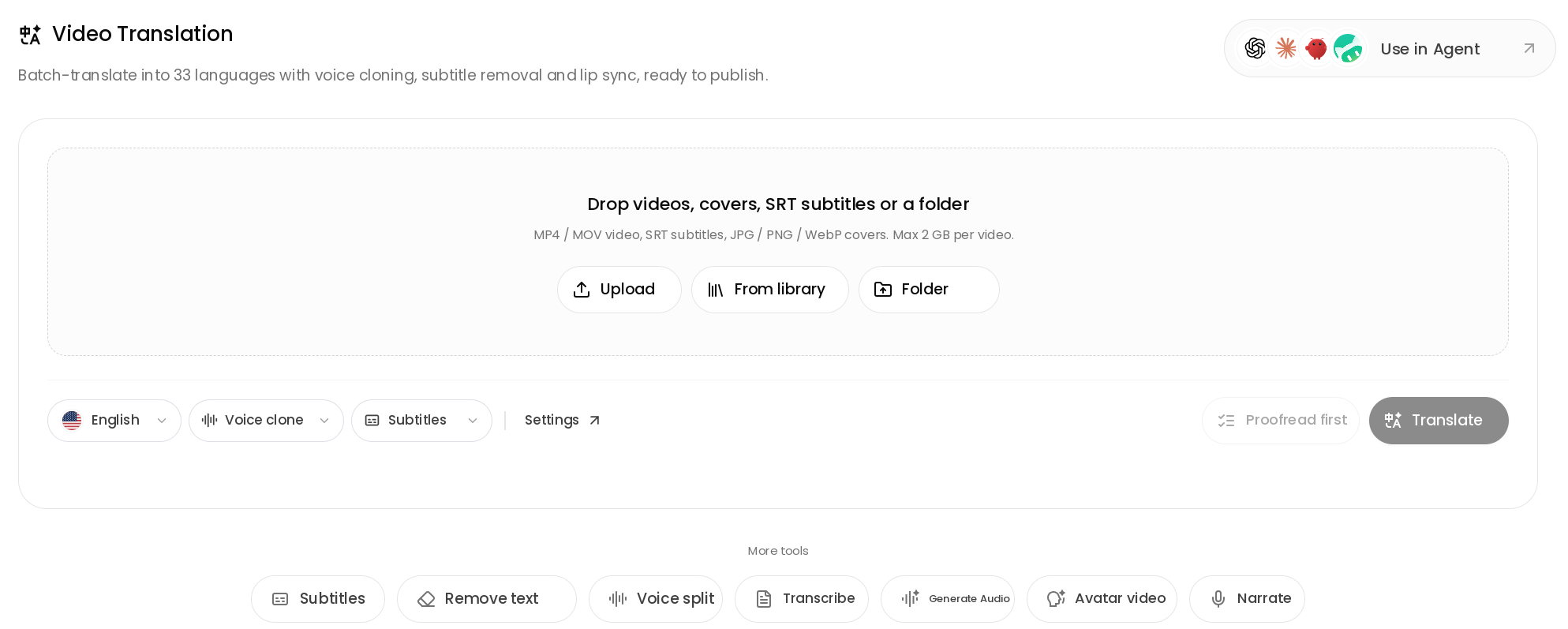
- Upload the video and choose your target language. The translation landing page lets you pick the video, the language and the subtitle settings directly. One video can be up to 2GB and 30 minutes.
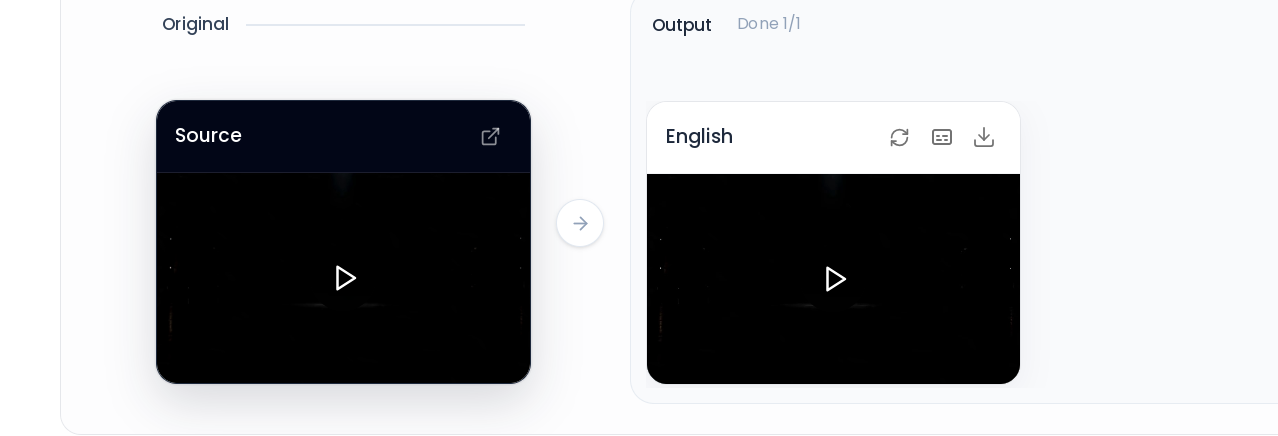
- Wait for generation. Vibbit identifies the speakers, reproduces their voices, erases the original subtitles, keeps the BGM and handles lip sync. It also detects where the original subtitles sat and translates on-screen headlines along with the audio.
- Download. The video, the audio (the dub) and the SRT download separately. If one line isn’t right, locate it by its timecode, edit the translation and re-record just that sentence.

One note: only process video you have the right to use. Don’t translate other people’s content.
Who is it for?
Anyone whose video is their own and who wants more people to follow it.
Creators — people posting to YouTube, TikTok and Instagram who want one video in English, Spanish and Portuguese in their own voice. More reach, same face, same voice.
Sellers — small and mid-sized sellers running Shopify stores and Amazon listings who want product explainers localized, so customers in different countries hear the same you doing the explaining.
Teachers — online course and tutorial instructors translating lectures into several languages with their own voice intact, which students trust more.
Vibbit has localized pronunciation built in for 30+ target languages and adapts the translation to local wording and phrasing, so the dub sits closer to how people there actually speak.
FAQ
How do I turn voice cloning on?
It’s the default — the original speaker’s voice is reproduced and kept, with nothing extra to switch on. To use a different voice instead, turn on Swap voice and pick one from the voice library.
How long can one video be?
One video can be up to 2GB and 30 minutes, and a batch job holds up to 100. The SRT, the standalone audio and the finished video all download separately.
Are the original subtitles and music still there after translating?
The original subtitles are erased automatically, which leaves the picture cleaner. The background music is kept. If you want subtitles, download the generated SRT and add them back yourself.
Which languages are supported?
Vibbit has localized pronunciation built in for 30+ target languages, with American and British English, Finnish, Norwegian, Swedish and others being added, and the localized pronunciation keeps improving.
Can I change a single line I’m not happy with?
Yes. Video translation lets you locate a line by its timecode on the finished video, edit the translation, re-record it and apply segment lip sync — no need to redo the whole thing.
Try voice cloning translation in Vibbit and use your own voice to reach viewers in more countries.