Spanish AI dubbing: giving a video a natural Spanish voice
Swap your video’s original audio for natural Spanish with AI dubbing. Mexican Spanish for Latin America, original music kept, voice cloning optional.
Spanish AI dubbing means using AI to replace the original audio in a video with a natural-sounding Spanish voice while keeping the lips and the picture in step. I tested it in Vibbit: upload a video, pick Mexican Spanish for a Latin American audience, and it translates and dubs automatically — with voice cloning available if you want to keep the speaker’s own voice. Here’s what I did and what I found.
Who needs Spanish AI dubbing?
If you need your video understood by Spanish-speaking viewers, Vibbit’s video translation generates the Spanish dub directly. No voice actor, no manual editing.
Creators on YouTube, TikTok and Instagram, along with sellers and teachers on Shopify and Amazon, regularly need to get an English video in front of a Spanish-speaking audience.
Vibbit’s video translation supports 30+ target languages with localized pronunciation built in for each, and adapts the translation to local wording and phrasing so the dub sounds closer to a local speaker. For Latin America, picking Spanish with a Mexican accent produces a dub that sounds native.
Beyond the dub, it also detects and removes the subtitles from the original video, and translates on-screen headlines into Spanish too, so the original subtitles don’t end up stacked under the translated ones.
How good is the result? Original versus dub
The dub lines up with the original in both voice and lip movement, and you can compare the original audio against the finished version directly.
Vibbit separates voice from background first, splitting speech from music so only the speech is translated and the background music stays. I compared the original and the Spanish dub on the waveform view: two tracks side by side, and you can clearly hear the Spanish dub replacing the original speech while the music is untouched.
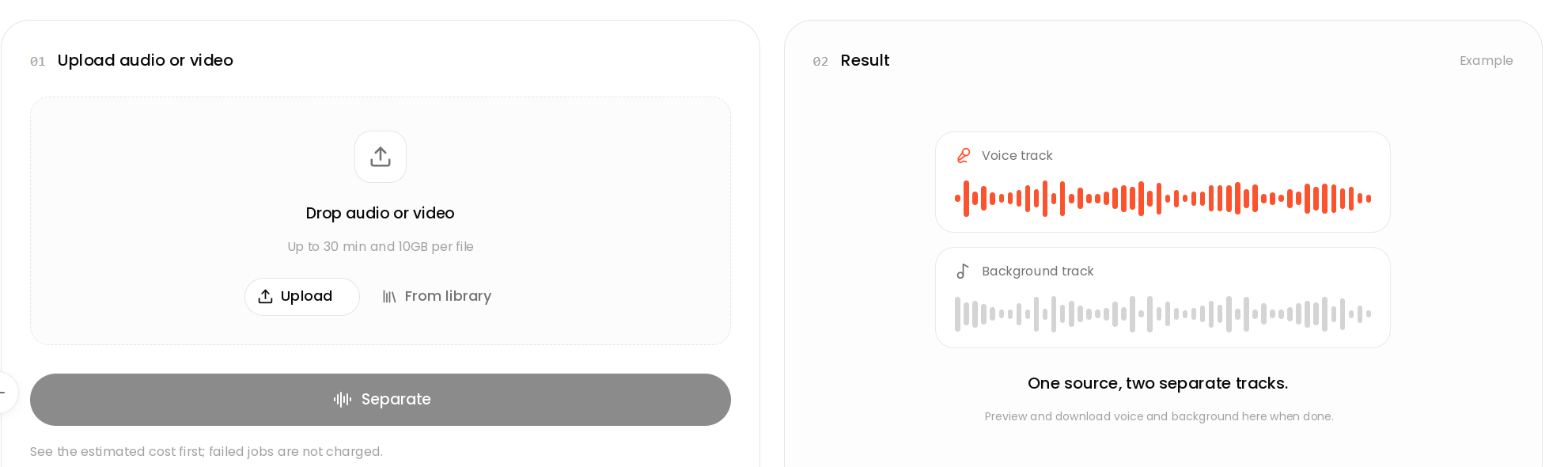
If you don’t want a full replacement, turn on Keep original audio so the original and the dub coexist, which makes checking easier.
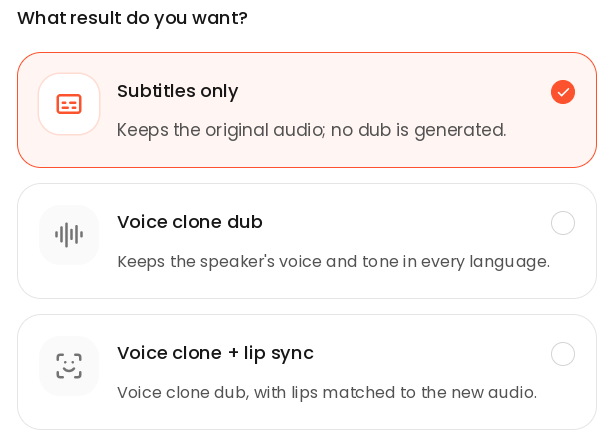
If you’d rather confirm the translation quality before dubbing, take the subtitles-first route: proof the translation, download the translated SRT, and only continue to dubbing and compositing once you’re happy. You don’t have to render the whole video up front.
The finished video also downloads with and without burned-in subtitles, which gives you more flexibility across platforms.
Original | Spanish-dubbed version | |
|---|---|---|
Speech language | Original (English, say) | Mexican Spanish |
Background music | Original BGM | Original BGM kept |
Subtitles | Original subtitles | Original removed / Spanish added |
Lips | Original pronunciation | Lip sync (single-person shots) |
Speaker’s voice | The original speaker | Cloned original, or a localized voice |
How Spanish AI dubbing works: three steps
Three steps, all in the browser.
- Upload and choose the language. Drag the video into Vibbit, set the target language to Spanish, choose the Mexican-accent localized pronunciation if you’re aiming at Latin America, and carry your subtitle settings through.
- Translate and dub. The system handles voice separation, translation proofing and dubbing automatically; for shots with one person on camera you can also turn on lip sync. To keep the speaker’s voice, pick Clone under voices or reuse a cloned voice you already have.
- Preview and download. Compare original and dub on the waveform, then download either the subtitled or the subtitle-free cut. The video, audio and subtitle files also download separately.
If the video has several speakers, Vibbit can extract each speaker and assign a different voice, so the audio stays consistent across shots.
You see the estimated cost before you start: it’s calculated from length, number of target languages and whether lip sync is on, and the page shows it before you hit Generate.
I tested with a clip under two minutes. From upload to a finished Spanish dub, most of the time went into the system’s automatic translation and compositing. If one line of the translation is off afterwards, you locate it by timecode, edit the translation and re-record just that line — no need to redo the whole thing.
Who is it for?
Pretty much anyone whose target audience speaks Spanish.
Creators making Spanish short video: turn an English video into a Spanish version for TikTok and Instagram Reels and reach Latin American viewers.
Amazon and Shopify sellers: add Spanish dubbing to product videos and run them in Mexico, Colombia and other markets.
Online teachers: translate course videos into Spanish for Latin American students. Test-translate a short section first to confirm the terminology and the pacing suit you, then do the full video. Vibbit has been run end to end on 40–60 minute courses and podcasts, so long material translates reliably.
If you have several videos to get through, Vibbit supports batch video translation — up to 100 videos in one job, handling speech extraction, translation, dubbing and lip sync automatically.
FAQ
How long can one video be?
One video can be up to 2GB and 30 minutes. For anything longer, test-translate a section and download it first, confirm the voice and the pacing suit you, then do the full video.
Does the dub keep the original background music?
Yes. Vibbit separates voice from background first and replaces only the speech; the background music stays. So the result doesn’t sound pasted on — the voice changed but the music is the original.
Can I use the original speaker’s voice for the dub?
Yes. Vibbit’s voice library supports cloning your own voice and reusing previously cloned voices. Once the Spanish dub carries the original speaker’s vocal character, the viewer still hears “the same person” speaking Spanish.
Which part of Latin America does the Spanish dub suit?
For Latin America, choose the Mexican Spanish localized pronunciation. Vibbit adapts the translation to local wording and phrasing, which sits closer to viewers in Mexico and Central America.
If you want your video in a natural Spanish voice, try one in Vibbit.