How to Make a New Video From a Reference With Video to Video AI
Make a new video with video to video AI: pick a reference, mark what to change, generate. Vibbit keeps shots and pacing and swaps products or people.
Making a new video with video to video AI takes three steps: pick a reference video, tell Vibbit what to change, and generate. Vibbit keeps the reference's composition, shots and pacing and produces a new video in the same style with your changes. No writing a script from scratch, hunting for footage or editing.
What is video to video AI?
You give Vibbit a reference video and it generates a new video based on it.
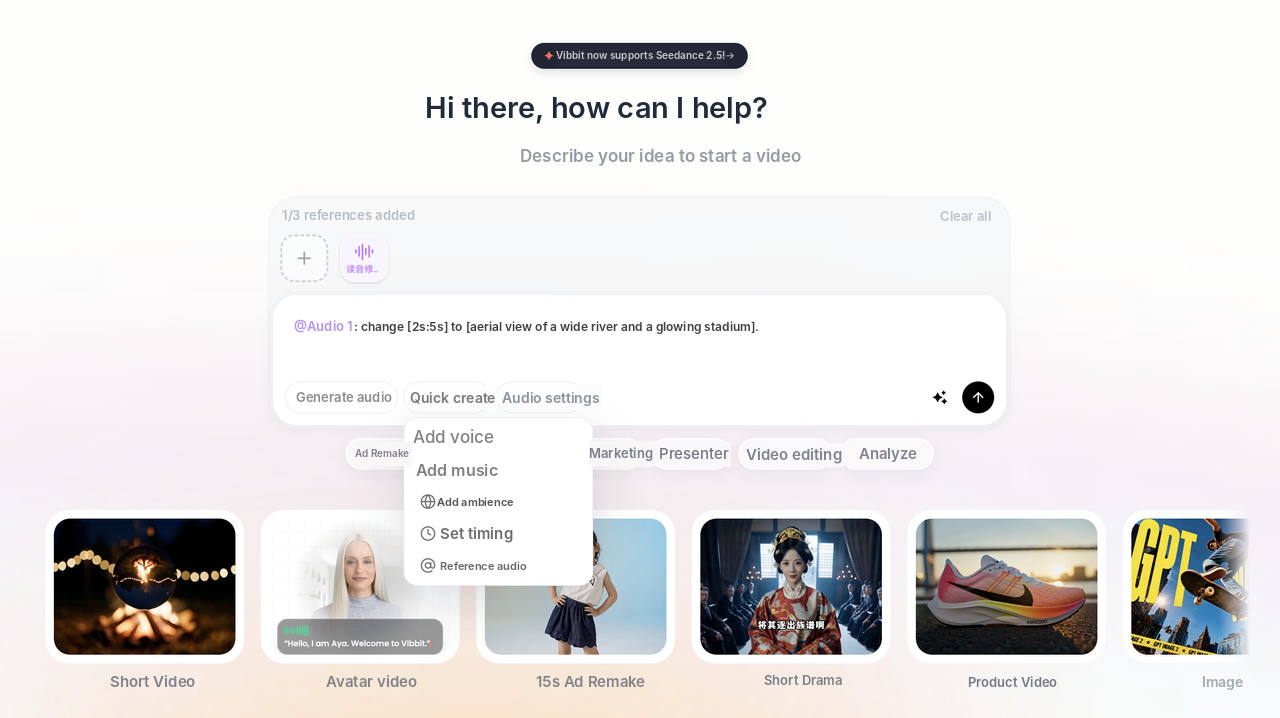
In Vibbit, that's Ad Remake and 1:1 Remake: upload a reference video, then swap the product, people or scene precisely. You can drag the reference in directly or pick it from your library or Viral Finder, and the home page has ready-made templates such as 15s Ad Remake. It turns "find a reference, copy the structure, swap the content" from manual editing into an upload and a few instructions.
Who needs it most?
Anyone who sees a great video and wants to make something similar that's their own:
Ecommerce sellers following the structure of product videos on TikTok or Instagram, with their own product.
Short-form teams producing ad variations with the same structure, or scaling up with Faceless Remix.
Teachers and multilingual creators turning an explainer into another language.
What the results look like: original vs. new video
In the comparison below, my instruction was "make image 1 blue." The original shows a pink cartoon mug. Version 1 swaps it for a blue one, output at 720p. The new video keeps the original's shot order and pacing and changes only what I asked for.
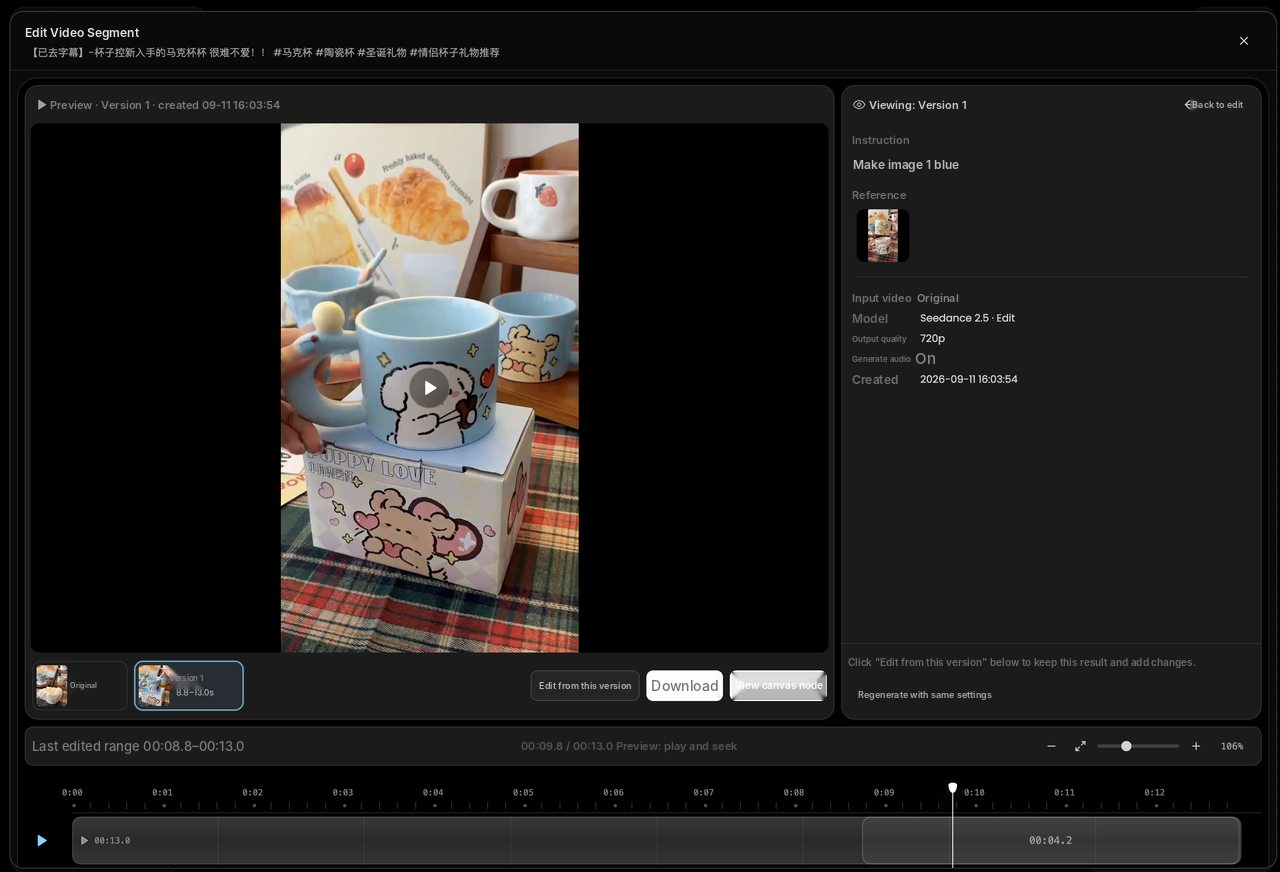
| Original | New video (Version 1) | |
|---|---|---|
| Visual | Pink cartoon mug | Blue mug (swapped by instruction) |
| How it was made | Filmed footage | Generated by Vibbit from the reference |
| Resolution | Source footage | 720p output |
| Shots and pacing | Original | Kept the same |
How to make a new video in Vibbit: 3 steps
Step 1: Pick a reference video
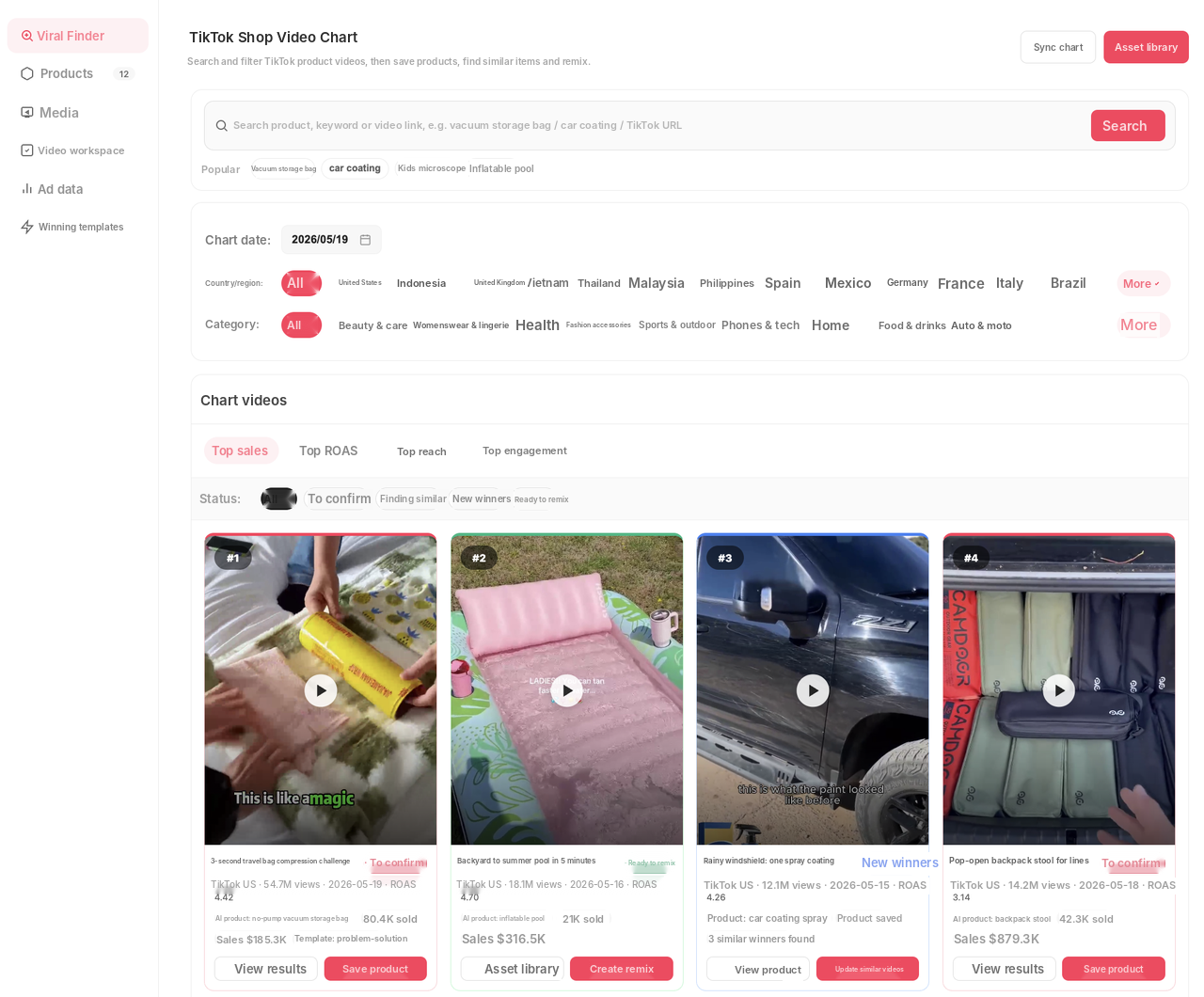
Drag a local video into the create box or pick one from your library. To find a reference, open Viral Finder and filter TikTok product videos by country and category. Added references appear at the top of the create box (up to 3).
Vibbit reads the reference's shot order and pacing and uses it as the skeleton of the new video. If you use someone else's public video as a reference, borrow only the structure and replace the products, people and branding with your own.
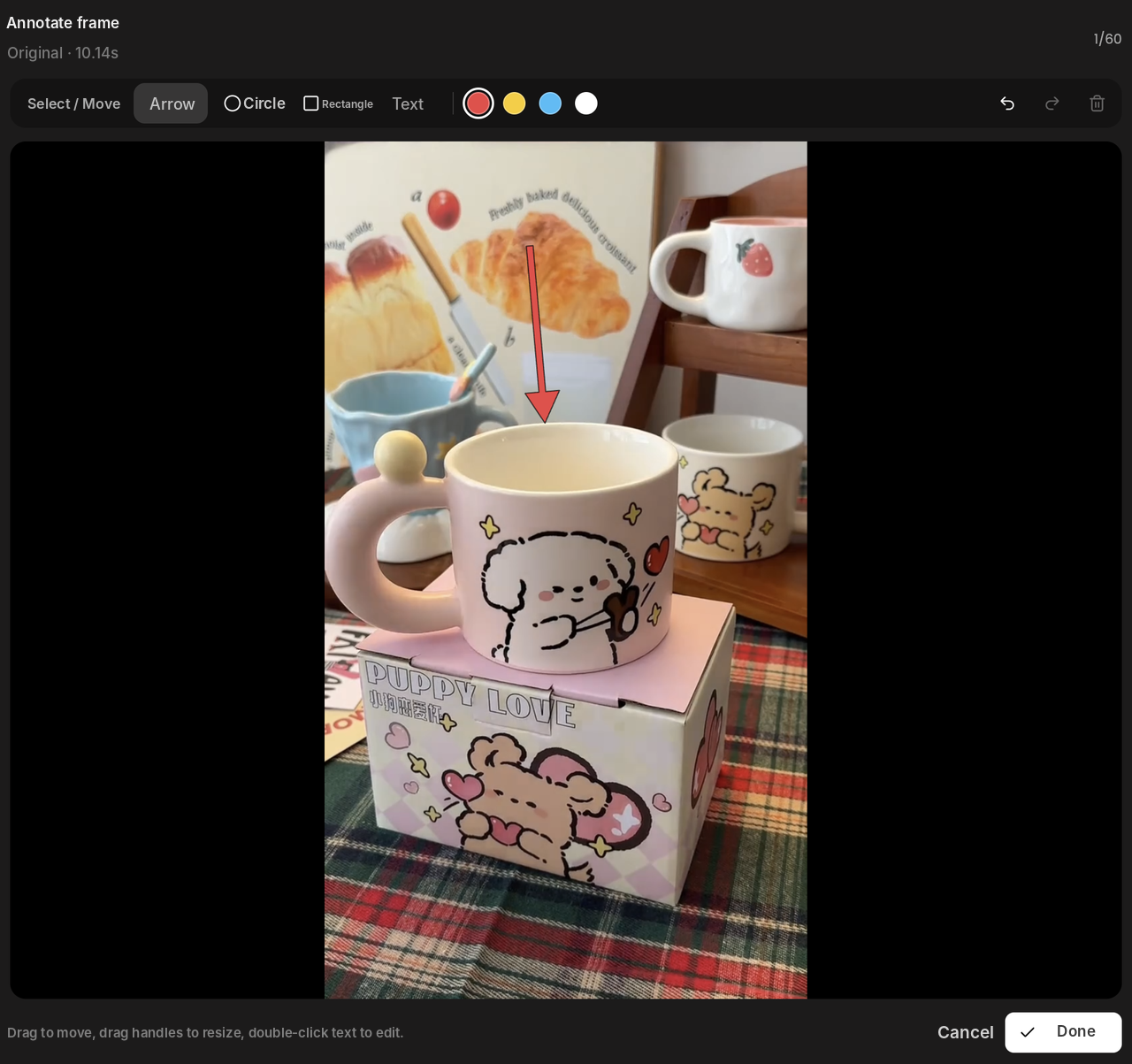
Step 2: Mark what to change
Use Annotate frame to mark the spot to change on a frame with an arrow, circle, rectangle or text, or choose to swap the product, person or scene directly. In my case I wrote one instruction: make image 1 blue.
If the reference is long, use Edit Video Segment to work on just one part.
Step 3: Generate and download
Click generate and Vibbit returns Version 1, with the original on the left and the new video on the right. Download it if you're happy. You can also keep editing from that version in Edit Video Segment, changing just a few seconds and keeping the rest, instead of redoing the whole video.
Who and what it's best for
Ecommerce sellers: reuse a product video's structure with your own product for TikTok Shop, Amazon or Shopify.
Short-form teams: generate several versions from one reference with different product images or copy for A/B testing.
Teachers and multilingual creators: combine with Video Translation's subtitle removal and lip sync to turn one video into another language.
FAQ
Can I replace the product or person in a video?
Yes. Precise remakes can swap products, people and scenes, and you can mark exact spots with Annotate frame.
What if the reference video is too long?
Use Edit Video Segment to pick one part instead of processing the whole thing.
How long does generation take?
It depends on the video length and how much you change. Smaller changes on shorter segments are faster.
Can I use my own footage as the reference?
Yes. Upload a local file or pick from your own library.
Is it infringement to use someone else's video as a reference?
Borrowing shot structure and pacing is common practice, but don't use other people's footage, people or brands directly. Before publishing, make sure you have rights to everything on screen.
How much does it cost?
Vibbit uses credits, and you see the estimated cost before generating. Plans are at vibbit.ai/pricing.
Make your first video to video remake
Pick a video you like, mark what to change, and generate your own version.
Try it on Vibbit: vibbit.ai