The Complete Commercial Storyboard Workflow: From Client Brief to Delivery
The full commercial storyboard workflow: brief, product info, shots, visuals and notes. Go from a product link to storyboard video with Vibbit.
A commercial storyboard is one of the most important steps in producing a commercial video. The full workflow usually covers understanding the brief, gathering product info, planning the shots, producing the visuals, and adding shot notes before delivery. With an AI storyboard maker, you can pull product info straight from a product link, add models and scenes, and turn each shot into video, so planning flows straight into production.
Whether you're making a product ad for a Shopify store or a promo for an Amazon listing, a storyboard up front tells you exactly what each shot needs to show and saves a lot of rework.
Why commercial videos need a storyboard first
A storyboard locks in what's on screen, the order of shots and which selling points to show before production starts. If you make ecommerce ads, these will sound familiar:
The client sends a product link and no creative direction.
The product has many selling points and you're not sure which to lead with.
You need lifestyle shots with a model but have no references.
Shots keep changing mid-production and the back-and-forth piles up.
The video is done before the client notices a key feature is missing.
With a storyboard, the client sees how the video will play out in advance, and you have a clear shot plan to work from.
Where traditional storyboarding takes the most time
| Stage | Work | Common problem |
|---|---|---|
| Brief | Define product, audience and goal | The brief is vague |
| Product info | Collect images and selling points | Info is scattered, sorted by hand |
| Shot list | Plan shot order and content | Lots of rethinking |
| Visuals | Find references or draw frames | Gathering assets is slow |
| Notes and delivery | Write shot notes for the client | Easy to misread |
Product research and storyboard visuals take the longest. One request like "change the model" or "add a detail shot" and the storyboard has to be redone. So the right storyboard maker isn't just about drawing frames. It's about cutting the repeat work between product info and finished footage.
How to make a commercial storyboard in Vibbit: 5 steps
The example below is a TikTok ad for a pair of silver retro sneakers.
Step 1: Paste the product link and let Vibbit parse it
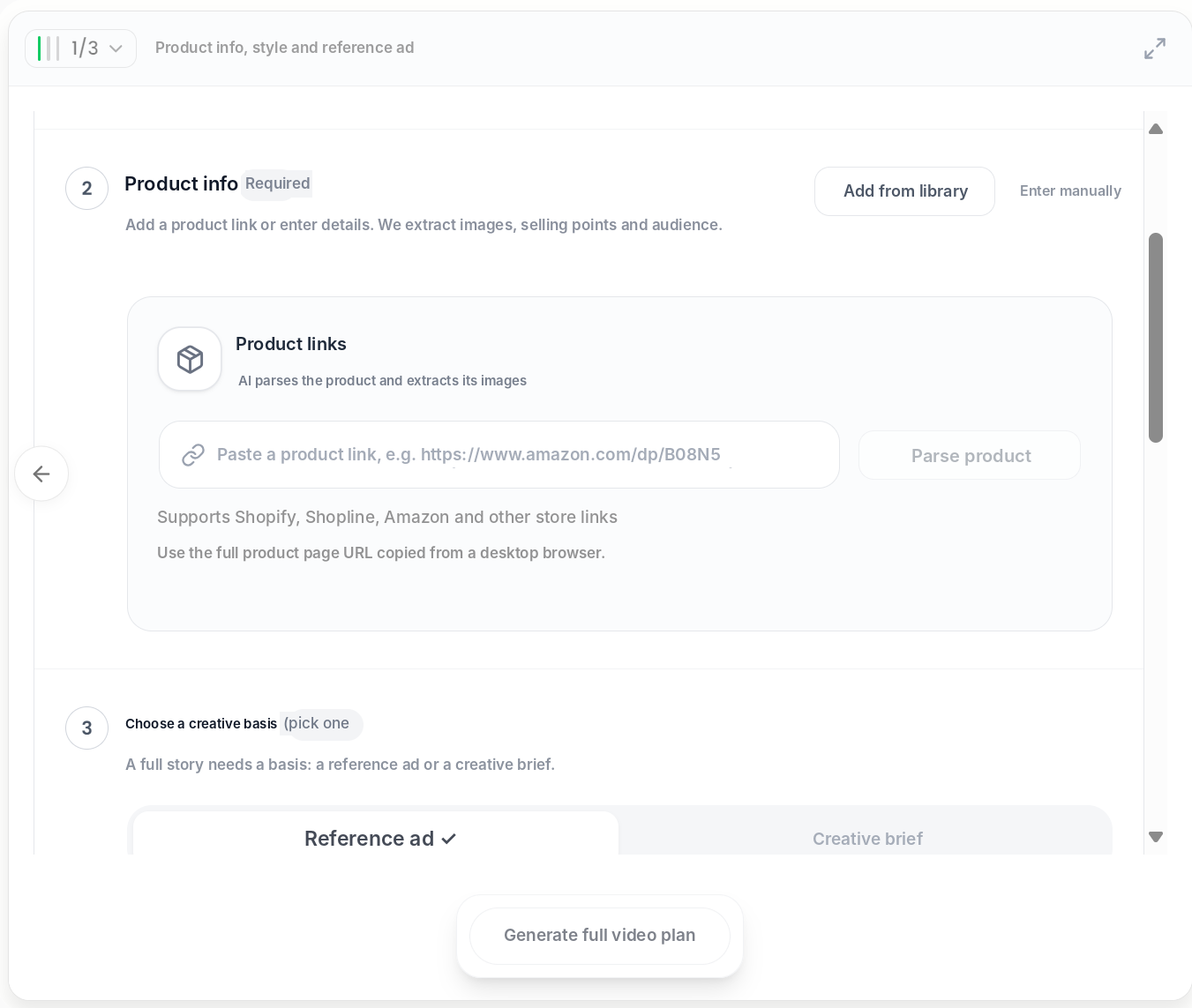
In Vibbit's ecommerce ad flow, step 1 is Product info, style and reference ad. Paste the product link and click Parse product. Vibbit pulls the product images, selling points and target audience. Shopify, Shopline, Amazon and other store links work, or you can enter details manually or add a product from your library.
On the same page, choose a creative basis: a reference ad or a creative brief.
Step 2: Generate the product, model and scene images
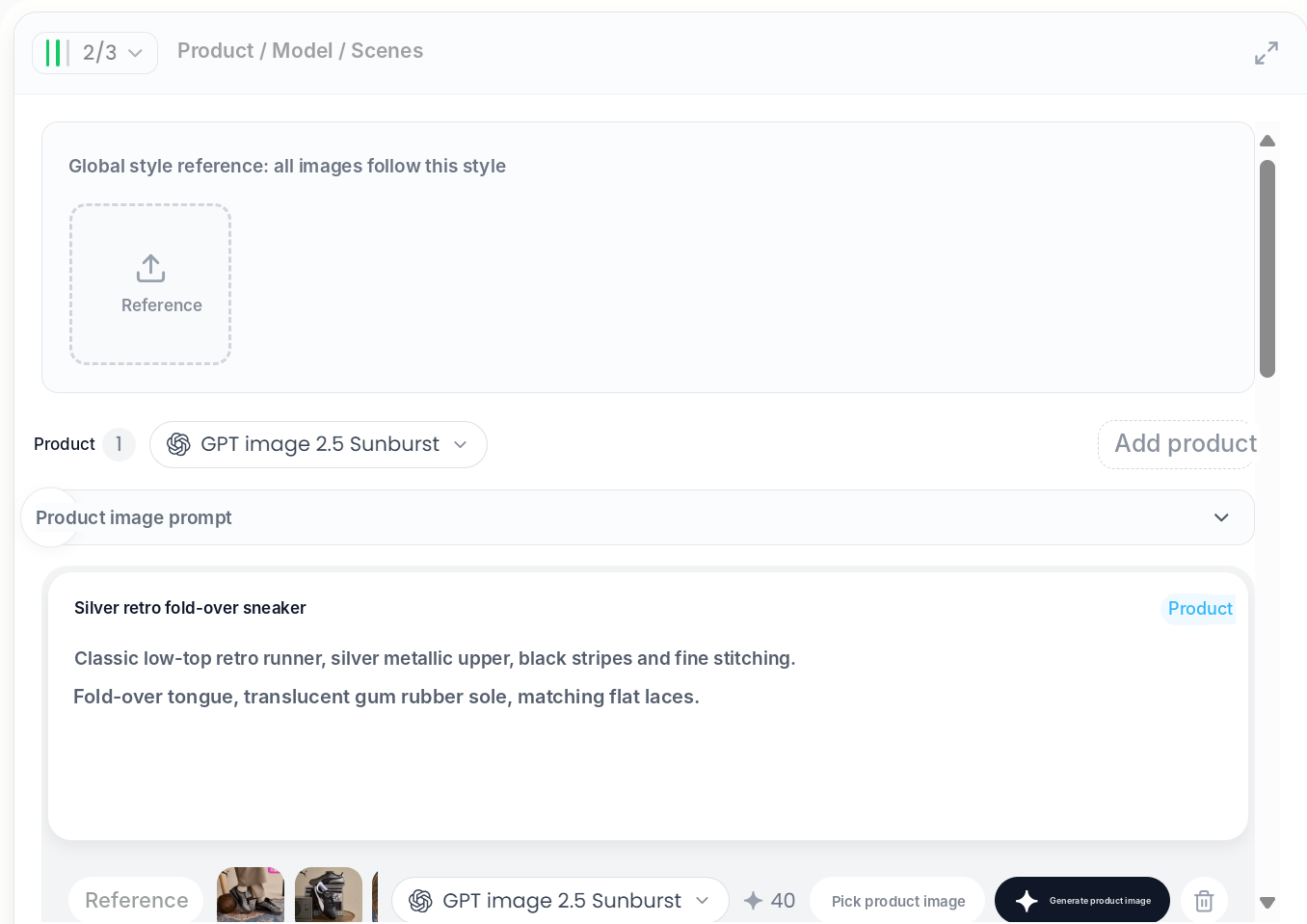
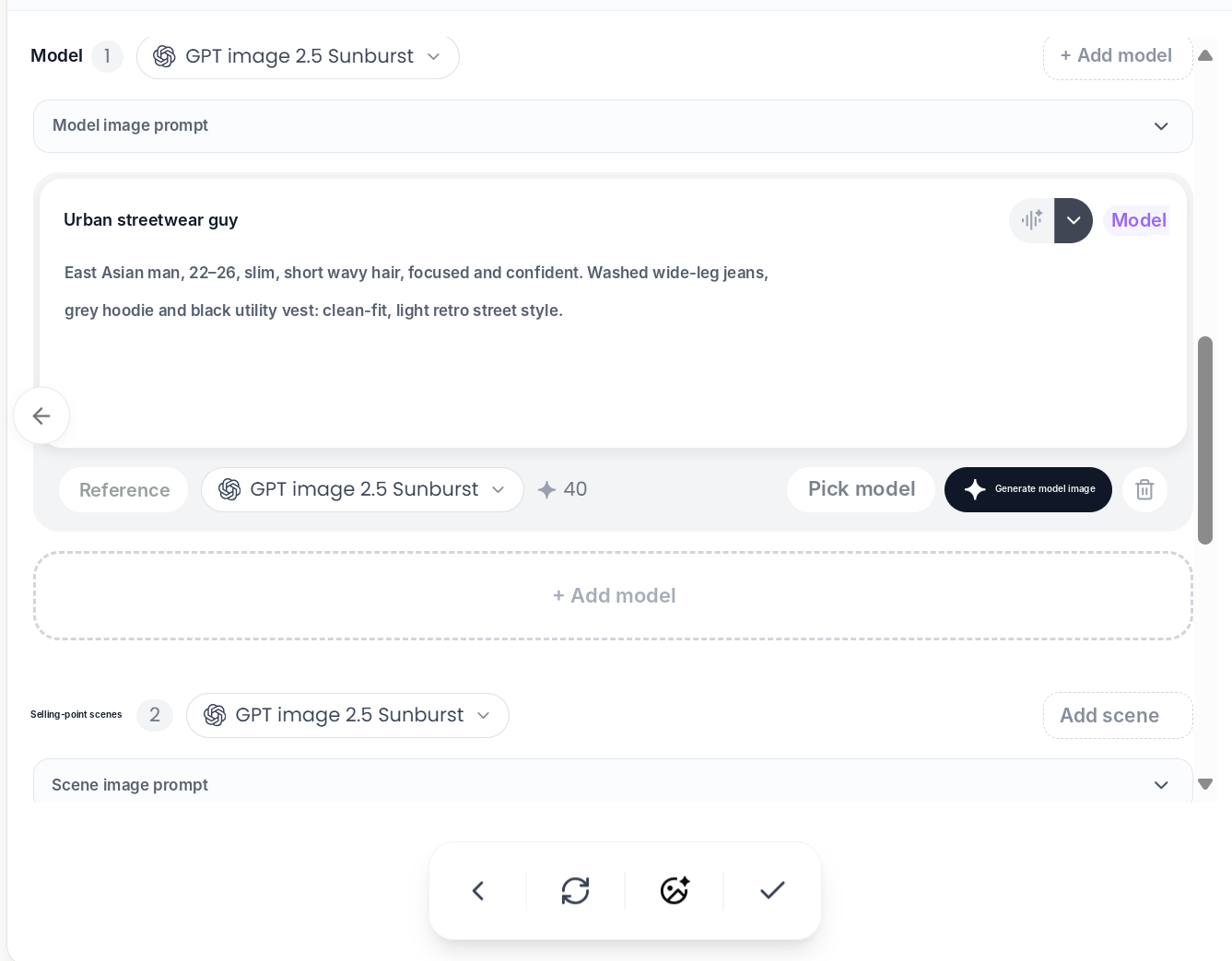
Step 2 is Product / Model / Scenes. Vibbit writes prompts for the product, model and scenes from the product info. Edit them if needed, then generate each one:
Product: e.g. "silver retro fold-over sneaker, metallic silver upper, black stripes, translucent gum sole". Upload reference photos to keep it close to the real item.
Model: e.g. "urban streetwear guy, 22–26, washed wide-leg jeans and a grey hoodie". Or pick an existing model.
Selling-point scenes: e.g. "a retro street corner in the early morning".
You can also upload a global style reference, and every generated image follows that style.
Step 3: Review the shot script
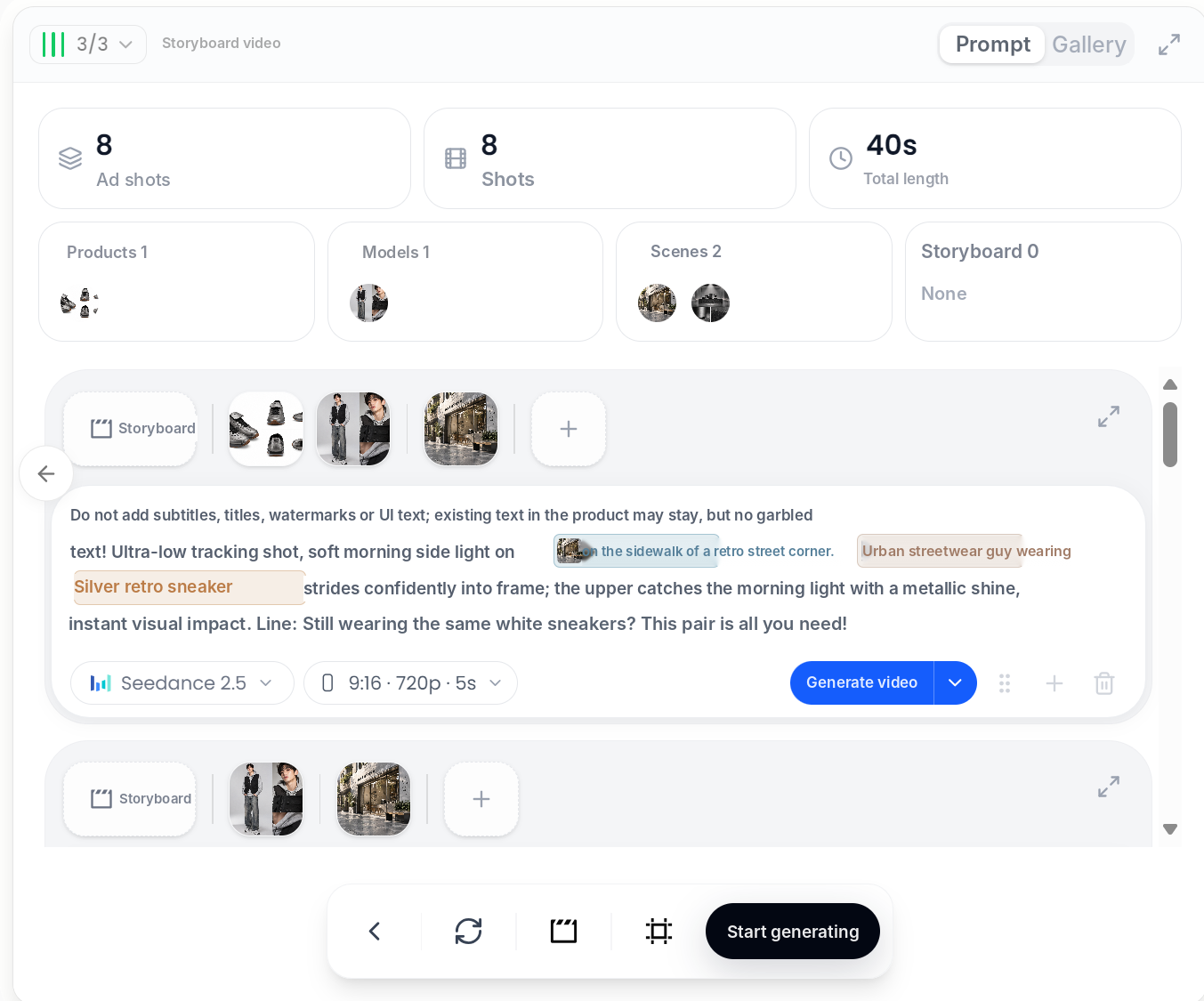
Step 3 is Storyboard video. Vibbit breaks the ad into shots, for example 8 shots totaling 40 seconds, and lists the products, models and scenes in each.
Every shot has an editable prompt. Check them in this order:
Opening: grab attention, e.g. the sneakers stride into focus.
Product: close-ups of the design and details.
In use: the model wearing them on the street.
Selling points: one shot per key benefit.
Closing: the product again, so it sticks.
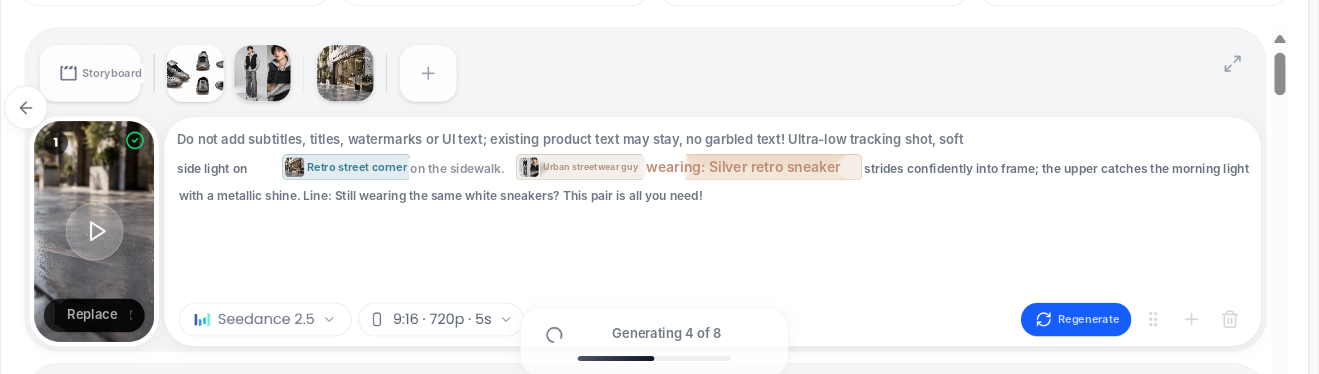
Be specific. Instead of "show a pair of shoes", write "ultra-low tracking shot, soft morning side light, the model strides into focus and the upper catches the light with a metallic shine."
Step 4: Generate the storyboard video
Click Start generating and Vibbit renders each shot, showing progress as it goes. You can set the ratio, resolution and length per shot, and regenerate or replace any shot you don't like.
Step 5: Add shot notes and deliver
Once the footage is ready, go back to the brief and check that every shot is covered. In the delivered storyboard, spell out:
| Note | What to include |
|---|---|
| Shot number | The order of each shot |
| Visual | What's on screen |
| Selling point | What this shot highlights |
| Talent and setting | Which model and scene |
| Requirements | Product details to get right |
For example, shot 2: "Close-up of the upper, highlight the metallic finish and stitching, product clearly in focus." Notes like these help the client, editor and anyone downstream understand the purpose of each shot.
Example: storyboarding a sneaker ad for TikTok
The brief: a Shopify sneaker store wants a short TikTok ad showing the shoe's look, how it looks on foot and its main selling points, with a model on screen.
| Shot | Visual | Note |
|---|---|---|
| 01 | Sneakers stride into focus | Hook, show the metallic finish |
| 02 | Close-up of the upper | Show stitching and stripes |
| 03 | Model walks on a street corner | Connect person and product |
| 04 | Model shows the full outfit | Styling context |
| 05 | Product again | Reinforce the product and reason to buy |
The workflow: paste the product link → generate product, model and scenes → review the 8 shot prompts → generate storyboard video → write notes and deliver.
Always check generated visuals against the real product, especially shape, color and details, so the ad matches what customers will receive.
FAQ
Can I use Vibbit for commercial storyboards with no storyboarding experience?
Yes. Paste a product link, confirm the product, model and scenes, and Vibbit drafts the shots and prompts. You review and edit.
What if I only have a product link and no images?
Paste the link and Vibbit extracts the product images. If that's not enough, add detail shots, model references or scene references.
What should a commercial storyboard include?
At minimum: shot order, what's on screen, which product feature is shown and the setting. For ecommerce ads, note which selling point each shot highlights.
Can I use the generated footage directly in ads?
Check product appearance, talent and claims before publishing, make sure the ad meets platform policies, and confirm you have rights to the product images and people you use.
How much does it cost?
Vibbit uses credits, and you see the estimated cost before generating. Plans are at vibbit.ai/pricing.
Wrapping up
A commercial storyboard turns a client's idea into a clear, concrete, shootable plan. From a product link to product, model and scene images, then shot prompts and storyboard video, Vibbit takes a lot of repeat work out of research and visual prep.
Try it on Vibbit: vibbit.ai