AI Intro Maker: Make a Channel Intro in Minutes
Use Vibbit as an AI intro maker: add 2–3 reference intros, write a clear prompt, set ratio and length, and generate your channel intro.
You don't need animation skills to make a video intro with AI. In Vibbit, you add 2–3 intros you like as references, write a clear prompt, set the aspect ratio and length, and generate an intro of your own. That's how Vibbit works as an AI intro maker.
Whether you run a YouTube channel, post on TikTok, or sell on Shopify or Amazon, you can create a consistent opening that helps viewers recognize your channel or brand right away.
What does an AI intro maker solve?
An intro opens your video and tells viewers whose channel or brand they're watching. Making one the traditional way means thinking about animation, typography, transitions and brand elements, which is hard without editing experience.
No design experience: describe the look in words instead of animating from scratch.
Inconsistent style: use intros you like as references so the result matches your brand.
Slow production: you don't have to rely only on editing software.
Ongoing content: change the prompt to get a new version for each series.
AI intro vs. a traditional intro
| Traditional intro | Vibbit AI intro | |
|---|---|---|
| How it's made | Designed and edited by hand | Add references and a prompt |
| Visual references | Find assets yourself | Up to 3 references |
| Design | Adjust animation manually | Describe the effect in words |
| Output settings | Set by hand | Pick ratio, resolution and length |
| Result | Export after editing | Generated by AI |
How to make an AI video intro in Vibbit: 3 steps
Step 1: Add 2–3 reference intros
Pick 2–3 intro clips you like and add them as references with the + button in the create box on Vibbit's home page (up to 3). References show the AI the direction you want: animation style, composition, how the logo appears.
Choose references close to what you need: channel openers for a YouTube intro, product reveals for a product promo. Use them for style only, and don't copy logos or footage from someone else's intro into your own.
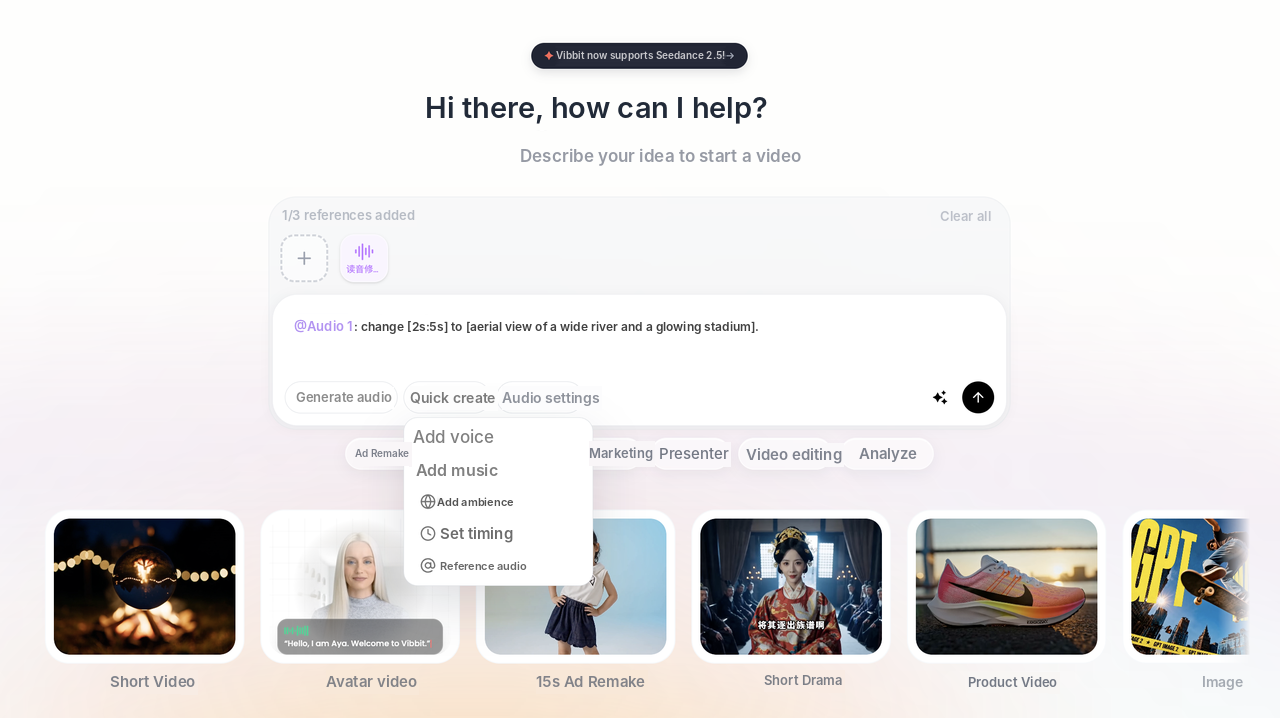
Step 2: Write a clear prompt
The more specific the prompt, the closer the result. Instead of "make a premium intro", describe the theme, background, animation, text and brand elements.
For example, an intro for a tech YouTube channel:
"Create a modern and cinematic intro for a technology YouTube channel. Use a dark blue background with glowing digital particles. Reveal the brand logo with smooth animation and elegant lighting effects. Keep the composition clean, professional, and visually engaging."
That prompt covers four things:
Theme: a tech YouTube channel.
Background: dark blue with glowing particles.
Animation: a smooth logo reveal with lighting effects.
Style: modern, professional, clean.
For a product intro, swap in your product's theme, subject and visual elements. If you want your logo in the intro, upload the logo image as a reference too.
Step 3: Set the parameters and generate
Set the aspect ratio, resolution and length at the bottom of the create box, then submit. Use 16:9 for landscape YouTube videos and 9:16 for TikTok, Instagram Reels and YouTube Shorts. A few seconds is usually enough for an intro.
Vibbit generates the intro from your references, prompt and settings. If it's not quite right, tweak the prompt or swap a reference and generate again.
Who should use an AI intro maker?
YouTube creators in gaming, tech, lifestyle or tutorials who want an opener that fits the channel.
TikTok and Instagram creators who want a consistent visual opening, with versions for each series.
Shopify and Amazon sellers adding a branded opening to product videos for skincare, electronics or home goods.
Brand marketers making promos, product intros and campaign videos without redesigning an intro every time.
Online teachers who want one intro across a course so every chapter feels like part of a set.
FAQ
What is an AI intro maker?
A tool that generates video openers with AI. You provide references and a text description, and it creates the intro.
What do I need to make an intro in Vibbit?
2–3 reference intro clips and a prompt describing what you want. Add a logo image if you want your logo in it.
Can I do it if I'm not good at prompts?
Start simple, but try to include the theme, background, how the logo appears and the animation. The more specific, the better.
Can I use the intro on YouTube and TikTok?
Yes. Choose the ratio for the platform before generating: 16:9 for YouTube, 9:16 for TikTok and Shorts.
Do I have to animate anything myself?
No. Add references, write the prompt and set the parameters. The AI handles the animation.
How much does it cost?
Vibbit uses credits, and you'll see the estimated cost before you generate. Plans are at vibbit.ai/pricing.
Make your own intro with Vibbit
A good intro makes your channel feel consistent and gives brand videos a clear opening. Pick 2–3 references, describe what you want, set the parameters and generate.
Try it on Vibbit: vibbit.ai