How to Use an AI Story Video Generator
Set up characters and scenes in Vibbit, write a story, and AI builds the storyboard and renders the video. How to use an AI story video generator.
How do you use an AI story video generator? In Vibbit, you type in a story, or set up your characters and scenes first, and it builds a storyboard and then renders it into a video. No editing software and no filming. You go from text to finished video in one tool.
What is an AI story video generator?
It's a tool that turns a written story into video, not a traditional editor. In Vibbit, you define the characters, scenes and plot, Vibbit produces the storyboard, and a video model renders each shot. You provide who, where and what happens. You get back a short video with visuals, camera moves and timing.
Vibbit supports two approaches: generate directly from characters, scenes and prompts, or build a storyboard first and then generate the video. Storyboard editing is detailed too: add reference images or audio to refine prompts, edit full screen, drag to reorder, insert and delete shots, adjust lengths and generate storyboards in batches.
Who does it help?
Mostly people who want to make videos but can't edit or don't have time to:
creators telling stories on YouTube, TikTok and Instagram;
Shopify and Amazon sellers who want to tell product stories in short videos;
teachers turning lessons into videos.
A teacher who wants to animate a short text, for example, used to need a script, an illustrator and an editor. Now they paste the story into Vibbit and get a video with a clear storyboard. A seller can write a short story around how a product is used and generate a roughly 15-second recommendation video for TikTok Shop or Instagram Reels.
Can a story really become a video? (Before and after)
Yes. Before: a few lines of text, one character, one setting, some dialogue, a picture in your head that's hard to get out. After: Vibbit turns it into a storyboard listing each shot's visual, action, camera and length, then renders it as video.
Here's the storyboard screen Vibbit generated from a story: characters and scene at the top, a step-by-step action description and storyboard previews below.
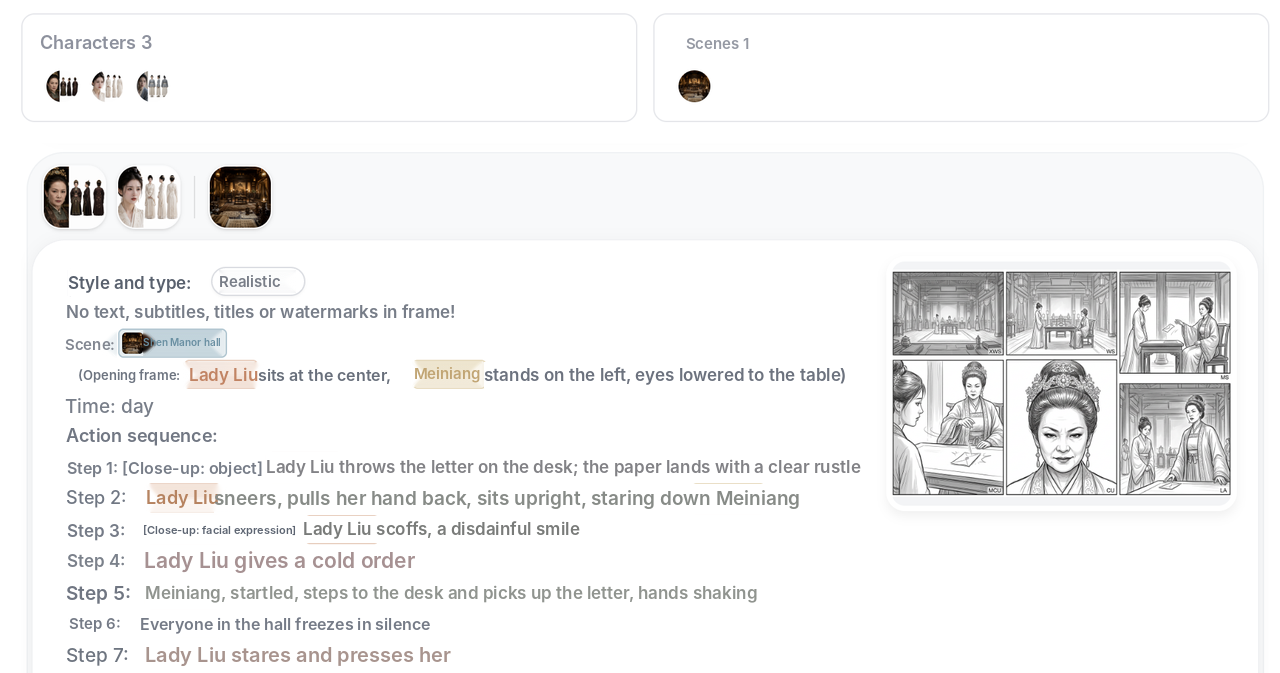
I tried it myself: I created two characters and one scene, wrote about seven steps of action, got a set of storyboard frames, and clicked generate to get a video with camera moves. I never opened an editing app.
Make your first story video in 3 steps
Step 1: Set up your characters and scenes
In Characters & scenes, add characters, upload or generate reference images, and give each one a voice. A character can have several looks and outfits, such as a default look, a classic outfit and a modern sporty one, so they can change during the story.
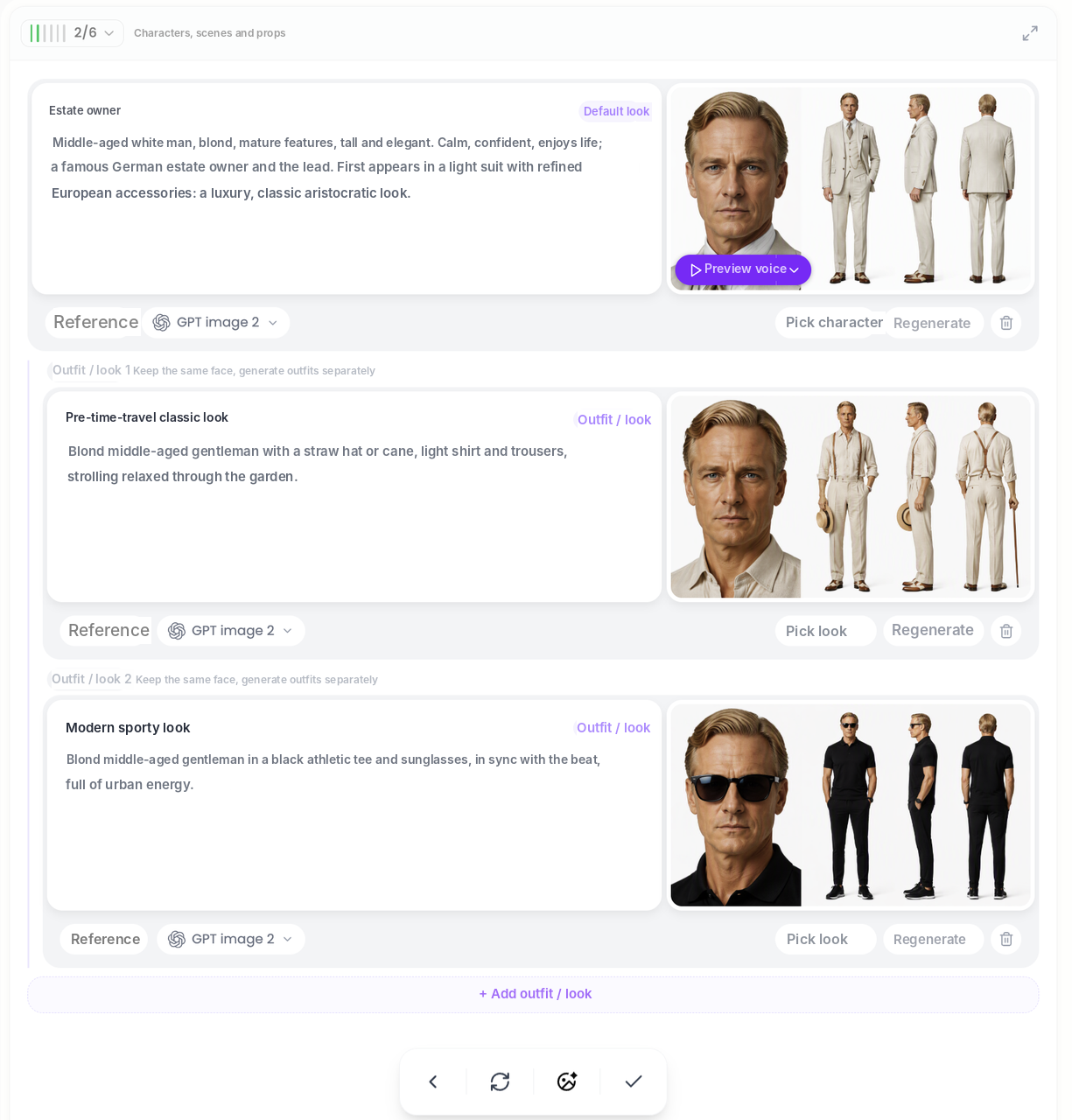
Scenes work the same way: write a description and let Vibbit generate the scene image.
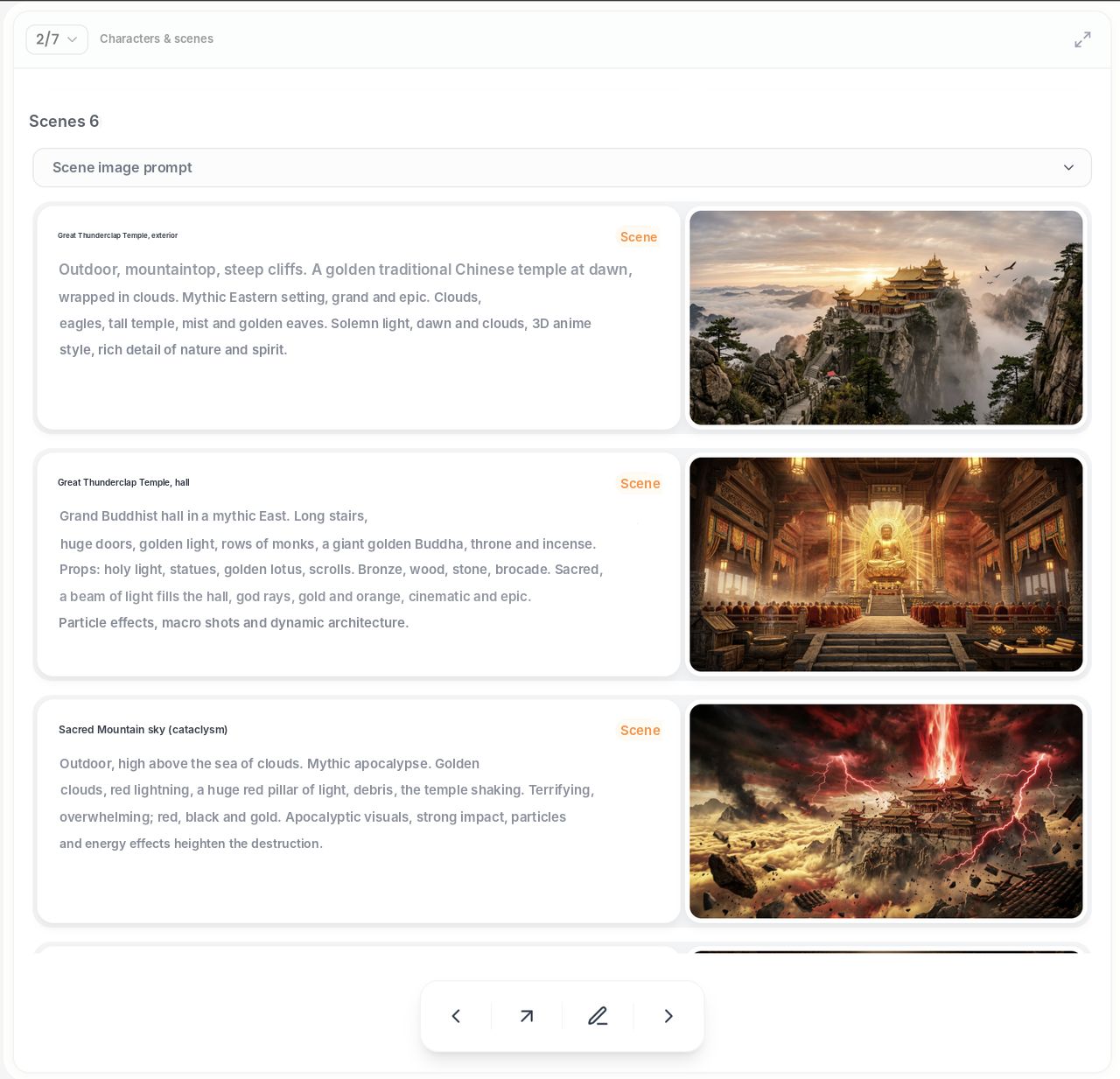
Step 2: Write the story and generate the storyboard
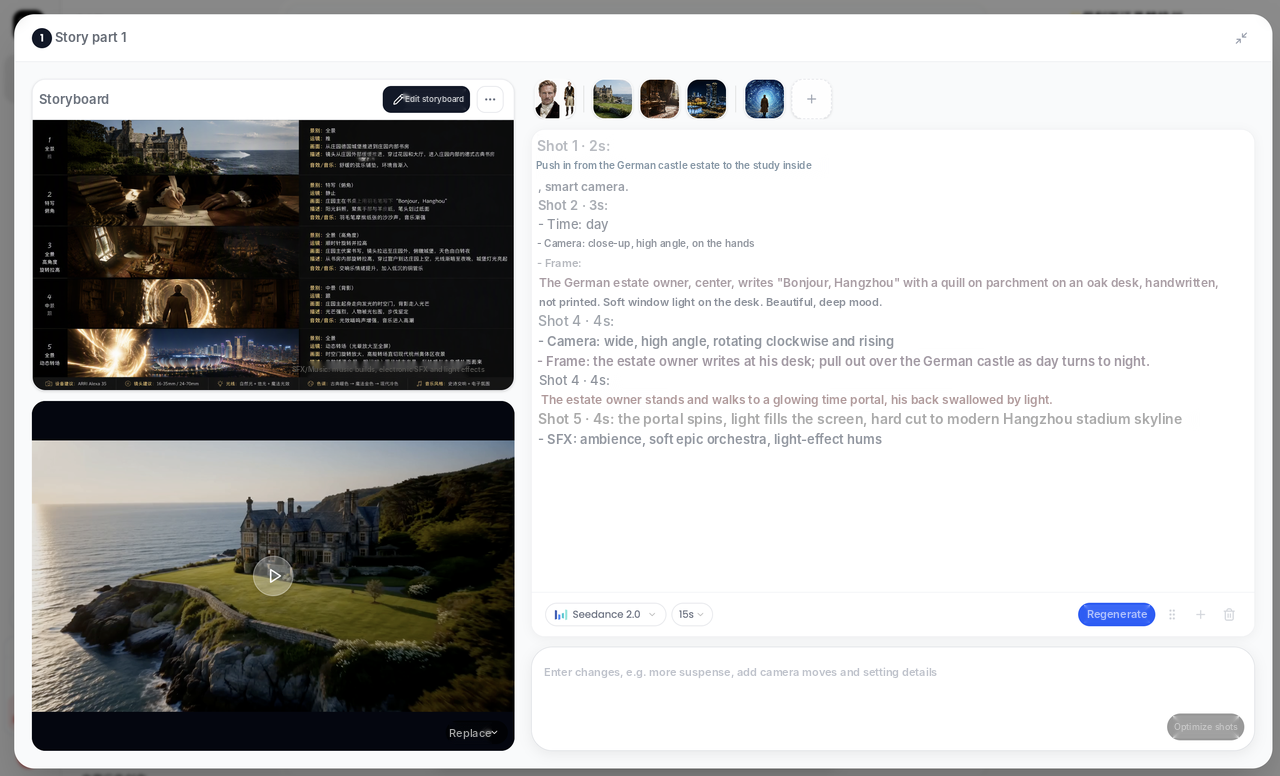
Write a prompt covering who, where, what they do and what they say, and Vibbit generates a storyboard. Edit it full screen, drag to reorder, insert or delete shots, change each shot's length, and add characters or scenes anytime with @. Each shot is labeled with framing, camera move and duration, such as close-up, push-in and seconds, so you can check the pacing at a glance.
Step 3: Generate the video and fine-tune
Pick a video model (such as Seedance), set the length of each part and click generate. Once the video is ready, replace or regenerate any shot from the storyboard. You can also upscale the 720p video to 4K in one click.
Who and what it's best for
Creators: turn original stories and worlds into a series for YouTube Shorts or TikTok.
Sellers: make product story videos for a Shopify landing page or Amazon listing.
Teachers: turn lessons and concepts into animated shorts for class or social.
If you already have a novel or script, Vibbit can also generate multiple videos in batches from one script, mixing voices, avatars, packaging and a fixed intro, which suits multi-account content.
FAQ
Can I post the videos right away?
Yes. Videos come with visuals, camera moves and a caption track, ready to download and post to TikTok, Instagram or YouTube. To fix a caption, edit it line by line without regenerating the whole video.
Can I use it without storyboarding skills or footage?
Yes. Describe the characters, scenes and plot clearly, and Vibbit builds the storyboard and then the video. Vibbit can also generate reference images for characters and scenes.
How much does a video cost?
Vibbit uses credits based on length and resolution, and you see the estimate before generating. Plans are at vibbit.ai/pricing.
How long can videos be, and which languages are supported?
You set the length of each part in the interface (for example, 15 seconds). Each character gets a voice when you create it, so you can produce voiceovers in different languages.
What if the quality isn't sharp enough?
Use video upscaling to take a 720p video to 4K in one click, without changing the content. Useful for big screens or high-resolution covers.
Turn your story into a video
Write down the story in your head, set up your characters and scenes, and generate your first story video.
Try it on Vibbit: vibbit.ai