How to make an Amazon product video
Paste an Amazon product link into Vibbit, let it pull the listing, and generate a product video in minutes. No filming, no editing software.
The least painful way to make an Amazon product video is to paste the Amazon product link into Vibbit, let it pull the listing details automatically, and generate the finished video in one click. You don’t film anything and you don’t install an editor — within a few minutes you have a product video you can attach to the Amazon listing or post to TikTok and Instagram.
What I actually did in Vibbit
I ran the whole thing through: pasted an Amazon product link, clicked Parse product, and the title, selling points and images landed in the product library on their own. Then I picked a few shot types and it produced several short product videos in a batch. The part that saved the most hassle was that parsing and saving are automatic — switching color or model doesn’t mean pasting the link again.
Step 1: Paste the Amazon product link
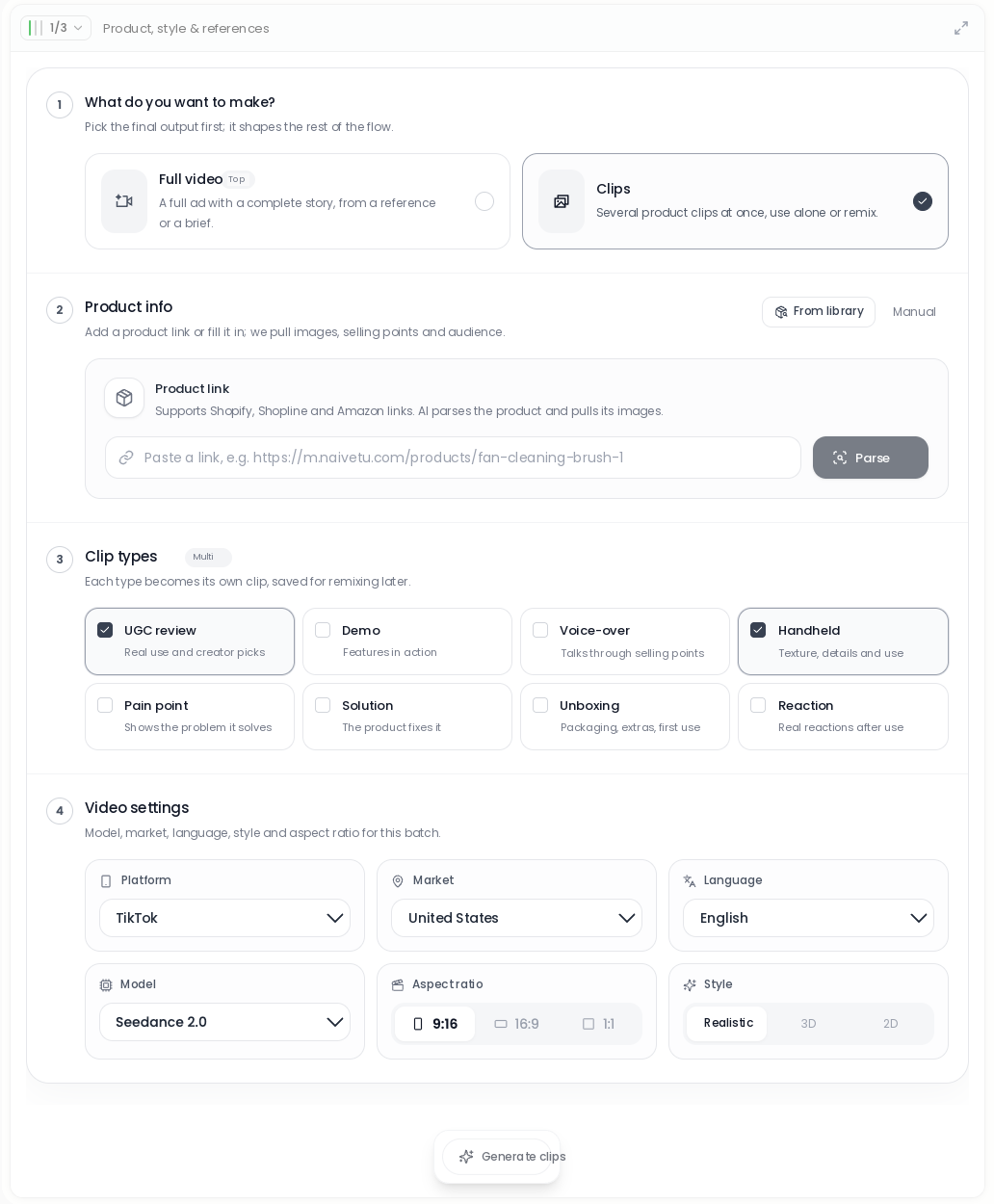
Paste the Amazon listing URL into Vibbit’s Product link box and click Parse product.
- Open Vibbit’s e-commerce ad / product video entry and find the Product link field.
- Paste the full Amazon listing URL (Vibbit handles Amazon, Shopify and Shopline links).
- Click Parse product. The AI reads the product title, the selling points and the images.
Step 2: Check what it pulled
Once parsed, the product goes into Vibbit’s product library with the title, price, selling points and assets already organized. Nothing to type in by hand.
- Open that Amazon product in the library and you’ll see the English selling points the AI extracted, the restricted phrases to avoid, and the product assets (video clips with subtitles already removed).
- Vibbit also pulls reviews of similar products from Amazon and Reddit, which helps you work out how this thing should actually be sold.
- When you want a different color or a different model, reuse the same product from the library — no need to parse the link again.
Step 3: Generate the product video
Pick your shot types and Vibbit generates short product videos in a batch. Use them on their own or cut them together.
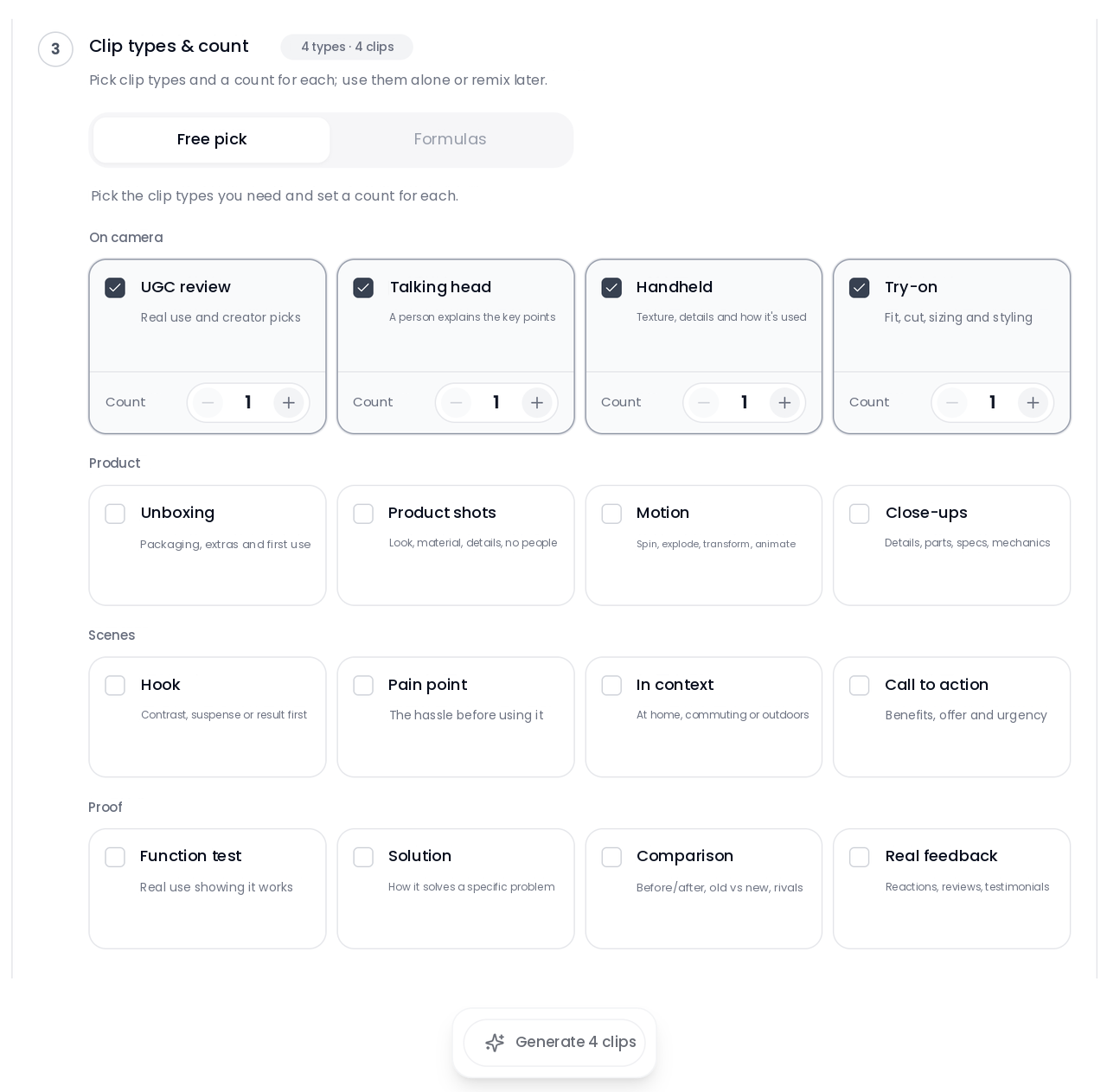
- In the generation panel choose Clips or Full video, then check the shot types you want — UGC-style recommendation, product voice-over, handheld walkthrough, unboxing and so on.
- Set the target platform, market and language — TikTok, United States, English, for example.
- Click Generate. You get several finished videos; the video, the audio and the subtitles download separately so you can take them into any editor and keep working. You can refresh the page and pick the progress back up.
The two modes compared:
Mode | What you get | Best for |
|---|---|---|
Clips | Several short product videos per run | Cutting together, testing multiple versions |
Full video | One finished, ready-to-use video | Posting straight to a listing or social |
What the finished video looks like
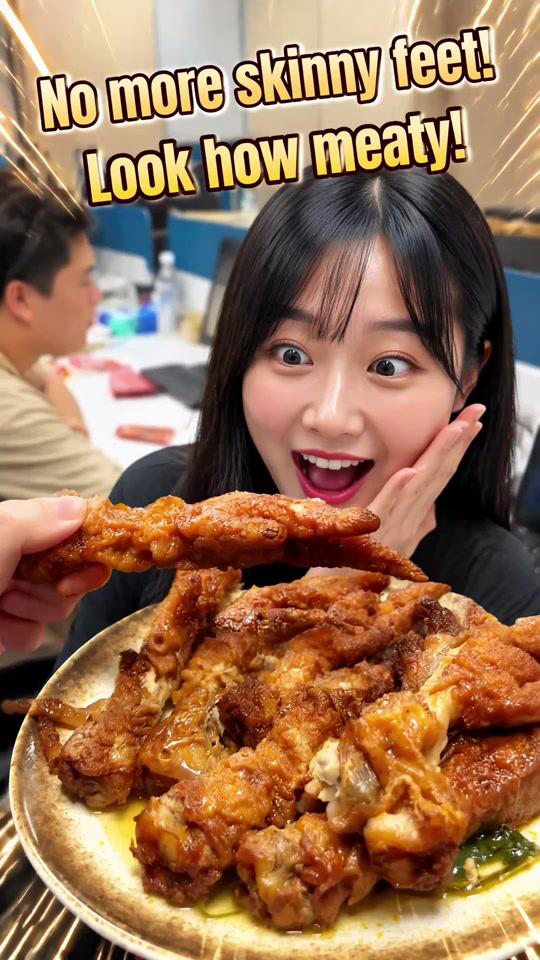
The generated video comes with its own voice-over script and on-screen treatment, so it works as an Amazon product video as-is and posts to social as-is.
The output arrives with English voice-over copy and visual packaging already applied — you can attach it to the Amazon listing directly, or cut it into a TikTok or Instagram short.
Tips and things to watch
The link didn’t parse — now what?
Check that it’s the full product detail page URL, then click Parse product again.
Vibbit handles Amazon, Shopify, Shopline and other mainstream e-commerce links. If one link fails to parse, fill the product details in by hand — it won’t affect anything downstream. The library also deduplicates: when different promotional links point to the same product, it offers to reuse the existing entry rather than creating a second one.
Where can the finished Amazon product video be published?
Anywhere. Attach it to the Amazon listing, post it to TikTok, Instagram or YouTube.
Vibbit lets you set the target platform and market at generation time, and the international version supports email and Facebook sign-in. If you want to re-edit, download the video, the audio and the subtitles separately and take them into whichever editor you normally use.
Do I have to re-parse to change model or color?
No. Product details in the library are reusable — call up the same product when you want a different outfit or a different scene.
Brand details and product details get pulled back in repeatedly across asset understanding, script writing and video generation, so you’re not redoing that work.
What does an Amazon product video cost to make?
Check the estimate before you commit, and you’ll know where you stand. Running the flow once doesn’t cost much.
Before you start, the interface shows the estimated consumption — read it, then hit Generate, and you won’t get interrupted halfway. Saving and parsing the product is quick; generation is the step that actually takes time.
FAQ
Which platforms’ product links does Vibbit support?
Amazon, Shopify, Shopline and other mainstream e-commerce platforms. Paste the link and it parses automatically. If a link fails, you can enter the product details manually and keep going.
Do I have to fill in the product details myself?
No. Vibbit’s AI extracts the product title, selling points and images and saves them to the product library. You only edit when you want to add something.
Can the generated video go straight onto Amazon?
Yes. The finished video comes with English voice-over and visuals, so it works as a product video on an Amazon listing, and it also posts to TikTok, Instagram or YouTube. For small adjustments, download the video and the audio separately and change them in an editor.
Do I need to re-parse the product to change model or color?
No. The library supports reuse and deduplication, so you call up the same product details for a new outfit or scene — and when different promotional links point to the same product, it offers to reuse the existing entry.
Want to try one yourself? Go to Vibbit and paste an Amazon link to get started.