How to Make Avatar Product Videos With an AI UGC Video Generator
Pick an AI avatar, write the script and let AI handle voice and video. How to make UGC-style product videos with Vibbit in 3 steps, plus FAQ.
The easiest way to make UGC-style product videos with an AI avatar is an AI UGC video generator: pick an avatar, write the script, and let the tool handle the voiceover and final video. Vibbit's Avatar Video workflow links "pick a presenter, write the script, get the video" into one flow. No studio, no actors.
Who is it for?
Anyone who needs steady, scalable, affordable talking-head videos. Three groups benefit most:
YouTube, TikTok and Instagram creators who post several product videos a week. Filming yourself is slow and outsourcing is expensive.
Shopify and Amazon sellers who need different versions of one product video for different platforms.
Teachers and product educators who need to be on camera for long stretches, which is tiring and hard to keep consistent.
What slows you down usually isn't what to say. It's who's on camera, how to film it and how to edit it. Outsourced talking-head videos cost a lot and each revision takes days. An avatar shrinks that down to "pick a presenter and write a script."
Avatar videos vs. hiring someone to film
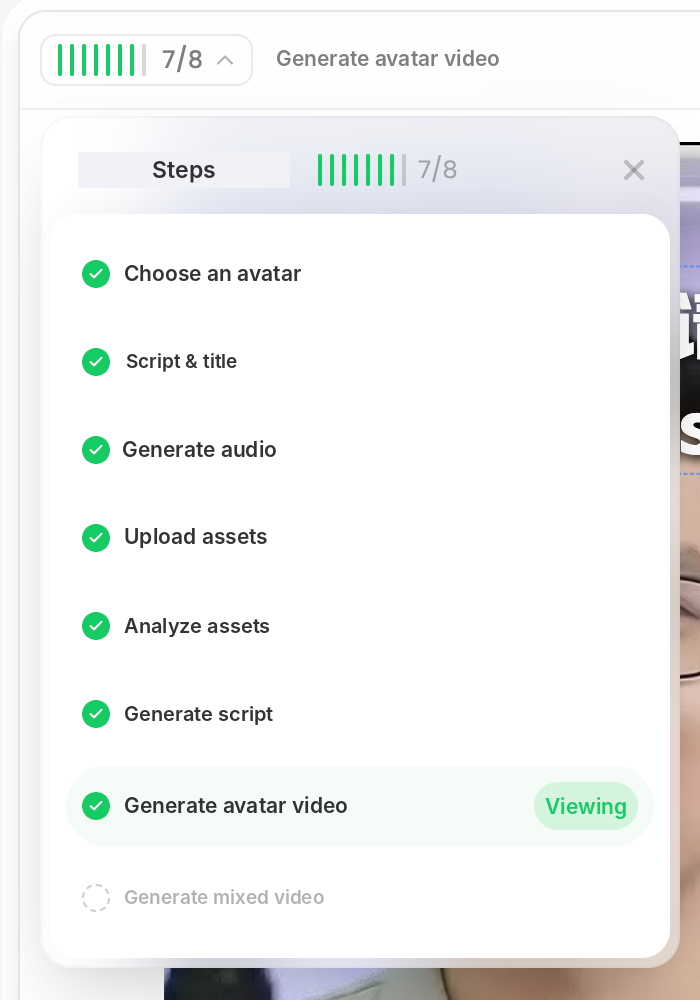
Here's the result first. This is the step panel after I ran an avatar video in Vibbit: eight steps, with step 7, Generate avatar video, ready to view.
| Approach | What you need | Time per video | New platform or language |
|---|---|---|---|
| Film it yourself or hire | Space, gear, talent, editing | Hours to days | Usually a reshoot |
| Vibbit avatar | An avatar and a script | Generated in one workflow | Regenerate for the new language or platform |
You skip the filming and the talent, and keep the two things that matter most: choosing the presenter and writing the script. Avatars also look the same in every video, with no good days and bad days.
How to make one with an AI UGC video generator: 3 steps
Step 1: Pick an avatar
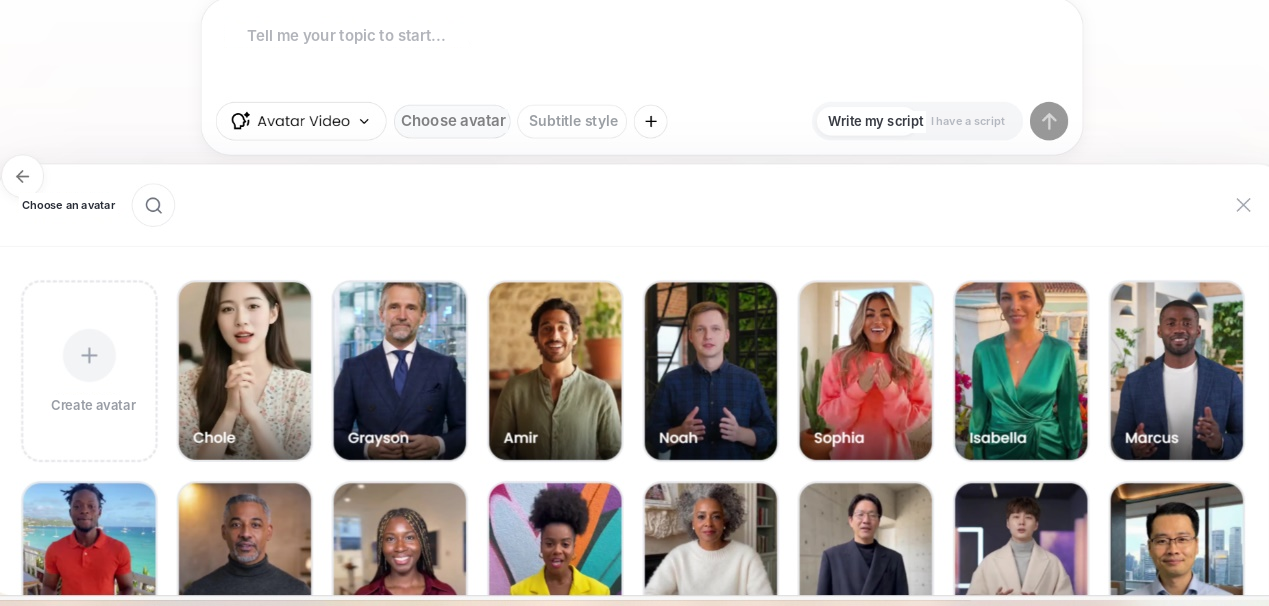
In the create box, switch to Avatar Video, click Choose avatar and pick one from the panel. Use one of Vibbit's stock avatars or an avatar you cloned yourself. There are also I have a script and Write script for me options, so you can get a first draft even if you haven't written anything yet.
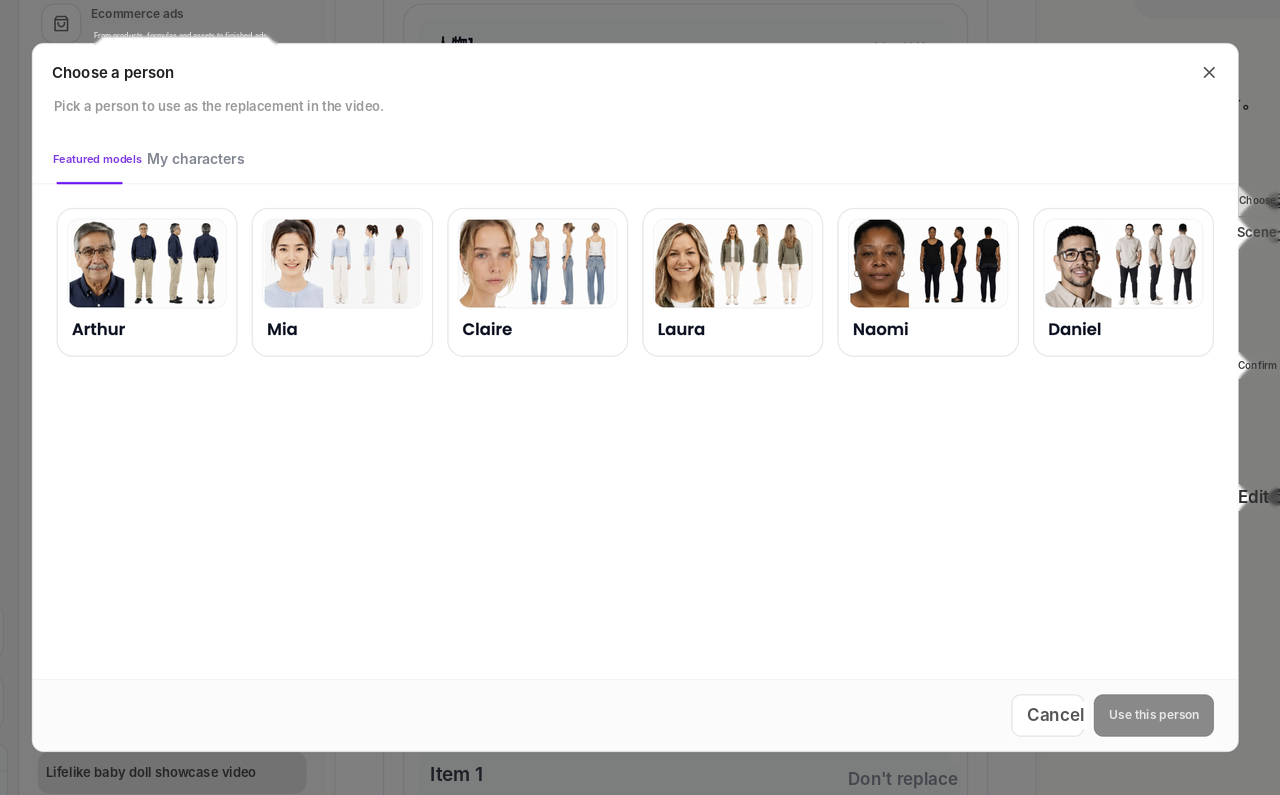
In the ecommerce ad flow, you can also open Choose a person and pick from featured models: Arthur, Mia, Claire, Laura, Naomi and Daniel, men and women, with no footage of your own needed.
Step 2: Write the script
With the presenter chosen, write the script. Two options: paste in a script you already have, or have Vibbit break down a reference video. It lists the timecode, camera movement and pacing of every shot, and Generate edit script gives you a script you can edit. That way the script isn't invented from nothing. It's built on a structure that has already performed.
When you use someone else's video as a reference, borrow only the structure and pacing, and use your own footage and copy.
Step 3: Generate the video
Once the script is final, Vibbit generates the voiceover from it, analyzes the assets you uploaded, then combines the avatar and voiceover into the finished video.
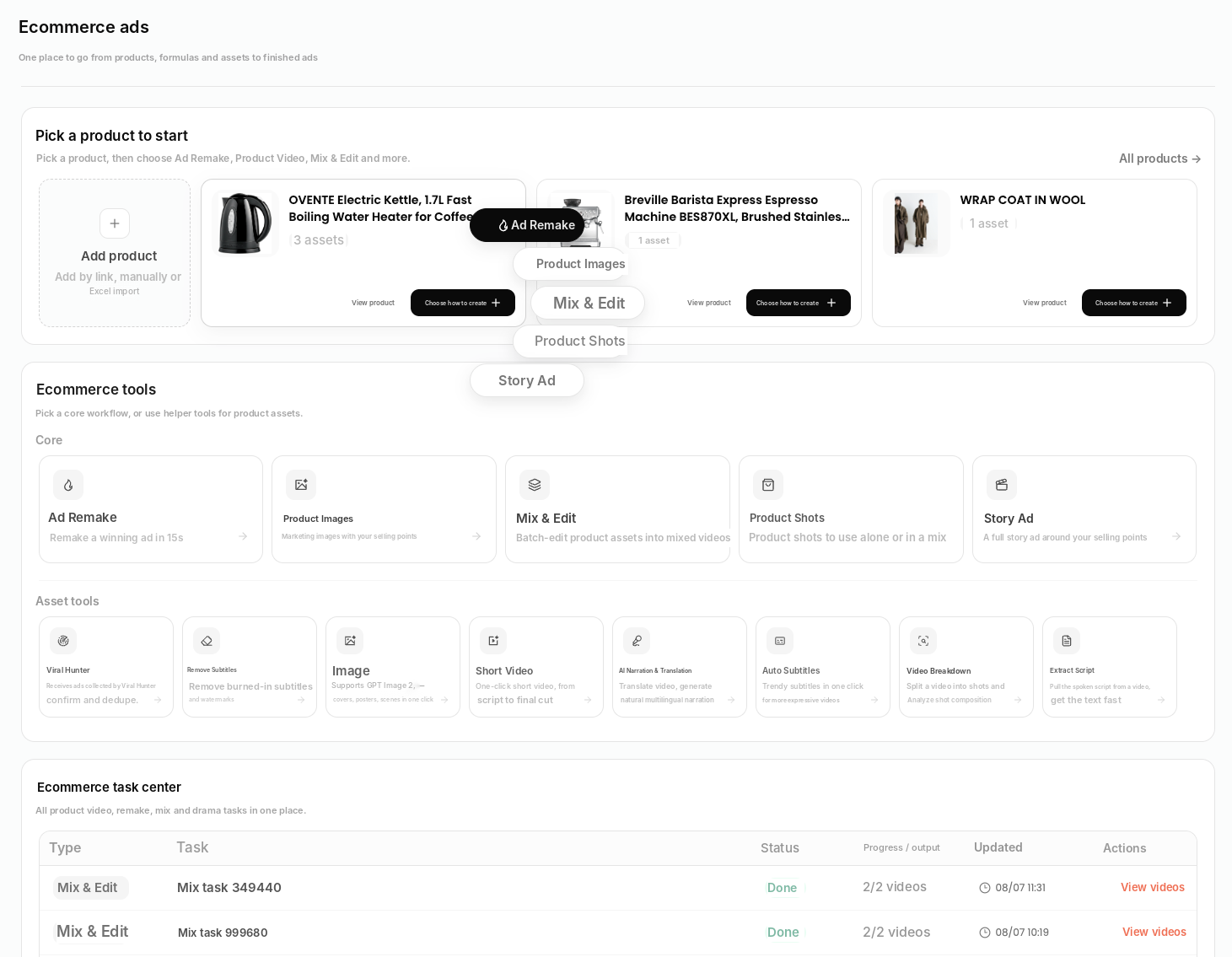
You can also start from Ecommerce Ads: pick a product, choose a method such as Ad Remake, Product Images, Mix & Edit, Product Shots or Story Ad, and when the task finishes, click View videos in the task center.
Who and what it's best for
YouTube and TikTok product channels: reuse one script with different languages and avatars for different markets. For example, an English version for YouTube Shorts and a Spanish version for TikTok, with no reshoots.
Shopify and Amazon sellers: give every SKU a 9:16 explainer video for product pages and social.
Online teachers and educators: a consistent avatar on camera, regardless of how you feel that day.
Multilingual creators: pair it with Video Translation for subtitle removal and lip sync, and reuse one video across languages.
FAQ
Can I choose the avatar's voice?
Yes. Choose a voice to suit the content. If you use your own cloned avatar, your voice can be cloned too.
Can I make a video without any footage of a person?
Yes. Use a stock avatar or a featured model, no photos needed. To use your own likeness, clone an avatar first (this needs a short video of yourself and passes a review).
Which platforms can I publish to?
In the video settings you can choose TikTok, Instagram Reels, Facebook Reels or YouTube Shorts and set the target market and language.
How much does one video cost?
Vibbit uses credits, and you see the estimated cost before generating. Plans are at vibbit.ai/pricing.
Can I make vertical videos?
Yes. 9:16 vertical is supported for TikTok, YouTube Shorts and Instagram Reels.
Try one yourself
Pick an avatar, write a script, and you'll see the result shortly. Only clone yourself or people who have given you permission.
Try it on Vibbit: vibbit.ai