How to Turn One White-Background Product Photo Into a Full Image Set With AI
Turn a single white-background product photo into main images, lifestyle shots and detail images with Vibbit's AI product image generator. 3 steps and FAQ.
If all you have is one white-background product photo, Vibbit's AI product image generator can turn it into a full set of ecommerce images: a main image, lifestyle shots and detail images. I tried it myself: picked a product from the product library, let it pull in the selling points, clicked Product Images, and quickly had a set to choose from, without laying anything out in Photoshop.
It doesn't just swap the background on your photo. It uses the product info to create main, lifestyle and detail images separately, so you get a matching set.
Who needs an AI product image generator?
Anyone running a store or making content on their own, without a full-time designer.
Lots of independent sellers, YouTube and TikTok creators, and teachers selling courses only have the single white-background photo the supplier sent. Listing on Amazon or Shopify, or posting on Instagram, also needs lifestyle and detail images. The traditional route is hiring a photographer or learning layout yourself, which is slow and expensive. Vibbit automates that step: give it the product info and the photo, and it generates the set.
It helps even more if you have a lot of SKUs. Bulk-import products into the product library, then generate for each one instead of shooting and designing every product separately.
What images can one white-background photo produce?
Three kinds:
Main image: the product, clean and front-facing, for your store's first image.
Lifestyle image: the product in a real-looking setting.
Detail image: a closer look at the selling points, showing why it's worth buying.
If the product already has several photos, they're imported too and used as references. Together, these cover most of the image slots a product needs on listing pages, product pages and social posts.
How to make a full product image set with AI: 3 steps
Add the product to your library: paste a product link from Amazon, Shopify or another store, or pick an existing product. Vibbit fills in the name, selling points and images.
Choose Product Images: select the product on the Ecommerce Ads page and click Product Images under the ecommerce tools. The product photos and selling points are passed in automatically.
Generate and pick: Vibbit generates product, lifestyle and detail images. Download the ones you want.
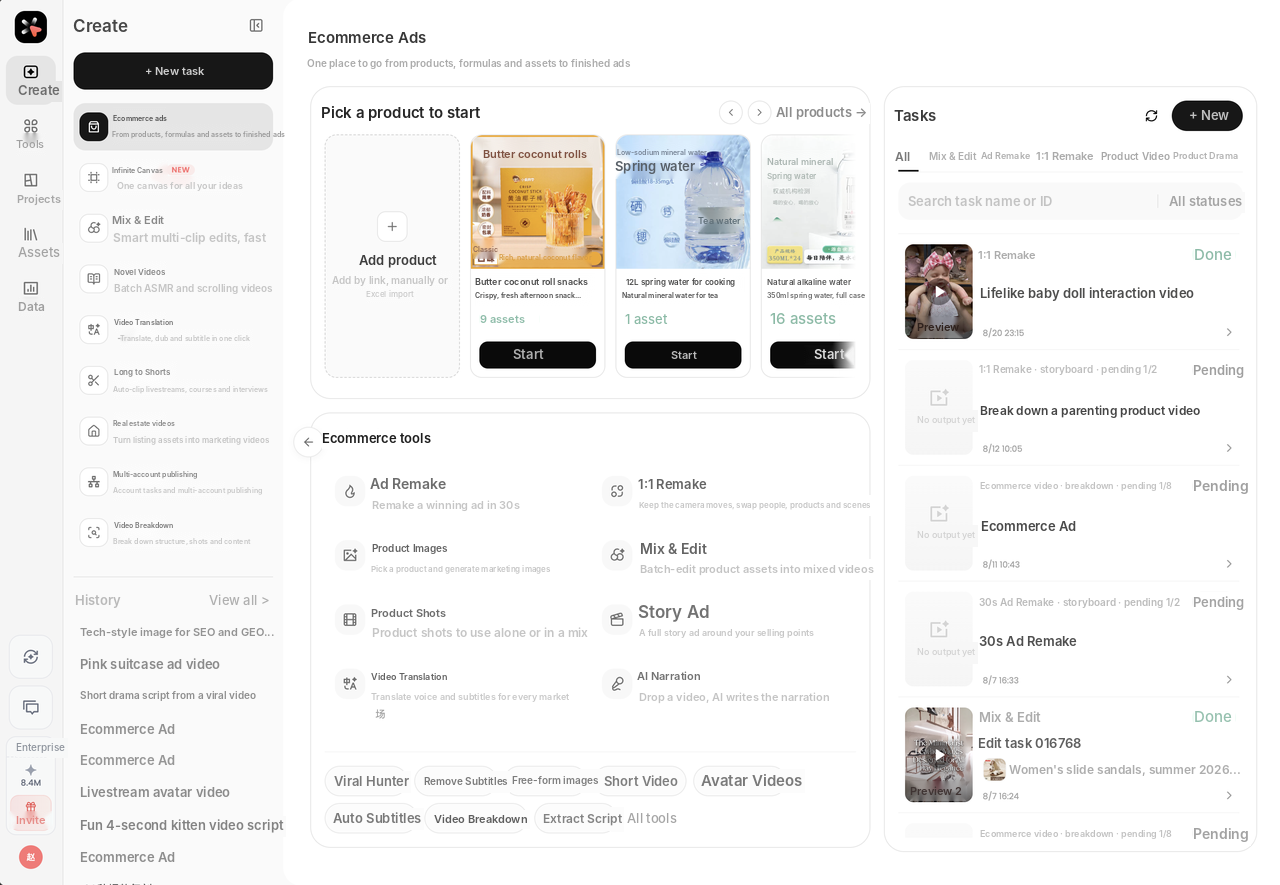
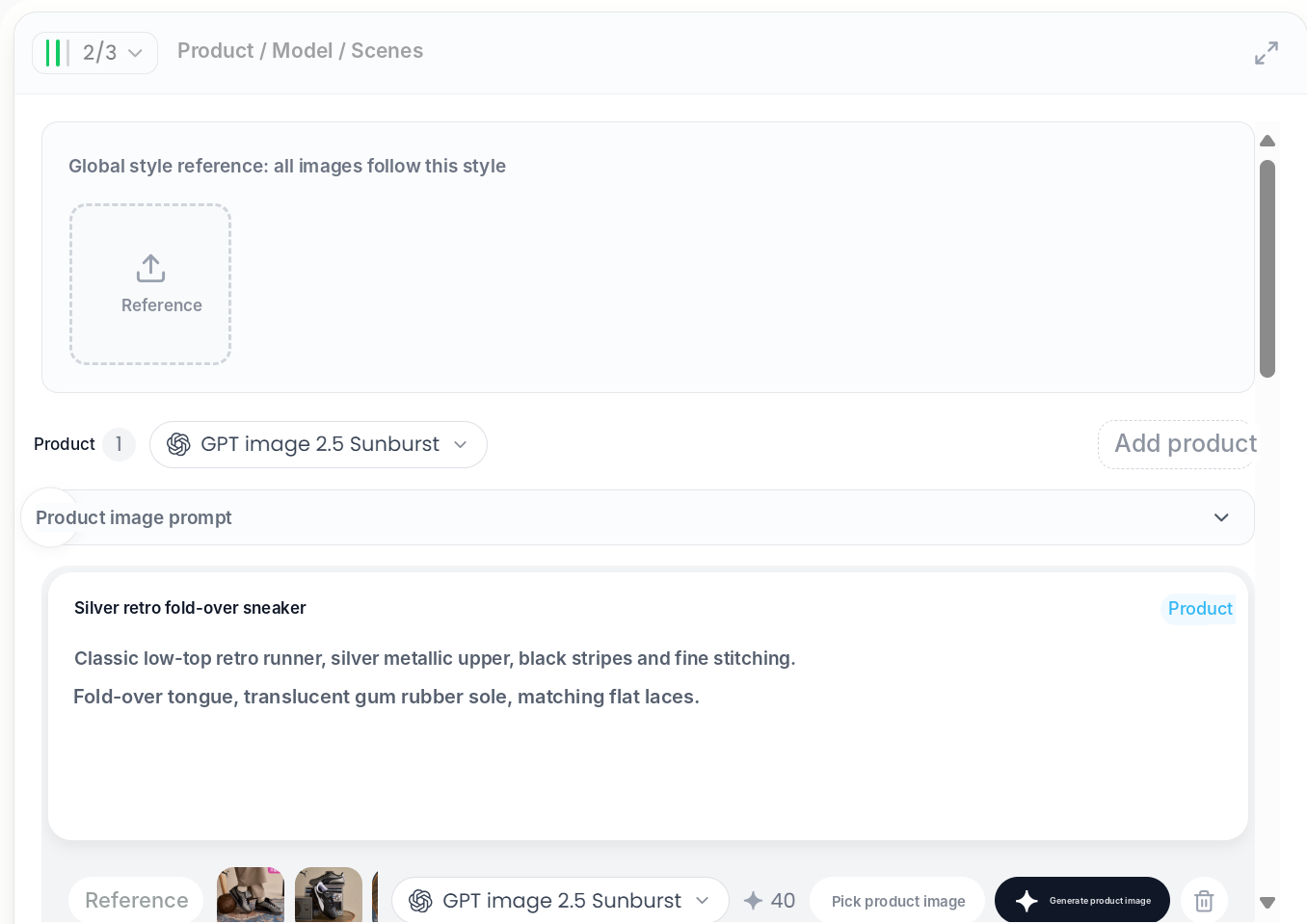
When I ran it, the product card already had the name, selling points and existing photos. After generating, I compared the images with the real product for color, shape and details, and kept the most accurate ones.
AI product images vs. making them by hand
| By hand | Vibbit AI | |
|---|---|---|
| Starting point | Photo plus camera and set | One white-background photo plus product info |
| Design software | Photoshop or similar | Not needed |
| Output | One image at a time | Main, lifestyle and detail images together |
| Changes | Redo the layout | Adjust the description or reference and regenerate |
For a one-person store, that's often the difference between listing today and listing next week.
Who and what it's best for
Any time you have a product, need images and don't have a designer:
Shopify sellers launching new products;
Amazon sellers with many SKUs who need lots of main images;
YouTube and TikTok creators doing unboxings and reviews;
teachers selling course merch on Instagram.
Change the selling point you lead with and you get a different version of the images, no reshoot needed.
FAQ
Can I generate images from one white-background photo with no lifestyle shots?
Yes. One product photo plus the product info is enough. The AI creates the lifestyle and detail images from the product.
Can I use the images on Shopify or Amazon?
You can download them and upload to Shopify or Amazon, or post on Instagram and TikTok. Before listing, check color, size and details against the real product and make sure the images meet the platform's rules (for example, Amazon's white-background requirement for main images).
Can I use it without design or Photoshop skills?
Yes. Pick the product, click Product Images, choose your favorites. No design software needed.
I have dozens of products. Can I process them in bulk?
Yes. Bulk-import products into the product library, then generate main, lifestyle and detail images for each.
How much does it cost?
Vibbit uses credits, and you see the estimated cost before generating. Plans are at vibbit.ai/pricing.
Make your first product image set
Add the product to your library, click Product Images and pick the images you want. You can go on to generate ad videos for the same product.
Try it on Vibbit: vibbit.ai