How to Translate a YouTube Video to Spanish
Translate a YouTube video to Spanish with AI: upload, pick Spanish, review the translation, keep the background music and export with SRT subtitles.
The fastest way to translate a YouTube video to Spanish takes four steps: upload the video, select Spanish, review the translation, then export the finished video and SRT file. You don't have to write subtitles yourself or hire a voice actor. Vibbit separates the voice from the background audio, removes the original on-screen subtitles, translates the speech and dubs it in Spanish, then puts everything back together.
Here's how I did it with Vibbit Video Translation, plus a few things to watch for.
1. Upload your video
Open Video Translation and drag your video into the queue, or click Upload video. MP4, MOV and other common formats are supported, up to 2GB per video, and you can add several videos to one task.
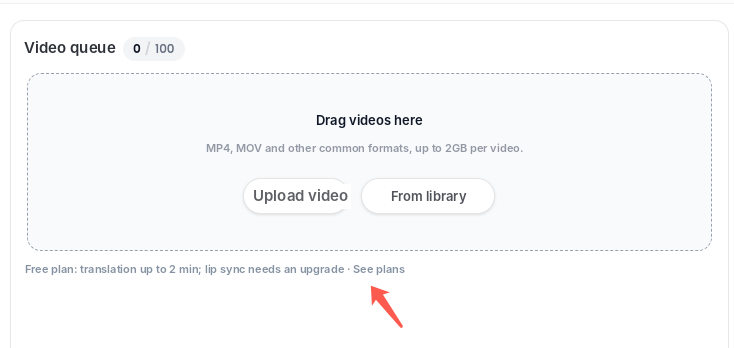
Upload your own source file, the one you exported before posting to YouTube. If you've used the video in Vibbit before, pick it from your library instead.
The video I tested was a 50-second vertical clip, and it went through on the first try.
2. Select Spanish as the target language
On the video card, click Spanish. You can select several languages for the same video and get all versions from one submission. In my test, one video was translated into English, Japanese, Korean, Spanish and Portuguese (Brazil) at once.
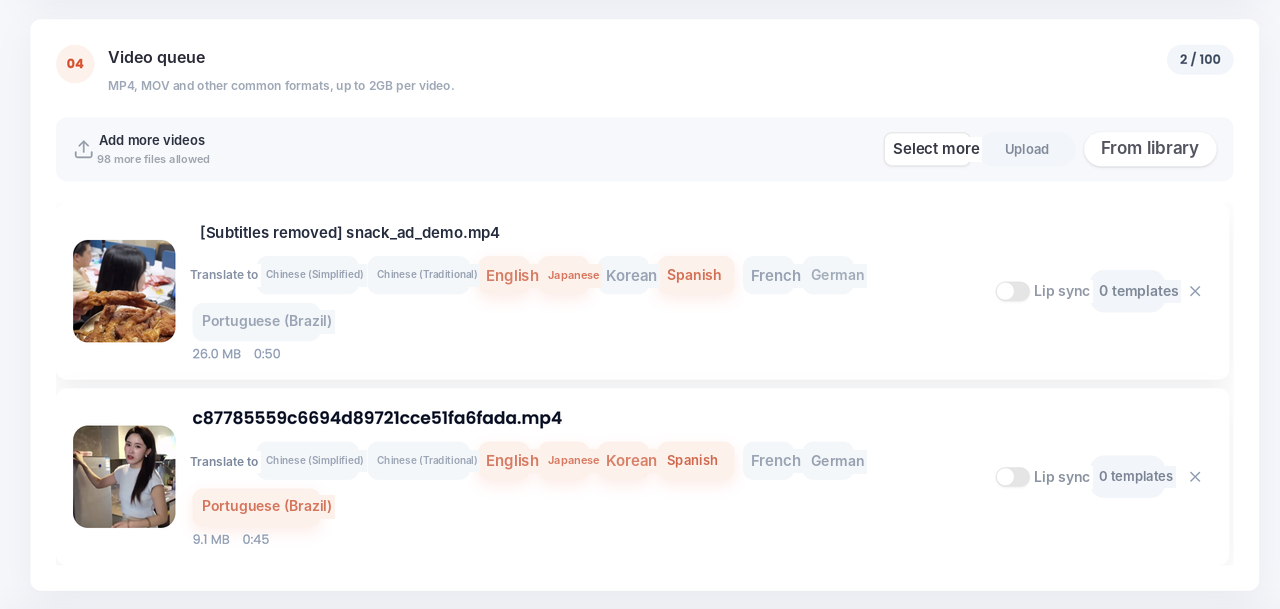
- Vibbit supports 20+ target languages with natural, localized voices. Translations are adapted to how people actually speak, not word for word.
- Lip sync is a separate toggle. If you only need viewers to understand the video, you can leave it off.
3. Review the translation
Before the final video is made, you get a review screen: original on one side, Spanish on the other, line by line, with timestamps and speakers.
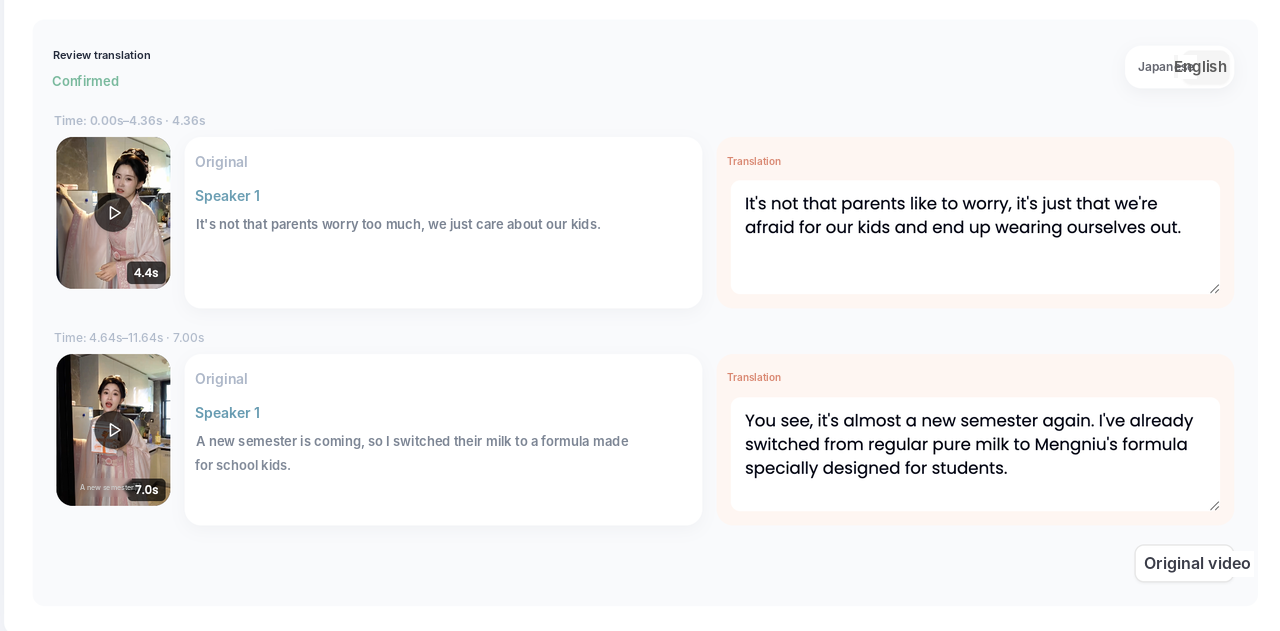
Don't skip this step:
- Read through each line and fix anything that's off right in the translation column. Correct any words the speech recognition misheard, too.
- Check product names, brand names and numbers. These matter most to your audience.
- If several people speak, Vibbit labels them Speaker 1, Speaker 2 and so on, and you can give each one a different voice.
Vibbit separates the voice track from the background, so the dub replaces only the speech. Your music, ambient sound and product sounds stay.
4. Export the video and subtitles
When the translation is done, open the results. Each language gets its own card, and you can download one at a time or all at once.
- Download the video with subtitles for TikTok, Instagram Reels and YouTube Shorts, or without subtitles if you plan to edit it further.
- Download the SRT file if someone needs to proofread it or you want to upload captions separately on YouTube.
Here's the same vertical video before and after:


You can still edit after export. Jump to any line on the timeline, change the translation and re-dub just that sentence instead of redoing the whole video.
Vibbit vs. subtitle-only translation tools
Subtitle-only tools change the text but leave the original burned-in subtitles on screen. Vibbit removes those, dubs the speech and gives you a finished video.
| Subtitle-only tools | Vibbit Video Translation | |
|---|---|---|
| Burned-in subtitles | You remove them yourself | Detected and removed, new subtitles placed |
| Voiceover | Find a voice actor | Built-in natural voices in 20+ languages |
| Music and background sound | Often lost | Voice and background separated, background kept |
| Lip sync | Usually none | Optional toggle |
| Export | Subtitle file only | Video with or without subtitles, plus SRT |
| Batch | One at a time | Several videos and languages in one task |
| Fixes | Re-export everything | Edit and re-dub single lines |
FAQ
How long can my video be?
It depends on your plan. Check the upload page or vibbit.ai/pricing for current limits. For a long tutorial or podcast, try the first couple of minutes first, then translate the full video.
Is the Spanish voice from Spain or Latin America?
Translations are adapted to natural local phrasing. If you're targeting a specific market, review brand names, product names and local expressions on the review screen before you export.
Will the background music be removed?
No. Vibbit separates the voice from the background audio, and the dub replaces only the speech.
If something is mistranslated, do I have to redo the whole video?
No. Find the line on the timeline, fix the translation and re-dub only that sentence.
Can I translate my YouTube video straight from its link?
Upload the original file you own. Only translate videos you have the rights to.
Try it
Have a YouTube video that's already doing well? Make a Spanish version and reach a whole new audience: vibbit.ai