Tools for Batch-Producing TikTok Short Video: A Practical Guide to Vibbit
With TikTok content competition intensifying, the central contradiction facing creators is this: quality requirements keep rising while the time available to make any single video keeps shrinking.
With TikTok content competition intensifying, the central contradiction facing creators is this: quality requirements keep rising while the time available to make any single video keeps shrinking. Hand editing stopped keeping pace long ago, and leaning entirely on AI generation tends to cost an account its style. That is precisely where Vibbit's value lies — it is not out to replace the creator but to compress repetitive technical labour as far as it will go, so the creator's attention goes into topic selection, scripting and sharpening style. The essence of batch production is not producing more rubbish but using tools to copy, adjust and amplify content templates already proven to work. This guide walks through Vibbit's workflow end to end around that idea.
I. Why batch production is unavoidable in running TikTok
Start with the reality: TikTok's algorithm weights account activity heavily, and accounts posting daily are considerably more likely to be recommended than accounts posting weekly. But a creator hand-editing one or two videos a day, on top of picking topics, shooting, grading, matching cuts to the beat and adding captions, can barely sustain it. The result tends to be one of two extremes: going quiet, or sacrificing quality for quantity.
What batch production solves is not laziness but a throughput ceiling. A mature TikTok operator usually builds a template library: video structures, transition styles, caption treatments and music types that have performed in the data. The job after that is applying those fixed elements to new material in bulk. Vibbit's logic is designed around exactly this.
II. What Vibbit actually does for you
Vibbit positions itself as a batch production tool for short video, and its capability concentrates in a few areas.
1. A templated editing engine.
This is the core. You can decompose a video that has already performed into an editing template — shot durations, transition points, filter parameters, the timing of text animations. Import new material afterwards and Vibbit completes the edit to that template. Spend an afternoon perfecting one template and the following week's ten videos can be rough-cut in minutes.
2. Batch material processing.
Import dozens of clips at once and have cropping, grading, denoising and resolution unification done automatically. For disorganised content pulled from an asset library, this removes a great deal of tidying. It suits remix accounts, knowledge-repackaging accounts and product-roundup accounts especially well.
3. Smart captions and multilingual adaptation.
TikTok is a global platform. Vibbit generates captions from speech recognition and translates them into several languages in one step. Creators running multilingual account matrices can output English, Spanish and Japanese versions from the same template, covering different regional traffic pools.
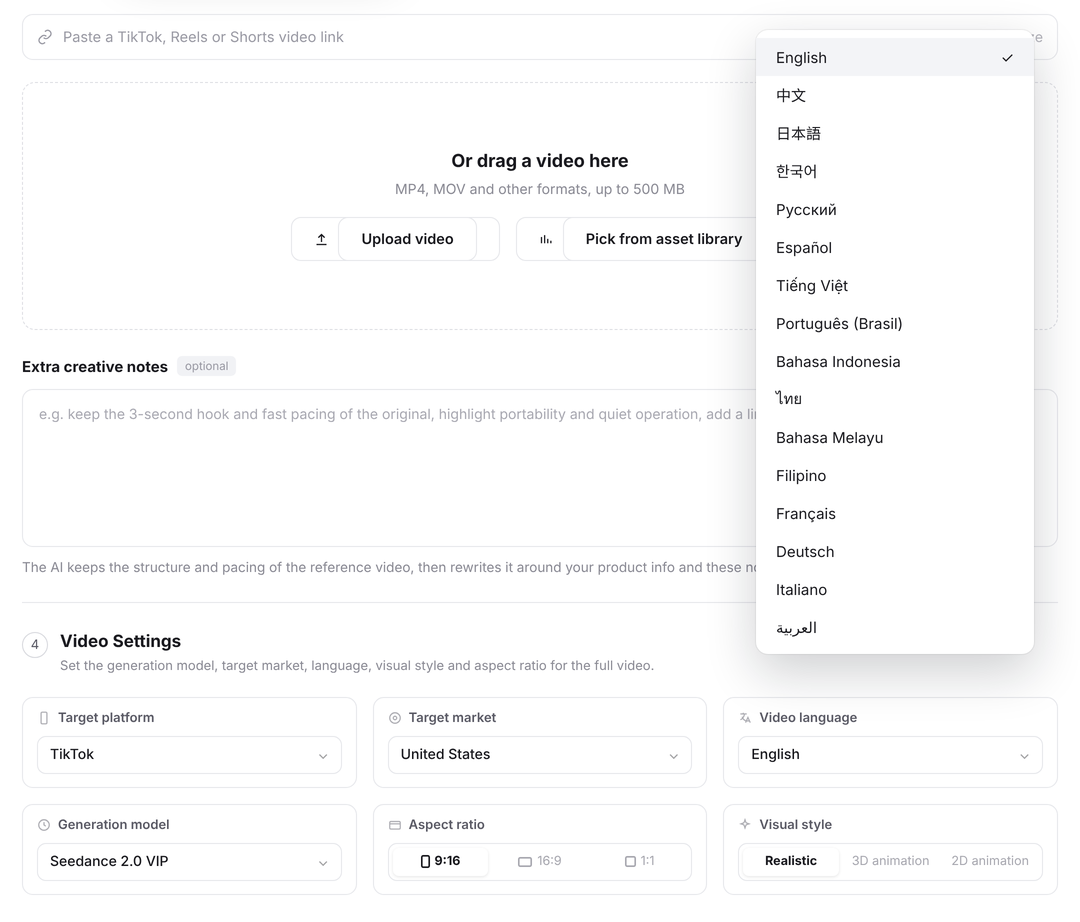
4. Batch export and a publishing queue.
Once editing is done, Vibbit exports video files in different specifications in bulk to preset parameters, and connects to the TikTok publishing flow (with manual confirmation, or alongside a compliant automation tool). The publishing queue lets you schedule a week of content in advance.
III. The workflow: getting Vibbit batch production running from zero
Step one: decide your content model.
Do not open Vibbit first. Work out what kind of account you are running: opinion pieces to camera, product demonstrations, film remixes, text carousels or lifestyle diary? The effective structure differs for each. It helps to hand-edit three to five videos first, publish them as a test, find the one with the best data and make it your template prototype.
Step two: build the template in Vibbit.
Import your prototype video and Vibbit analyses its editing pace, transition positions and music beat points to generate an editable timeline template. You mark variables at the key positions — "first clip runs 3 seconds," "second clip takes a zoom transition," "caption appears at 0.5 seconds." Those marks are the anchors the batch application uses later.
Step three: prepare material in bulk.
Organise new material to the template's requirements: consistent naming, consistent duration range, consistent frame. Vibbit imports folders in bulk and matches clips to the right tracks automatically. Where a clip runs short, enable smart speed adjustment or frame interpolation so the material fits the template's pacing.
Step four: generate in bulk and spot-check by hand.
Do not publish the first batch wholesale. Spot-check about 30%, looking at whether transitions feel natural, whether captions contain typos and whether key framing is being cropped. Take any problems back to the template, adjust and regenerate. This stage is what keeps "batch" from meaning "sloppy."
Step five: schedule, publish and feed data back.
Use the publishing queue to set times and hold a steady posting frequency. Pull the data after a week, compare which templates performed, retire the weak ones and keep iterating the strong ones. That forms the loop: template → batch → data → better template.
IV. Going further: template matrices and account matrices
Batch production for one account is only the starting point. Vibbit's real power is in template matrix management.
Say you run three TikTok accounts with different positioning: one on tech news, one on fitness tutorials, one on calming landscape content. Each has its own style template — different typefaces, filters, pacing and music character. Vibbit lets you manage several template sets in one workspace and call up the right group when you switch accounts, so styles never bleed into one another.
Further still, you can break one winning topic into several content forms: the same idea delivered by account A as talking head plus text, by account B as a pure text carousel, by account C as remixed footage with voiceover. One content source, three expressions, covering different audience preferences, and a test of which form performs on which account.
V. A tool is a lever, not magic
Vibbit will multiply your editing efficiency several times over, but it will not pick your topics, write your scripts or judge your content direction. The point of batch production is to free you from repetitive labour so you have more time for the things that actually decide whether an account works — researching your audience, sharpening the content, testing directions. Used well, it is an amplifier; used badly, it is a machine for producing mediocre content faster. Work out what you want to say first, then let Vibbit help you say it a hundred times.