Minimalist Flowchart/Diagram Generation Style Guide
Infographic / Edu Visual
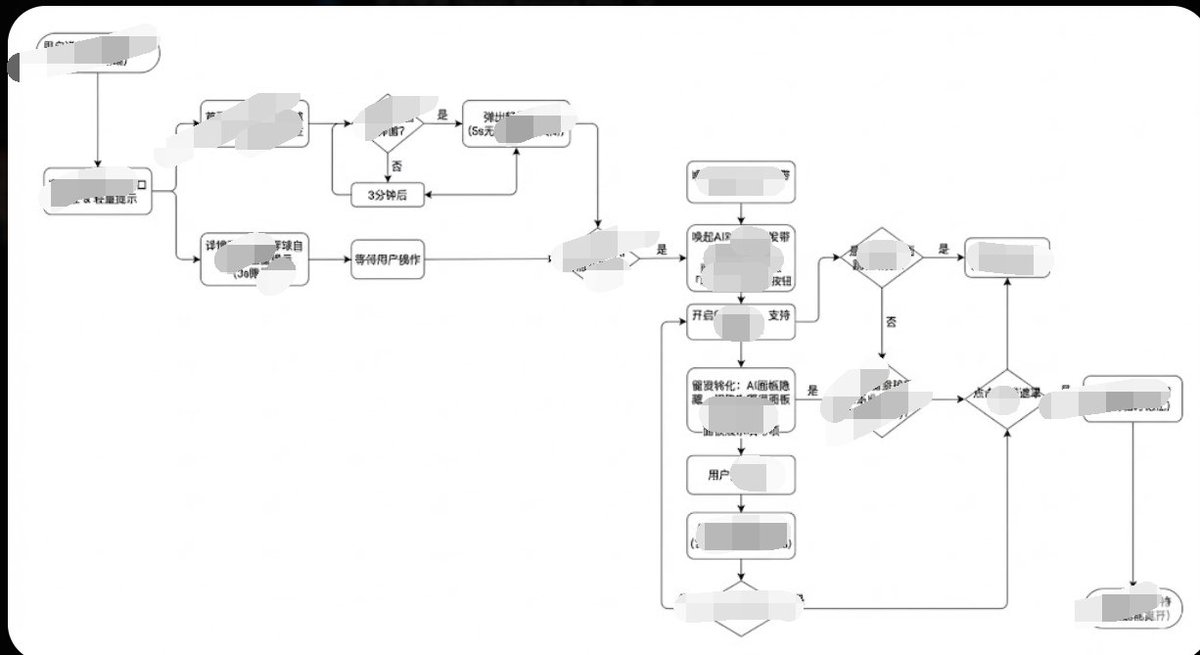
A detailed style guide prompt for Nano Banana Pro to generate minimalist, clean flowcharts or diagrams. It specifies color palette, line types (orthogonal), shapes (rounded rectangles, diamonds), and
Prompt
Generate image, 1. Style Core Parameter Extraction (Style Guide)
Please refer to the following parameters:
Color Palette:
Background: Pure white (#FFFFFF)
Lines/Borders: Dark gray or pure black (#333333 or #000000)
Text: Dark gray (#333333), regular weight, no bold.
Fill: No fill (transparent) or pure white fill, to cover lines behind.
Lines/Connectors:
Type: Orthogonal/Elbow lines, meaning only vertical and horizontal lines, with right-angle corners.
Thickness: Extremely thin (1px).
Arrow: Solid small triangle (Solid Arrowhead), black.
Shapes:
Normal Node: Rounded Rectangle, very small corner radius (approx. 4px - 8px).
Decision Node: Diamond.
Start/End: Capsule shape or rectangle with larger rounded corners.
Typography:
Alignment: Center aligned.
Font: Sans-serif font, such as Arial, Roboto, or Source Han Sans. Small font size (approx. 12px-14px).

Apply the style above along with your user journey/process to Gemini, and it will present the corresponding effect without needing adjustments.